
1. Giriş
This manual provides detailed instructions for the installation, operation, and maintenance of your Thomson 512331 720p WiFi IP Camera. This wireless security camera features 720p HD resolution, advanced night vision, motion detection, and remote viewing capabilities via a smartphone or tablet application. Designed for outdoor use, it boasts an IP66 weather-resistant rating and a durable metal construction.
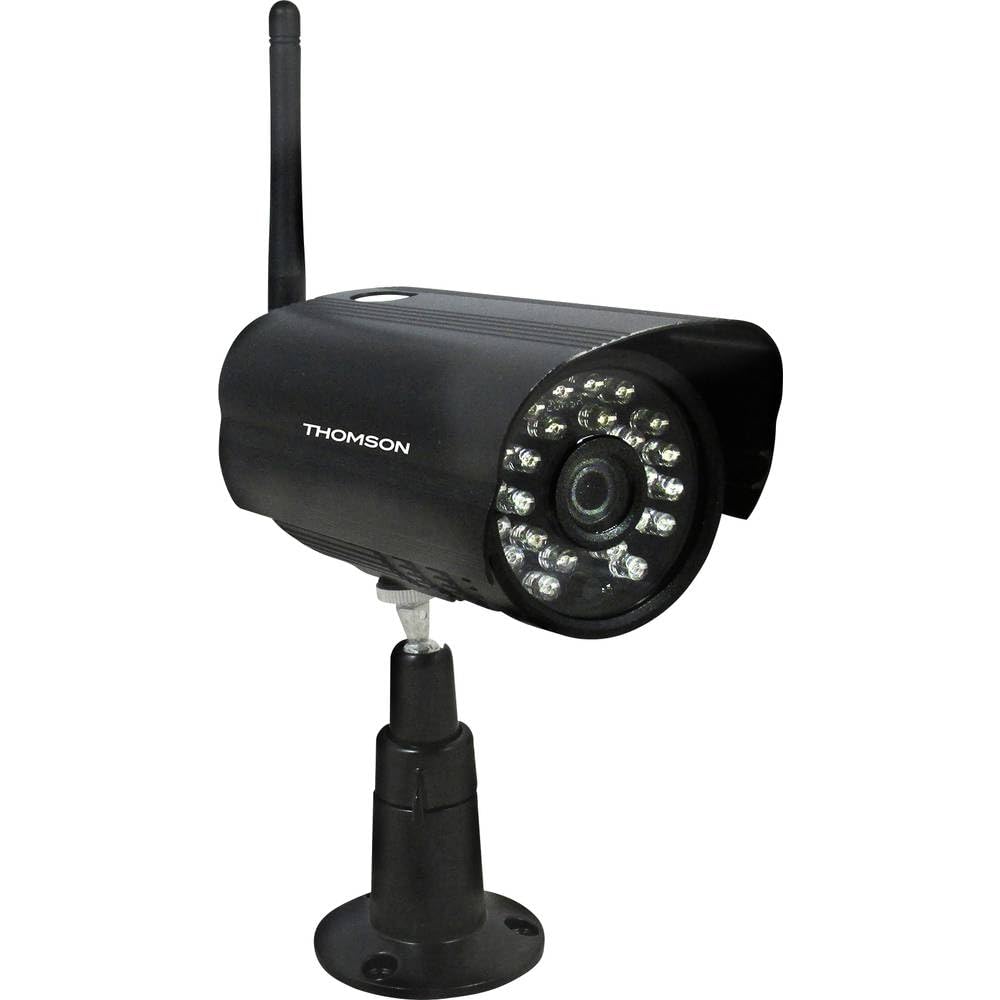
Şekil 1: Ön view of the Thomson 512331 720p WiFi IP Camera. This image shows the camera's main body, lens, and antenna connection point, highlighting its compact and robust design suitable for outdoor surveillance.
2. Paket İçeriği
Lütfen aşağıda listelenen tüm öğelerin paketinizde bulunduğundan emin olun. Herhangi bir öğe eksik veya hasarlıysa, müşteri desteğiyle iletişime geçin.
- Thomson 512331 IP Camera
- Power Adapter (230VAC/12VDC 500mA)
- WiFi Anteni
- Montaj Kiti (vidalar ve dübeller)
- Kullanım Kılavuzu (bu belge)
3. Ürün Bittiview
The Thomson 512331 camera is designed for reliable surveillance with the following key features:
- Mercek: 3.6mm fixed lens for a wide field of view.
- Çözünürlük: 1280x720 (720p) HD video capture.
- Gece Görüşü: Infrared night vision with 24 LEDs, providing a range of up to 20 meters. Features color night vision capability.
- Ses: Integrated microphone for audio acquisition.
- Bağlantı: Wireless Wi-Fi connectivity for flexible placement.
- Hava Koşullarına Dayanıklılık: IP66 rated for outdoor use, protecting against dust and powerful water jets.
- Malzeme: Durable metal housing.
- Güç: 12VDC 500mA power input, maximum consumption 5W.
- Video Sıkıştırma: H.264 for efficient storage and streaming.
- Depolamak: Supports SD card for local storage (SD card not included).
4. Kurulum
4.1 Fiziksel Kurulum
- Bir Konum Seçin: Select a suitable outdoor location for the camera, ensuring it has a clear view İzlemek istediğiniz bölgenin ve Wi-Fi ağınızın kapsama alanında bulunan bir yer.
- Kamerayı Monte Edin: Use the provided mounting kit to securely attach the camera to a wall or other stable surface. Drill pilot holes if necessary, insert wall plugs, and fasten the camera bracket with screws.
- WiFi Antenini Takın: Screw the WiFi antenna firmly onto the designated port on the camera.
- Gücü bağlayın: Connect the power adapter to the camera's 12VDC input port and plug the adapter into a suitable power outlet. Ensure the power outlet is protected from weather if installed outdoors.
4.2 Ağ Yapılandırması ve Uygulama Kurulumu
- Uygulamayı indirin: Arama the official Thomson IP Camera application on your smartphone's or tablet's app store (iOS or Android). Download and install the application.
- Bir hesap oluşturun: Uygulamayı açın ve yeni bir kullanıcı hesabı oluşturmak için ekrandaki talimatları izleyin veya zaten bir kullanıcı hesabınız varsa oturum açın.
- Kamera Ekle: In the app, select the option to "Add Device" or "Add Camera." Follow the in-app wizard to connect your camera to your Wi-Fi network. This typically involves scanning a QR code on the camera or entering your Wi-Fi credentials.
- Ayarları Yapılandırın: Once connected, you can configure various settings such as motion detection sensitivity, recording schedules, and alert notifications within the app.
5. Kullanım Talimatları
5.1 Canlı View
Open the Thomson IP Camera app on your smartphone or tablet. Select your camera from the device list to view the live video feed. You can typically switch between standard and HD resolution, and access controls for audio and recording.
5.2 Hareket Algılama ve Uyarılar
The camera is equipped with motion detection. When motion is detected, the camera can trigger recordings and send push notifications to your connected device. Adjust motion detection sensitivity and alert preferences in the app's settings.
5.3 Gece Görüşü
The camera automatically switches to infrared night vision in low-light conditions, providing clear black and white video. It also supports color night vision in certain conditions. The 24 built-in IR LEDs illuminate up to 20 meters.
5.4 Kayıt ve Oynatma
If an SD card is installed (not included), the camera can record video locally. Recordings can be triggered by motion or set on a schedule. Access recorded footagUygulamanın oynatma özelliği aracılığıyla.
6. Bakım
- Temizlik: Kamera merceğini ve muhafazasını düzenli olarak yumuşak bir bezle temizleyin.amp Toz ve kiri temizlemek için bir bez kullanın. Sert kimyasallar veya aşındırıcı temizleyiciler kullanmayın.
- Donanım Yazılımı Güncellemeleri: Check the app regularly for firmware updates. Keeping your camera's firmware up-to-date ensures optimal performance and security.
- Güç Kaynağı: Ensure the power adapter and cable are in good condition and free from damage.
- Wi-Fi Bağlantısı: Verify your Wi-Fi signal strength periodically to ensure a stable connection for continuous surveillance.
7. Sorun Giderme
- Kamera Wi-Fi'ye Bağlanmıyor:
- Kameranın Wi-Fi yönlendiricinizin kapsama alanında olduğundan emin olun.
- Uygulamada Wi-Fi şifrenizin doğru girildiğinden emin olun.
- Yönlendiricinizi ve kameranızı yeniden başlatın.
- Ensure your Wi-Fi network is 2.4GHz, as 5GHz networks may not be supported.
- Video yayını yok:
- Kameranın açık olup olmadığını kontrol edin.
- Confirm a stable internet connection on both the camera and your viewcihaz.
- Kamerayı ve uygulamayı yeniden başlatın.
- Hareket Algılama Çalışmıyor:
- Check motion detection settings in the app; ensure it is enabled and sensitivity is adjusted correctly.
- Kameranın görüşünü engelleyen herhangi bir şey olmadığından emin olun. view.
- Zayıf Gece Görüş Kalitesi:
- Kir veya lekeleri temizlemek için kamera lensini temizleyin.
- Ensure there are no reflective surfaces close to the camera that might interfere with IR illumination.
8. Özellikler
| Model Adı | 512331 |
| Marka | Thomson |
| Boyutlar (U x G x Y) | 50x50x28 cm |
| Ağırlık | 500 gram |
| Bağlantı Teknolojisi | Kablosuz, Wi-Fi |
| Özel Özellik | Gece Görüşü |
| Uyumlu Cihazlar | Tablet, Akıllı Telefon |
| Güç Kaynağı | AC Power (12VDC 500mA adapter) |
| Denetleyici Türü | iOS (via application) |
| Montaj Tipi | Duvara Montaj |
| Ürün Özellikleri | Night Vision, Motion Detection |
| Malzeme | Metal |
| Su Direnç Seviyesi | IP66 (Su geçirmez) |
| Uyarı Tipi | Sadece hareket |
| Işık Kaynağı Türü | NEDEN OLMUŞ |
| Kontrol Yöntemi | Başvuru |
| Güç Tüketimi | 5 Watt |
| Piller Gerekli | HAYIR |
| Kanal Sayısı | 1 |
| Odak Türü | Otomatik Odaklama |
| Optik Sensör Teknolojisi | BSI CMOS |
| Video Çözünürlüğü | 720p (1280x720 Piksel) |
| Gece Görüş Aralığı | 20 Metre |
| Gece Görüş Tipi | Infrared with Color Night Vision capability |
| Flash Bellek Türü | SD (for local storage) |
9. Garanti ve Destek
For warranty information and technical support, please refer to the documentation provided with your purchase or visit the official Thomson webSite. Satın alma belgenizi garanti talepleriniz için saklayın.
Çevrimiçi Kaynaklar: www.thomson.eu