
giriiş
The HyperGear Rave Wireless Stereo Speaker delivers high-fidelity sound with an interactive multi-colored LED light show. It features Bluetooth connectivity, a built-in speakerphone, and an FM radio, making it suitable for various audio needs.
Paket İçeriği
- Rave Wireless Speaker
- 3.5 mm Stereo Yardımcı Kablo
- Mikro USB Şarj Kablosu
- Kullanım Kılavuzu (bu belge)

Ürün Bittiview
Hoparlörün kontrollerini ve bağlantı noktalarını iyice öğrenin.

Kontrol Düğmeleri
- Güç Düğmesi: Hoparlörü açmak veya kapatmak için basılı tutun.
- Mod Düğmesi (M): Press to switch between Bluetooth, FM Radio, and AUX modes.
- Play/Pause Button (►/∕): Ses kaydını oynatmak veya durdurmak için basın. Arama modundayken, aramaları cevaplamak/sonlandırmak için basın.
- Volume Down / Previous Track (-/◀◀): Sesi kısmak için basın. Önceki parçaya geçmek için basılı tutun.
- Volume Up / Next Track (+/►►): Sesi artırmak için basın. Bir sonraki parçaya geçmek için basılı tutun.
- Light Mode Button (*): Press to cycle through different LED light patterns or turn off the light show.
Limanlar
- Mikro USB Şarj Bağlantı Noktası: Hoparlörün dahili pilini şarj etmek için.
- 3.5 mm AUX Girişi: For connecting external audio devices via the auxiliary cable.
Kurmak
Hoparlörü Şarj Etme
Before first use, fully charge the speaker. Connect the Micro USB charging cable to the speaker's charging port and the other end to a USB power adapter (not included) or a computer's USB port. The charging indicator light will illuminate during charging and turn off when fully charged. A full charge takes approximately 3-4 hours and provides up to 8 hours of playback.
Açma/Kapatma
Basılı tutun Güç Düğmesi Hoparlörü açmak veya kapatmak için yaklaşık 3 saniye basılı tutun. Sesli bir uyarı, güç durumunu gösterecektir.
Kullanım Talimatları
Bluetooth Eşleştirme
- Hoparlörün açık ve Bluetooth modunda olduğundan emin olun. Değilse, aşağıdaki tuşa basın. Mod Düğmesi (M) until you hear the Bluetooth pairing prompt. The LED indicator will flash, indicating it is ready to pair.
- Mobil cihazınızda Bluetooth'u etkinleştirin ve mevcut cihazları arayın.
- Select "HyperGear Rave" from the list of devices.
- Eşleştirme işlemi tamamlandığında, hoparlör bir onay sesi çıkaracak ve LED göstergesi yanıp sönmeyi durduracaktır.

Müzik Çalmak
Bluetooth Modu
After successful pairing, you can play music from your connected device. Use the speaker's Oynat/Duraklat, Sesi Aç/Sonraki Parça, Ve Sesi Kısma/Önceki Parça buttons to control playback, or control directly from your device.
AUX Modu
Connect one end of the 3.5mm auxiliary cable to the speaker's AUX input and the other end to the audio output of your external device. Press the Mod Düğmesi (M) to switch to AUX mode. Audio will play directly from your connected device.
Eller Serbest Arama
When connected via Bluetooth, the speaker can be used as a speakerphone. When a call comes in, the music will pause. Press the Oynat/Duraklat Düğmesi to answer an incoming call. Press it again to end the call. Press and hold the Oynat/Duraklat Düğmesi Gelen bir aramayı reddetmek için
FM Radyo İşlemi
Basın Mod Düğmesi (M) to switch to FM Radio mode. The speaker will automatically scan and save available stations. Use the Sesi Aç/Sonraki Parça Ve Sesi Kısma/Önceki Parça buttons to navigate between saved stations. Press and hold these buttons to fine-tune the frequency.
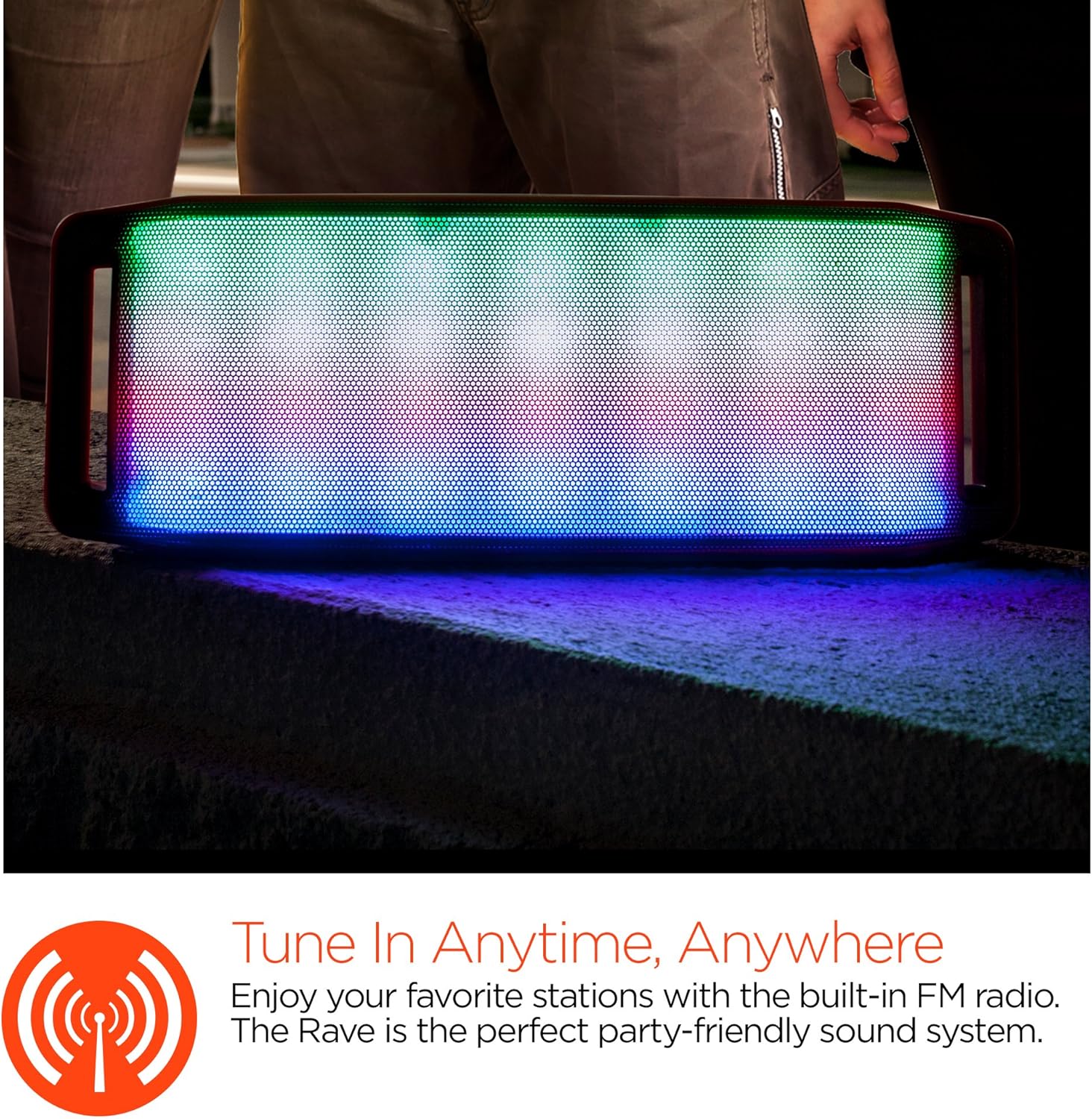
LED Işık Gösterisi
The speaker features an interactive multi-colored LED light show. Press the Light Mode Button (*) to cycle through different light patterns or to turn the light show off.

Bakım
Temizlik
Wipe the speaker with a soft, dry cloth. Do not use abrasive cleaners or solvents. Avoid exposing the speaker to excessive moisture.
Depolamak
Hoparlörü doğrudan güneş ışığından ve aşırı sıcaklıklardan uzak, serin ve kuru bir yerde saklayın. Uzun süre saklayacaksanız, ömrünü uzatmak için pili düzenli olarak şarj edin.
Pil Bakımı
To prolong battery life, avoid fully discharging the speaker frequently. Charge the speaker regularly, even if not in use, to prevent deep discharge.
Sorun giderme
| Sorun | Olası Neden | Çözüm |
|---|---|---|
| Hoparlör açılmıyor. | Pil bitmiş. | Hoparlörü Micro USB kablosu kullanarak şarj edin. |
| Bluetooth üzerinden eşleştirme yapılamıyor. | Hoparlör eşleştirme modunda değil; cihazda Bluetooth kapalı; cihaz çok uzakta. | Hoparlörün Bluetooth eşleştirme modunda olduğundan emin olun (LED yanıp sönüyor). Cihazınızda Bluetooth'u açın. Cihazınızı hoparlöre yaklaştırın (10 metre içinde). |
| Ses yok. | Volume is too low; incorrect mode selected; device not playing. | Increase volume on both speaker and connected device. Ensure correct mode (Bluetooth/AUX/FM) is selected. Verify audio is playing on the source device. |
| Ses bozulması. | Ses seviyesi çok yüksek; pil zayıf; parazit. | Sesi kısın. Hoparlörü şarj edin. Hoparlörü diğer elektronik cihazlardan uzaklaştırın. |
| FM radyo alımı zayıf. | Zayıf sinyal; çevresel parazit. | Relocate the speaker to an area with better reception. Extend the charging cable (if connected) as it can act as an antenna. |
Özellikler
| Özellik | Detay |
|---|---|
| Model Numarası | 13604 |
| Bluetooth Sürümü | 3.0 ± EDR |
| Hoparlör Çıkış Gücü | 2 x 5W (Toplam 10W) |
| Sinyal Gürültü Oranı (S/N) | 80dB |
| Pil Kapasitesi | 1500mAh |
| Oyun Zamanı | 8 Saate Kadar |
| Bluetooth Menzili | 33ft / 10m'ye kadar |
| Bağlantı Teknolojisi | Bluetooth, Kablosuz |
| Ses Çıkışı Modu | Stereo |
| Kontrol Yöntemi | Dokunmak |
| Ağırlık | 2.25 Pound |
| Özel Özellikler | Bass Boost, Display, Multi-colored LED Light Show, Built-in Speakerphone, FM Radio |
Garanti ve Destek
For warranty information or technical support, please refer to the contact details provided on the product packaging or visit the official HYPERGEAR webSite. Satın alma belgeniz olarak satın alma fişinizi saklayın.