
1. Giriş
Thank you for choosing the Casio SL-310SV Solar Powered Standard Function Calculator. This manual provides essential information for the proper use and care of your calculator. The SL-310SV features a large 10-digit LCD display, solar power with battery backup, and a durable metal faceplate, making it suitable for everyday calculations.

Resim: Ön view of the Casio SL-310SV Solar Powered Calculator, displaying its 10-digit screen and key layout.
2. Kurulum
2.1 Unboxing and Initial Power
Paketi açtığınızda, aşağıdaki öğelerin mevcut olduğundan emin olun:
- Casio SL-310SV Calculator
- Talimat Sayfası (bu kılavuz)
- Wallet-style case
The calculator is powered by solar energy and includes a battery backup. It will automatically power on when sufficient light is available. If the display is blank, expose the solar panel to light. The calculator is ready for use immediately after unboxing.
2.2 Otomatik Kapanma
To conserve battery life, the calculator features an auto power-off function. It will automatically turn off after approximately 10 minutes of non-use. To reactivate, simply press any key.
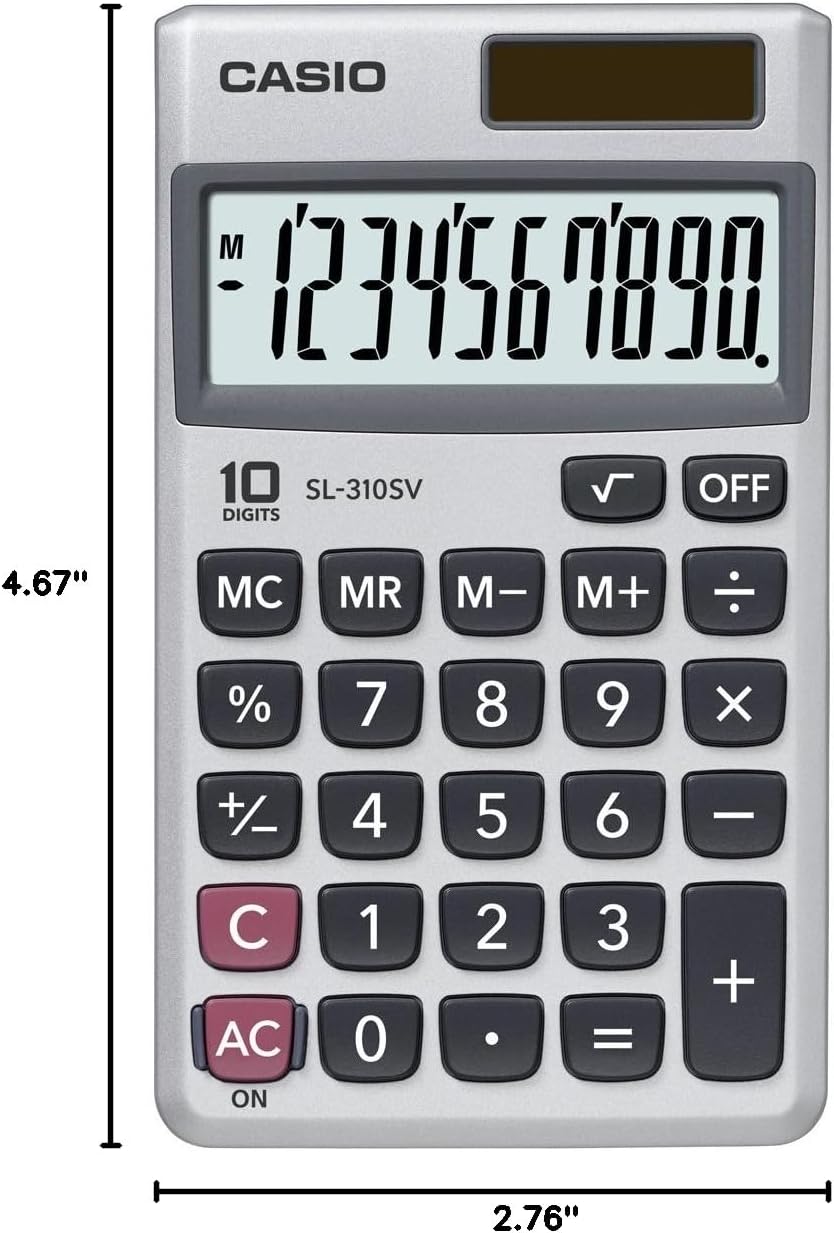
Image: Casio SL-310SV Calculator showing its dimensions: 4.67 inches in length and 2.76 inches in width.
3. Kullanım Talimatları
3.1 Temel Aritmetik İşlemler
Perform addition, subtraction, multiplication, and division using the respective keys: +, -, ×, ÷. Basmak = Sonucu görüntülemek için.
3.2 Bellek Fonksiyonları
The calculator includes memory functions for storing and recalling values:
- MC (Hafıza Temizleme): Clears the memory content.
- MR (Hafıza Geri Çağırma): Recalls the value currently stored in memory.
- M- (Bellek Eksi): Subtracts the displayed value from the memory content.
- M+ (Bellek Artı): Adds the displayed value to the memory content.
3.3 Yüzdetage Hesaplamalar
Kullanın % yüzde için anahtartage hesaplamaları. Örneğinample, to calculate 10% of 150, enter 150 × 10 %.
3.4 Karekök
Basın √ key to calculate the square root of the displayed number.
3.5 Clear Keys
- C (Clear): Clears the last entered number or operation.
- AC (Herşey Temiz): Clears all entries and operations, resetting the calculator to zero.
3.6 Turning Off the Calculator
Basın KAPALI key to manually turn off the calculator. Alternatively, the auto power-off feature will activate after 10 minutes of inactivity.
4. Bakım
4.1 Temizlik
To clean the calculator, wipe it with a soft, dry cloth. Do not use abrasive cleaners, solvents, or harsh chemicals, as these can damage the display or casing.
4.2 Depolama
When not in use, store the calculator in its provided wallet-style case to protect it from dust, scratches, and impacts. Avoid exposing the calculator to extreme temperatures, humidity, or direct sunlight for prolonged periods, as this can affect its performance and lifespan.
4.3 Pil Bilgileri
The Casio SL-310SV operates primarily on solar power. The built-in battery serves as a backup power source in low-light conditions. The battery is designed for long-term use and typically does not require user replacement. If the display becomes consistently dim even in adequate light, contact customer support.
5. Sorun Giderme
5.1 Blank or Dim Display
- Neden: Insufficient light for solar power, or low battery backup.
- Çözüm: Move the calculator to a well-lit area. If the issue persists, the internal battery may be depleted. While not user-replaceable, prolonged exposure to bright light might help recharge it slightly, or indicate a need for service.
5.2 Hatalı Hesaplama Sonuçları
- Neden: Incorrect key input, or a value stored in memory affecting calculations.
- Çözüm: Basın AC key to clear all operations and memory. Re-enter the calculation carefully.
5.3 Tuşlar Yanıt Vermiyor
- Neden: Dust or debris under the keys, or a temporary malfunction.
- Çözüm: Gently clean around the keys. If the calculator is unresponsive, try moving it to a brighter area to ensure adequate power. If the problem continues, contact customer support.
6. Özellikler
| Özellik | Detay |
|---|---|
| Model Numarası | SL-310SV |
| Görüntü Türü | Large 10-Digit LCD |
| Güç Kaynağı | Pil Yedeklemeli Güneş Enerjisi |
| Hesap Makinesi Türü | Standart işlevi |
| Boyutlar (U x G) | 4.67" x 2.76" |
| Muhafaza Malzemesi | Plastic with Metal Faceplate |
| Özel Özellikler | Square Root Key, Percentage Key, Memory Functions, Auto Power Off, Wallet Style Case |
7. Garanti ve Destek
7.1 Garanti Bilgileri
The Casio SL-310SV calculator comes with a 1 yıllık sınırlı garanti from the date of purchase. This warranty covers manufacturing defects under normal use. It does not cover damage caused by misuse, accidents, unauthorized repairs, or normal wear and tear. Please retain your proof of purchase for warranty claims.
7.2 Müşteri Desteği
For technical assistance, warranty service, or general inquiries, please visit the official Casio website or contact their customer service department. Refer to the contact information provided on the Casio packaging or website for the most up-to-date details.
Daha fazla bilgi ve destek kaynaklarına şu adresten ulaşabilirsiniz: Amazon'da Casio Mağazası.