
1. Giriş
Thank you for choosing the ACCUWEIGHT Digital Personal Scale. This manual provides essential information for the safe and effective use of your new scale. Designed for accuracy and ease of use, this scale helps you monitor your weight with precision. Please read this manual thoroughly before operation and keep it for future reference.

Resim 1.1: Yukarıdan aşağıya view of the ACCUWEIGHT Digital Personal Scale, showcasinŞık tasarımı ve dijital ekranıyla dikkat çekiyor.
2. Güvenlik Bilgileri
To ensure safe operation and prolong the life of your scale, please observe the following precautions:
- Doğru ölçümler için teraziyi her zaman sert, düz ve sabit bir yüzeye yerleştirin. Halı veya düz olmayan zeminlerden kaçının.
- Do not use the scale if the surface is wet or covered with water droplets, as this poses a risk of slipping. Wipe the surface dry before use.
- Tartıya aniden çıkmayın. Yavaşça inip çıkın.
- Teraziyi aşırı sıcaklıklardan, doğrudan güneş ışığından ve yüksek nemden uzak tutun.
- This scale is designed for personal use only. Do not use for commercial or medical purposes requiring certified precision.

Image 2.1: Visual comparison highlighting the safety features of the ACCUWEIGHT scale, including its skid-proof surface and rounded corners, compared to typical scales.
3. Paket İçeriği
Lütfen aşağıdaki öğelerin kutucuğunu işaretleyin:
- 1x ACCUWEIGHT Digital Personal Scale
- 1x User Manual (this guide)
- 2x AAA Pil
4. Ürün Özellikleri
The ACCUWEIGHT Digital Personal Scale is equipped with several features designed for convenience and accuracy:
- Güvenlik ve Konfor: Constructed from durable 5mm ABS material, featuring a large 32x30cm non-slip platform and rounded corners for enhanced safety and user comfort.
- Smart Auto-Activation Technology: Provides immediate weight readings as soon as you step on the scale.
- Yüksek Hassasiyet: Utilizes 4 high-precision sensors for consistent and accurate measurements.
- Geniş Ölçüm Aralığı: Supports a maximum weight capacity of 400 lb (180 kg) with graduation increments of 0.2 lb (0.1 kg).
- Kolay Okunabilen Ekran: Features a large 3.6-inch LCD screen with a blue backlight and large font numbers for clear visibility from any angle.
- Birim dönüştürme: Easily switch between measurement units: pounds (lb), kilograms (kg), and stones (st).
- Otomatik Kapanma İşlevi: Automatically turns off after 10 seconds of inactivity to conserve battery life.

Image 4.1: An illustration detailing the practical features of the scale, including its skid-proof surface, backlit LCD, and high-precision sensors.

Image 4.2: A diagram illustrating the internal structure and placement of the four advanced precision sensors within the scale, ensuring accurate measurements.
5. Kurulum
Follow these steps to set up your ACCUWEIGHT Digital Personal Scale:
- Pilleri Takın: Terazinin altındaki pil bölmesini açın. İki adet AAA pili, doğru kutuplara (+/-) dikkat ederek yerleştirin. Bölmeyi sıkıca kapatın.
- Atama: Place the scale on a hard, flat, and stable surface. Avoid placing it on soft surfaces like carpets, rugs, or uneven flooring, as this can affect accuracy.
- Initial Calibration (First Use or After Moving): For the first use, or if the scale has been moved, gently step on the scale until the display shows '0.0' or a reading, then step off. The scale will calibrate itself to zero. This ensures accurate readings for subsequent uses.
6. Kullanım Talimatları
Using your ACCUWEIGHT Digital Personal Scale is simple:
- Basmak: Gently step onto the center of the scale's platform with bare feet. The scale will automatically turn on and display your weight.
- Ölçümü Oku: Stand still on the scale until the weight reading stabilizes on the LCD screen.
- Adım Atma: Once your weight is displayed, you can step off the scale. The scale will automatically turn off after approximately 10 seconds to save battery life.
- Birimleri Değiştir: To switch between measurement units (lb, kg, st), locate the unit button on the underside of the scale. Press it to cycle through the available units until your desired unit is displayed.
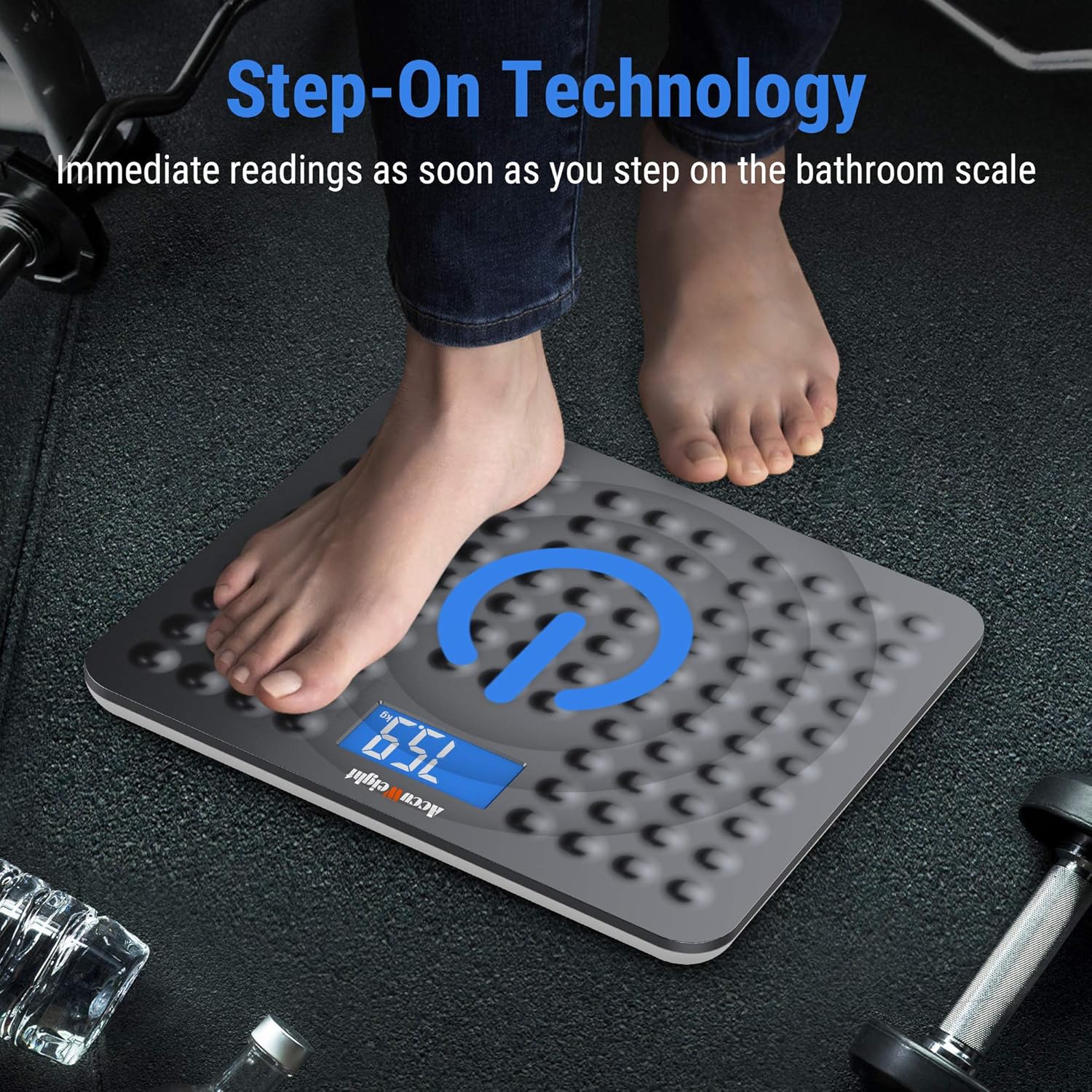
Image 6.1: A visual representation of the 'Step-On Technology' in action, showing a user stepping onto the scale for an immediate weight reading.

Image 6.2: An illustration demonstrating the ease of switching between different measurement units (pounds, kilograms, and stones) on the scale's backlit display.
7. Bakım
Proper maintenance will ensure the longevity and accuracy of your scale:
- Temizlik: Yumuşak bir bezle ölçek yüzeyini silin.amp Bezle temizleyin. Aşındırıcı temizleyiciler kullanmayın veya teraziyi suya batırmayın.
- Depolamak: Store the scale in a cool, dry place. Avoid storing it vertically or placing heavy objects on it.
- Pil Değişimi: If the display shows a 'Lo' indicator or becomes dim, it's time to replace the batteries. Use only AAA batteries.
8. Sorun Giderme
Tartım cihazınızla ilgili sorunlarla karşılaşırsanız, aşağıdaki yaygın sorunlar ve çözümlerine bakın:
| Sorun | Olası Neden | Çözüm |
|---|---|---|
| Ekranda görüntü yok / Tartı açılmıyor | Piller bitmiş veya yanlış takılmış. | Pil kutuplarını kontrol edin. Gerekirse pilleri değiştirin. |
| Yanlış veya tutarsız okumalar | Scale on uneven surface; not calibrated; weight fluctuations throughout the day. | Ensure scale is on a hard, flat surface. Perform initial calibration (step on, then off). Note that body weight naturally fluctuates by 4-6 lb throughout the day. |
| Ekranda 'Lo' yazıyor. | Pil gücü düşük. | Pilleri değiştirin. |
| Ekranda 'Hata' yazıyor. | Aşırı yüklenme veya dahili hata. | The scale's maximum capacity is 180 kg (400 lb). Step off the scale. If the error persists, try removing and reinserting batteries. |
9. Özellikler
Detailed technical specifications for the ACCUWEIGHT Digital Personal Scale:
| Şartname | Detay |
|---|---|
| Model Numarası | AW-BS002WHU |
| Ölçüm Aralığı | 5 kg ila 180 kg (11 lb ila 400 lb) |
| Graduation Increments | 0.1 kg (0.2 lb) |
| Ölçüm Birimleri | lb, kg, st |
| Görüntü Türü | Mavi Arka Aydınlatmalı LCD |
| LCD Ekran Boyutu | 3.8 x 7.6 cm (1.5 x 3.0 inç) |
| Platform Malzemesi | ABS Plastic (5mm thick) |
| Platform Boyutları | 30.5 x 33 x 2.0 cm (12.0 x 13.0 x 0.8 inç) |
| Güç Kaynağı | 2 x AAA Pil (dahil) |
| Otomatik Kapanma Süresi | Yaklaşık. 10 saniye |
| Renk | Koyu Gri |

Image 9.1: A diagram illustrating the physical dimensions of the ACCUWEIGHT Digital Personal Scale.
10. Garanti ve Destek
ACCUWEIGHT products are manufactured to high-quality standards. For any questions, technical support, or warranty claims, please contact ACCUWEIGHT customer service through the retailer's platform or the official ACCUWEIGHT webLütfen garanti işlemleri için satın alma belgenizi saklayın.