
1. Giriş ve Üzeriview
The Salter 9192 WH3R Curve Bluetooth Smart Analyser Bathroom Scale is designed to help you monitor your health and fitness progress. This scale provides comprehensive body composition analysis, including weight, body fat, body water, muscle mass, bone mass, Body Mass Index (BMI), and Basal Metabolic Rate (BMR). It features an easy-to-read LCD display, 8-user memory, and specialized athlete and child modes. Data can be synced with your smartphone via Bluetooth using the free Salter MiBody App for detailed tracking and analysis.

Image: The Salter 9192 WH3R scale connected to a smartphone displaying the Salter Health app dashboard.

Image: The Salter 9192 WH3R scale highlighting its 15-year guarantee and Bluetooth connectivity with the Salter Health app.
2. Güvenlik Bilgileri
Lütfen kullanmadan önce tüm talimatları dikkatlice okuyun. Bu kılavuzu ileride başvurmak üzere saklayın.
- Always use the scale on a firm, flat surface. Using it on soft surfaces like carpet may affect accuracy.
- The scale platform can become slippery when wet. Ensure the surface is dry before stepping on.
- Do not use this device for medical diagnosis or treatment. Consult your doctor for any health concerns.
- Teraziyi çocukların erişemeyeceği bir yerde saklayın.
- Kireç tabakasını suya batırmayın veya aşındırıcı temizlik maddeleri kullanmayın.
- Ensure batteries are inserted correctly according to polarity markings. Remove batteries if the scale will not be used for an extended period.
- Individuals with pacemakers or other internal medical devices should not use this product.
3. Kurulum
3.1 Pil Kurulumu
- Terazinin alt tarafındaki pil bölmesini açın.
- 3 adet AAA pili, doğru kutuplara (+/-) dikkat ederek takın.
- Pil bölmesini sıkıca kapatın.
3.2 Uygulama İndirme ve Eşleştirme
To utilize the full features of your scale, download the Salter MiBody App on your smartphone.

Image: The Salter Health app supports Bluetooth, Apple Health, and is available on the App Store and Google Play.
- Arama 'Salter MiBody' in the Apple App Store (for iOS devices) or Google Play Store (for Android devices).
- Uygulamayı indirin ve kurun.
- Akıllı telefonunuzda Bluetooth’u etkinleştirin.
- Open the Salter MiBody App and follow the on-screen instructions to create your user profile and pair your scale. You will need to enter personal details such as age, height, and gender for accurate body composition analysis.
3.3 Kullanıcı Profesyonelifile Kurmak
Terazi 8 kullanıcı pro'ya kadar desteklerfiles. During initial app setup, you will create your first profile. Additional profiles can be added through the app for other family members.

Image: The Salter 9192 WH3R scale features 8 user memory and dedicated Child & Athlete modes.
- Sporcu Modu: Select this mode if you engage in intense physical activity for approximately 10 hours per week and have a resting heart rate of 60 beats per minute or less. This setting adjusts the body composition algorithm for more accurate results for athletes.
- Çocuk Modu: This mode is for children and provides weight measurements only, without body composition analysis.
4. Kullanım Talimatları
4.1 Ağırlık Ölçümü
- Teraziyi sağlam ve düz bir yüzeye yerleştirin.
- Gently tap the center of the scale with your foot to activate it. The display will show '0.0'.
- Çıplak ayakla, hareketsiz ve dengenizi koruyarak tartıya çıkın.
- Kilonuz ekranda görüntülenecektir. Tartı birkaç saniye sonra otomatik olarak kapanacaktır.

Image: Step onto the toughened glass platform for an instant weight reading.
4.2 Taking a Body Composition Measurement
For body composition readings, you must stand on the scale with bare feet. Ensure your feet are clean and dry. If your feet are excessively dry, lightly dampen them with a wet cloth for better contact.
- Activate the scale as described above.
- Step onto the scale with bare feet, ensuring your feet are positioned over the metal electrodes.
- Stand still until your weight is displayed. The scale will then begin to analyze your body composition.
- The display will cycle through your body composition metrics.
- Ensure your smartphone with the Salter MiBody App is nearby and Bluetooth is enabled for automatic data synchronization.
4.3 Selecting User Profiles
After activating the scale, use the arrow buttons (< Ve >) to scroll through the user profiles (P1 to P8). Once your profile number is displayed, step onto the scale to take your measurement.
4.4 Ölçü Birimlerinin Değiştirilmesi
The scale can display measurements in kilograms (kg), stones (st), or pounds (lb).
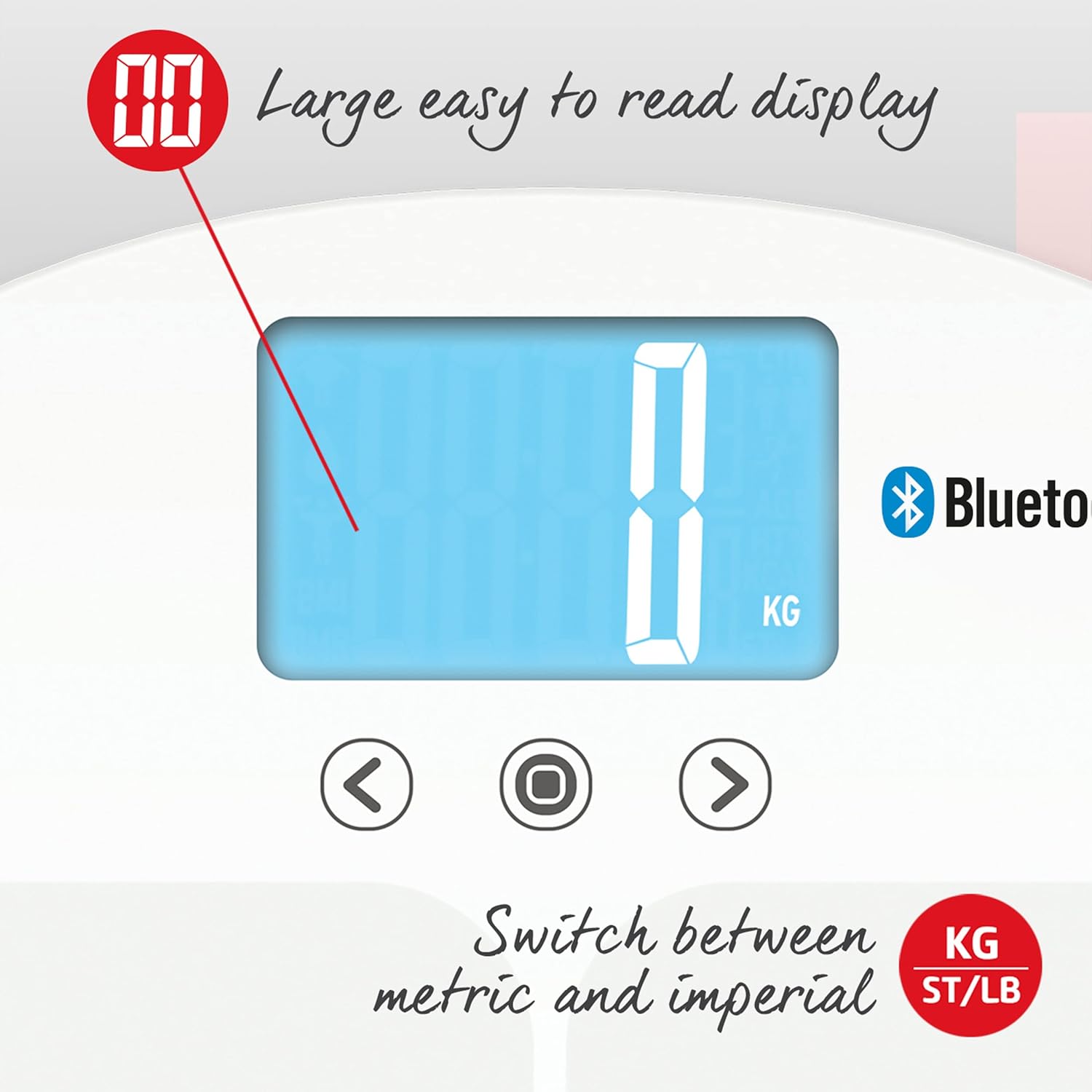
Image: The large, easy-to-read display allows switching between metric (KG) and imperial (ST/LB) units.
- On the underside of the scale, locate the unit switch button.
- Press the button to cycle through the available units (kg, st, lb) until your desired unit is displayed.
4.5 Syncing Data with the App
The Salter MiBody App automatically syncs data when the scale is used and the app is open or running in the background with Bluetooth enabled. The app provides a comprehensive dashboard, metrics overview, and allows for data export.

Image: Screenshots of the Salter Health app displaying the Dashboard, Metrics, and Groups features for tracking progress.

Image: Screenshots of the Salter Health app showing the Dashboard, Linked Accounts for sharing profiles, and data export options (PDF & CSV).
5. Okumalarınızı Anlama
The Salter 9192 WH3R scale provides the following body composition metrics:

Image: Icons illustrating the various health metrics tracked by the Salter scale, including weight, body water, body fat, bone mass, BMI, BMR, and muscle mass, along with athlete and child modes and 8-user memory.
- Ağırlık: Toplam vücut kütleniz.
- Vücüt yağı: YüzdetagVücudunuzdaki yağ miktarı.
- Vucut suyu: YüzdetagVücudunuzdaki su.
- Kas Kütlesi: YüzdetagVücudunuzdaki kas sayısı.
- Kemik Kütlesi: Yüzdetage of bone mineral in your body.
- BMI (Vücut Kitle İndeksi): Boyunuzu ve kilonuzu kullanarak kilonuzun sağlıklı olup olmadığını belirleyen bir ölçüm.
- BMR (Bazal Metabolizma Hızı): Vücudunuzun dinlenme halindeyken işlevlerini sürdürmesi için gereken minimum kalori miktarı.
For detailed interpretation of these metrics and to track your progress over time, refer to the Salter MiBody App.
6. Bakım ve Özen
- Ölçeği reklamla temizleyinamp Bez ve hafif deterjan kullanın. Aşındırıcı temizleyiciler kullanmayın ve kireci suya batırmayın.
- Teraziyi kuru bir yerde, oda sıcaklığında saklayın.
- If the scale is not used for a long period, remove the batteries to prevent leakage.
- Tartım aletini düşürmekten veya şiddetli darbelere maruz bırakmaktan kaçının, çünkü bu durum cam platforma veya iç bileşenlere zarar verebilir.
7. Sorun Giderme
| Sorun | Olası Neden | Çözüm |
|---|---|---|
| "Lo" görüntülendi | Pil gücü düşük. | 3 x AAA pili değiştirin. |
| "Hata" görüntülendi | Measurement error (e.g., unstable surface, exceeding max weight). | Ensure the scale is on a firm, flat surface. Step off and then back on, standing still. Ensure weight is within 200 kg capacity. |
| Ekran yok | Piller yanlış takılmış veya bitmiş. | Pil kutuplarını kontrol edin veya pilleri değiştirin. |
| App not connecting/syncing | Bluetooth off, app not open, scale not paired, or interference. | Ensure Bluetooth is enabled on your phone. Open the Salter MiBody App. Re-pair the scale if necessary. Move closer to the scale. |
| Inaccurate body composition readings | Dry feet, incorrect user profile, or medical condition. | Ensure bare feet are slightly damp. Verify correct user profile (athlete/child mode). Consult a healthcare professional if concerns persist. |
8. Özellikler
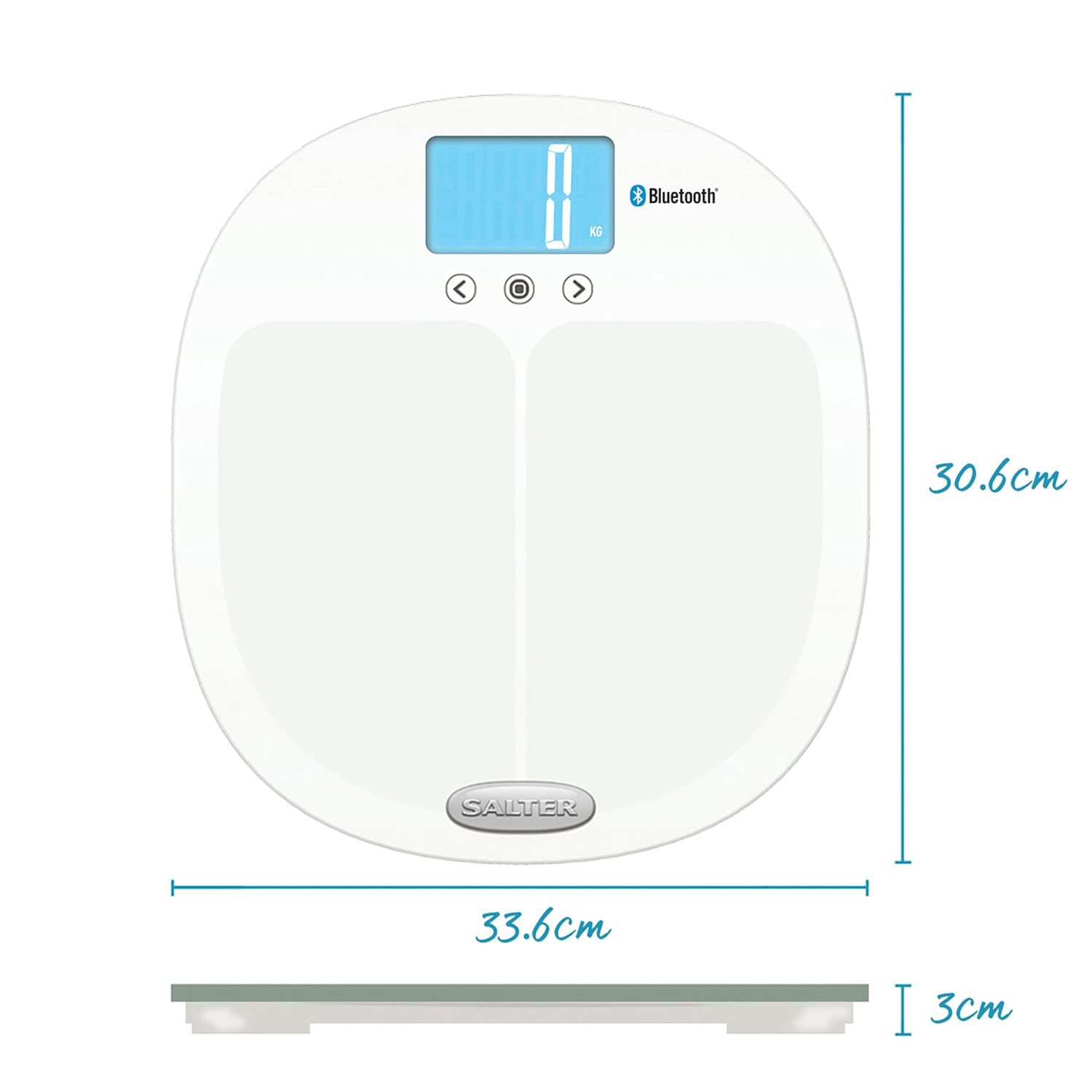
Image: Dimensions of the Salter 9192 WH3R scale.
- Model Numarası: 9192 WH3R
- Maksimum Ağırlık Kapasitesi: 200 kg (31st 6lb)
- Ölçüm Hassasiyeti: 0.5 kilo
- Görüntüleme Türü: LCD
- Malzeme: Sertleştirilmiş Cam
- Ürün Ölçüleri (U x G x Y): Yaklaşık 30.6 cm x 33.6 cm x 3 cm
- Ürün Ağırlığı: 1.6 Kilogram
- Piller: 3 adet AAA (dahil)
- Kullanıcı Belleği: 8 kullanıcı
- Bağlantı: Bluetooth
- Ölçülen Metrikler: Weight, Body Fat, Body Water, Muscle Mass, Bone Mass, BMI, BMR
9. Garanti ve Destek
The Salter 9192 WH3R Curve Bluetooth Smart Analyser Bathroom Scale comes with a 15 yıl garanti, covering defects in materials or workmanship under normal household use. This guarantee does not cover accidental damage, misuse, or damage caused by non-adherence to the instructions.
For warranty claims, technical support, or further assistance, please refer to the contact information provided on the official Salter website veya satın alma belgeleriniz.