
1. Giriş
The DNP DS620A is a professional dye-sublimation photo printer designed for high-quality, rapid photo production. It is capable of producing up to 400 prints per hour, with a print speed of approximately 8.3 seconds for a 4x6 inch print. This printer supports various print formats, including 2x6 inch photobooth strips, 4x6 inch, 5x7 inch, and 6x8 inch enlargements. It also features a unique watermark option for the back of photos and produces prints with high gloss and vivid colors. The DS620A incorporates energy-saving features, including a standby mode, and is compatible with Hot Folder Print (HFP) Utility version 2.1 and mini photobook software. Mac users can utilize a specific driver for square photo prints (6x6 inch and 5x5 inch).
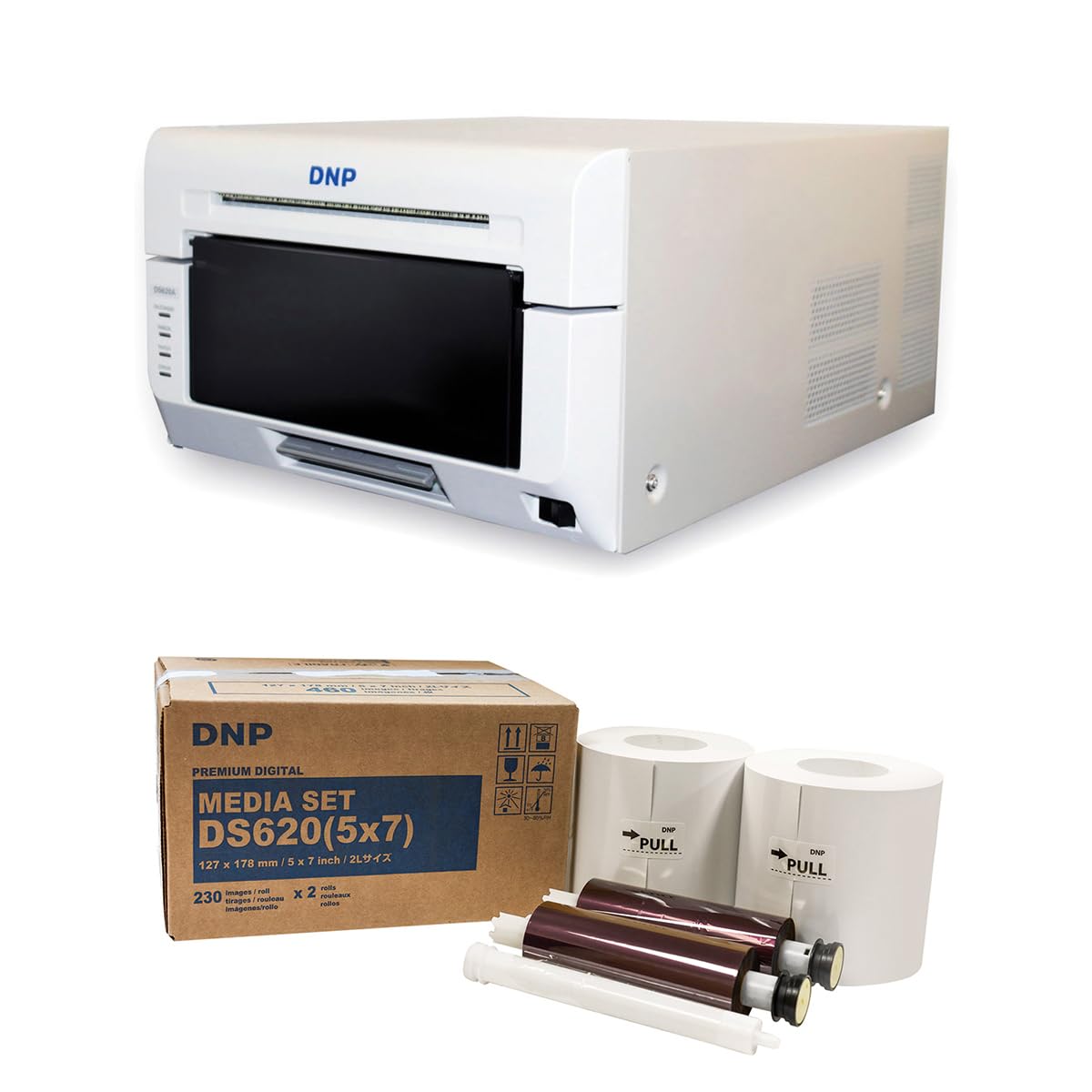
Resim 1.1: Ön view of the DNP DS620A Professional Photo Printer. The printer is white with a black front panel where prints exit.
2. Paket İçeriği
Aşağıda listelenen tüm öğelerin paketinizde bulunduğunu doğrulayın:
- DNP DS620A Printer Unit
- 4x6 inch Print Catcher
- 5x7 inch Spacer
- USB kablosu
- Güç Kablosu
- sürücü CD'si
- DNP 5x7 inch Dye Sub Media (for initial use)

Image 2.1: DNP 5x7 inch Dye Sub Media Set, including paper rolls and ribbon cartridges, packaged in a brown box.
3. Kurulum
3.1 Paketten Çıkarma ve Yerleştirme
- Yazıcıyı ve tüm aksesuarlarını dikkatlice ambalajından çıkarın.
- Place the printer on a stable, level surface with adequate ventilation. Ensure sufficient space around the printer for media loading and print output.
3.2 Gücün Bağlanması
- Güç kablosunu yazıcının güç girişine ve ardından topraklı bir elektrik prizine bağlayın.
- Do not power on the printer until all other connections are made.
3.3 Bilgisayara Bağlanma
- Connect the provided USB cable from the printer to an available USB port on your computer.
3.4 Sürücü Kurulumu
- Insert the Driver CD into your computer's optical drive and follow the on-screen instructions to install the printer drivers.
- Alternatively, download the latest drivers from the official DNP webişletim sisteminize uygun site.
- For Mac users, ensure you install the specific Mac driver to enable features like square photo prints.
3.5 Medya Yükleniyor
- Yazıcının ön kapağını açın.
- Carefully load the DNP dye-sublimation paper roll and ribbon cartridge according to the instructions provided inside the printer or in the quick start guide.
- Ensure the media is correctly seated to prevent jams or print errors.
4. Kullanım Talimatları
4.1 Açma ve Kapatma
- To power on, press the power button located on the printer. The indicator light will illuminate.
- To power off, press and hold the power button until the printer shuts down.
4.2 Fotoğraf Yazdırma
- Yazıcının açık ve bilgisayarınıza bağlı olduğundan emin olun.
- Open the image you wish to print using your preferred photo editing or printing software.
- Select the DNP DS620A as your printer.
- In the printer settings, choose your desired print size (e.g., 4x6 inch, 5x7 inch, 6x8 inch, 2x6 inch strips).
- For square prints (6x6 inch or 5x5 inch), ensure you are using the appropriate media pack (6x8 inch for 6x6 inch, 5x7 inch for 5x5 inch) and that the Mac driver is correctly configured.
- Initiate the print command. The printer will process and output the photo.

Image 4.1: The DNP DS620A printer in operation, with a photo emerging from the output slot.
4.3 Gelişmiş Özellik
- Watermark Feature: The printer can apply a unique watermark to the back of your photos. Refer to the driver settings for configuration.
- Hot Folder Print (HFP) Utility: Utilize HFP Utility version 2.1 for multi-cut support for 4x6 inch and additional sizes.
- Mini Photobook Software: The printer supports the mini photobook software application for creative projects.
- Bekleme Modu: The printer features a standby mode to reduce energy consumption when not actively printing.
5. Bakım
5.1 Yazıcıyı Temizleme
- Yazıcının dış yüzeyini düzenli olarak yumuşak, kuru bir bezle temizleyin.
- Aşındırıcı temizleyiciler veya solventler kullanmaktan kaçının.
- Refer to the detailed cleaning instructions in the full manual for internal components.
5.2 Medya İşleme ve Depolama
- Store dye-sublimation media in a cool, dry place away from direct sunlight.
- Handle media by the edges to avoid fingerprints or damage to the printing surface.
- Replace media rolls and ribbon cartridges as instructed by the printer or when print quality degrades.
6. Sorun Giderme
This section provides general guidance for common issues. For detailed troubleshooting, consult the comprehensive DNP DS620A service manual or contact customer support.
6.1 Yazıcı Yanıt Vermiyor
- Yazıcının açık olduğundan ve güç kablosunun güvenli bir şekilde bağlı olduğundan emin olun.
- Verify the USB cable is firmly connected to both the printer and the computer.
- Yazıcının durum ışıklarında herhangi bir hata göstergesi olup olmadığını kontrol edin.
- Hem yazıcıyı hem de bilgisayarı yeniden başlatın.
6.2 Baskı Kalitesi Sorunları
- Ensure the correct media type is loaded and that it is not damaged or expired.
- Check for any dust or debris inside the printer that might affect print quality.
- Verify that the printer drivers are up to date.
- Perform a test print to diagnose specific quality issues.
6.3 Medya Sıkışmaları
- Yazıcıyı hemen kapatın.
- Carefully open the printer cover and remove any jammed media following the instructions in the full manual. Avoid tearing the paper.
- Ensure media is loaded correctly and not overfilled.
7. Özellikler
| Özellik | Şartname |
|---|---|
| Marka | DNP |
| Model Adı | DS620A |
| Baskı Teknolojisi | Boya Süblimasyonu |
| Bağlantı Teknolojisi | USB |
| Yazıcı Çıktısı | Renk |
| Maksimum Baskı Hızı (Renkli) | 1 ppm (approx. 8.3 seconds for 4x6") |
| Çözünürlük | 300 x 300 dpi |
| Mürekkep Rengi | CMYK |
| Basılı Medya | Parlak fotoğraf kağıdı |
| Desteklenen Kağıt Boyutları | 3.5x5, 4x6, 5x7, 6x8, 8x10 inches (and multi-cut options like 2x6, 5x5, 6x6) |
| Maksimum Levha Kapasitesi | 400 (4x6 inch prints per roll) |
| Ürün Ağırlığı | 37.65 Pound |
| Özel Özellik | Wireless (via optional accessory), Standby Mode |
| Denetleyici Türü | iOS (via App) |
8. Garanti ve Destek
8.1 Garanti Bilgileri
The DNP DS620A Professional Photo Printer typically includes a 3 Yıllık Sınırlı Garanti. This warranty covers defects in materials and workmanship under normal use. Please refer to the warranty card included with your product or visit the official DNP website for complete terms and conditions.

Image 8.1: The DNP DS620A printer alongside a badge indicating a 3-Year Advance Exchange Extended Warranty.
8.2 Müşteri Desteği
For technical assistance, troubleshooting beyond this manual, or warranty claims, please contact DNP customer support. Contact information can typically be found on the DNP official website or in the documentation included with your printer.