
1. Giriş
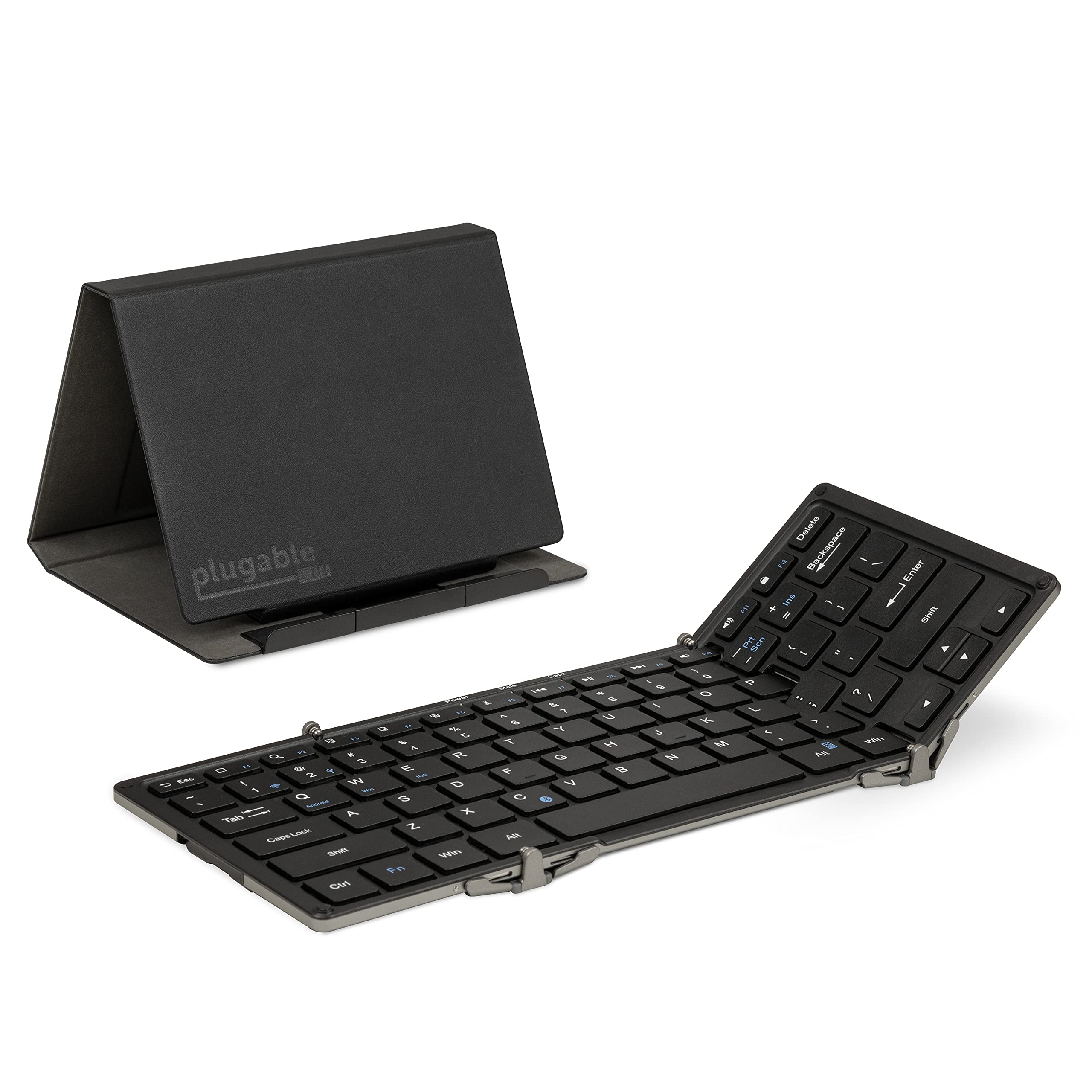
This manual provides instructions for the setup, operation, maintenance, and troubleshooting of your Plugable Foldable Bluetooth Keyboard (Model: BT-KEY3XL). This full-size, portable keyboard is designed for multi-device compatibility across various operating systems.
2. Paket İçeriği
Paketinizde tüm öğelerin mevcut olduğundan emin olun:
- Plugable Foldable Bluetooth Keyboard (BT-KEY3XL)
- Protective Case / Stand
- USB Şarj Kablosu
- Hızlı Başlangıç Kılavuzu

Video: Unboxing the Plugable Full-Size Keyboard, demonstrating the contents and initial presentation.
3. Kurulum
3.1 Klavyeyi Şarj Etme
Before first use, fully charge the keyboard using the provided USB cable. Connect the small end of the USB cable to the keyboard's charging port and the other end to a USB power source (e.g., computer USB port, USB wall adapter).

3.2 Katlama ve Açma
The keyboard features a foldable design for portability. To unfold, gently extend the side panels until they lock into place, forming a full-size keyboard. To fold, collapse the side panels inward.

3.3 Bluetooth Eşleştirme
The keyboard supports pairing with iOS, Android, Mac, and Windows devices.
- Güç Açık: Unfold the keyboard to power it on. The power indicator light will illuminate.
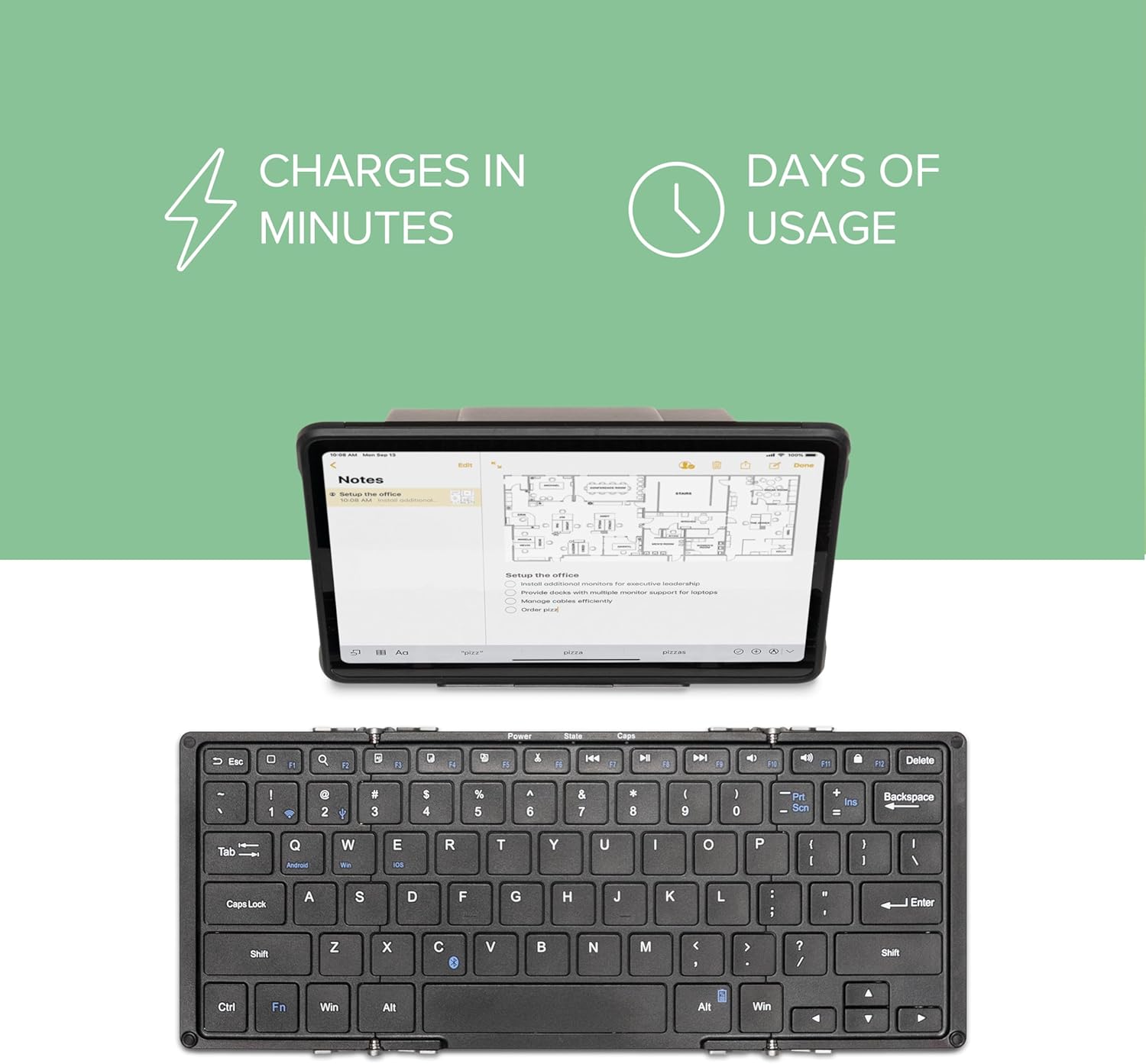
- Eşleştirme Moduna Girin: Basın Fn aynı anda anahtar C key. The Bluetooth indicator light will flash, indicating it is in pairing mode.
- Select OS Mode: For optimal key mapping, press Fn + Q Android için Fn + W Windows için veya Fn + E for iOS/macOS.
- Cihazda Bluetooth'u etkinleştirin: On your device (phone, tablet, computer), go to Bluetooth settings and ensure Bluetooth is enabled.
- Klavye Seçin: Look for "Plugable Keyboard" or "BT-KEY3XL" in the list of available devices and select it to pair.
- Eşleştirmeyi Onayla: If prompted, enter the displayed code on the Plugable keyboard and press Girmek. The Bluetooth indicator light will stop flashing and remain solid once successfully paired.
Video: A demonstration of the Plugable Foldable Bluetooth Keyboard's features and connectivity with tablets.
4. Kullanım Talimatları
4.1 Temel Fonksiyonlar ve Kısayollar
The keyboard features a standard QWERTY layout with additional function keys. Some keys have different functions depending on the selected operating system mode (Fn+Q/W/E).
- Fn + Top Row Keys (F1-F12): Access multimedia controls and system functions.
- Navigation Keys (Home, End, Page Up/Down): Accessed via Fn + Arrow keys on some systems.
- Edit Keys (Copy, Cut, Paste, Select All): Dedicated keys or Fn combinations available.
- OS-Specific Keys: Some keys are mapped differently for iOS, Android, and Windows. Refer to your device's operating system for specific key behaviors.
4.2 Koruyucu Kılıfı Stand Olarak Kullanma
The included protective case can be folded into a stand to hold your smartphone or tablet, providing an ergonomic setup for typing.
- Unfold the case according to the diagrams provided in the quick start guide or on the product packaging.
- Ensure the magnetic clasps secure the stand in its triangular format.
- Place your device in the designated slot on the stand. The stand supports both landscape and portrait orientations.

Video: Demonstrating the Plugable Foldable Keyboard's ability to type on any device, highlighting its portability and versatility.
5. Bakım
5.1 Temizlik
To clean the keyboard, gently wipe the keys and surface with a soft, damp cloth. Avoid using harsh chemicals or abrasive materials that could damage the finish or key legends.
5.2 Pil Bakımı
The keyboard uses a USB-rechargeable Li-Ion battery. To prolong battery life:
- Pilin sık sık tamamen boşaltılmasından kaçının.
- Uzun süre kullanılmayacaksa klavyeyi serin ve kuru bir yerde saklayın.
- Uzun süre saklanmışsa, aşırı deşarjı önlemek için pili düzenli olarak şarj edin.
6. Sorun Giderme
6.1 Klavye Eşleşmiyor
- Klavyenin şarjlı ve açık olduğundan emin olun.
- Confirm the keyboard is in pairing mode (Bluetooth indicator flashing after pressing Fn+C).
- Check that Bluetooth is enabled on your device and it is discoverable.
- Try forgetting the device on your host system's Bluetooth settings and re-pairing.
- Ensure the correct OS mode (Fn+Q/W/E) is selected for your device.
6.2 Keys Not Responding or Dropped Connection
- Pil seviyesini kontrol edin ve gerekirse şarj edin.
- Klavyenin Bluetooth cihazınızın etkili menzili içinde olduğundan emin olun.
- Restart both the keyboard (fold and unfold) and your host device.
- Güçlü elektromanyetik girişim kaynaklarından kaçının.
6.3 Keyboard Prevents Device from Sleeping (Windows)
- If connected via USB, disconnect the keyboard when not in use to allow the system to enter sleep mode properly.
- Check your computer's power management settings for USB devices.
7. Özellikler
| Model Numarası | BT-KEY3XL |
| Bağlantı Teknolojisi | Bluetooth Kablosuz |
| Uyumlu Cihazlar | iPad, iPhone, Android Phones/Tablets, MacBooks, Windows Desktops/Laptops, Google Chromebooks, Linux |
| Klavye Düzeni | Q klavye |
| Anahtar Sayısı | 78 |
| Anahtar Türü | Makas |
| Malzeme | Alüminyum |
| Ürün Boyutları (Katlanmamış) | 11.5"U x 4.75"G x 0.75"Y (290 x 117 x 13 mm) |
| Product Dimensions (Folded with cover) | 6.6"U x 5"G x 0.9"Y (167 x 124 x 23 mm) |
| Item Weight (Keyboard only) | 9.8 ons (278 gr) |
| Item Weight (Keyboard + cover) | 15.7 ons (446 gr) |
| Güç Kaynağı | Battery Powered (USB-rechargeable Li-Ion) |
8. Garanti ve Destek
The Plugable Foldable Bluetooth Keyboard BT-KEY3XL comes with a 2-Year Limited Parts and Labor Warranty. For technical support or warranty claims, please contact Plugable customer service. Details can be found on the official Plugable website or through the contact information provided with your product.