
giriiş
The ThermoPro TP06S Digital Grill Meat Thermometer is designed to help you achieve perfectly cooked meals every time. This professional-grade thermometer features preset temperatures for various meat types and doneness levels, a versatile timer, and a clear, colored backlight display. Its durable stainless steel probe ensures accurate and fast temperature readings, making it ideal for grilling, smoking, baking, and deep frying.

Figure 1: ThermoPro TP06S Digital Grill Meat Thermometer with probe.
Kurmak
1. Paketin Açılması ve Bileşenler
Tüm parçaları ambalajından dikkatlice çıkarın. Aşağıdaki öğelere sahip olduğunuzdan emin olun:
- 1 x ThermoPro TP06S Digital Meat Thermometer Unit
- 1 x Food Grade Stainless Steel Temperature Probe with Cable
- 2 x AAA Pil (dahil)
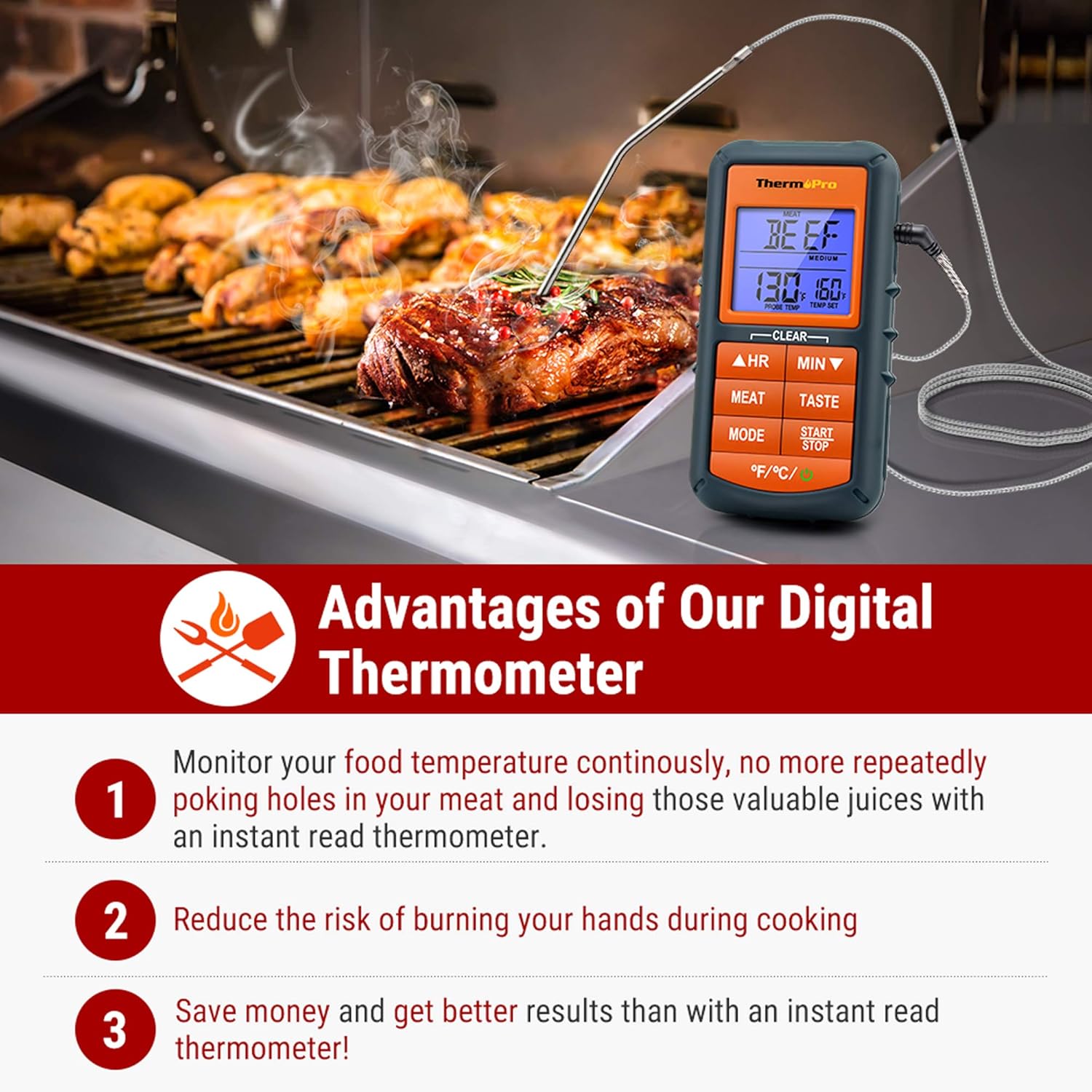
Figure 2: The ThermoPro TP06S thermometer in use on a grill, highlighting its benefits.
2. Pil Kurulumu
The ThermoPro TP06S requires 2 AAA batteries for operation. To install the batteries:
- Termometre ünitesinin arkasındaki pil bölmesini bulun.
- Pil bölmesi kapağını kaydırarak açın.
- Pil yuvasının içindeki işaretlere uyarak 2 adet AAA pili doğru kutuplara (+ ve -) yerleştirin.
- Pil bölmesi kapağını sıkıca kapatın.
3. Prob Bağlantısı
Connect the stainless steel temperature probe to the jack located on the side of the main thermometer unit. Ensure the connection is firm.

Şekil 3: Ayrıntılı view of the food-grade stainless steel probe, emphasizing its accuracy and heat resistance.
Kullanım Talimatları
1. Güç Açma/Kapatma
Basın GÜÇ button (located at the bottom right) to turn the unit ON or OFF.
2. Sıcaklık Birimi Seçimi
Basın °F/°C button (located at the bottom left) to switch between Fahrenheit and Celsius temperature readings.
3. Preset Meat Settings
The thermometer comes with preset temperatures for 9 types of meat recommended by USDA. Press the ET button to cycle through the different meat types:
- Ground Beef (Gbeef)
- Ground Poultry (Gpoult)
- Biftek
- Dana eti
- Chicken (Chcke)
- Domuz eti
- Poultry (Poult)
- Kuzu
- Balık
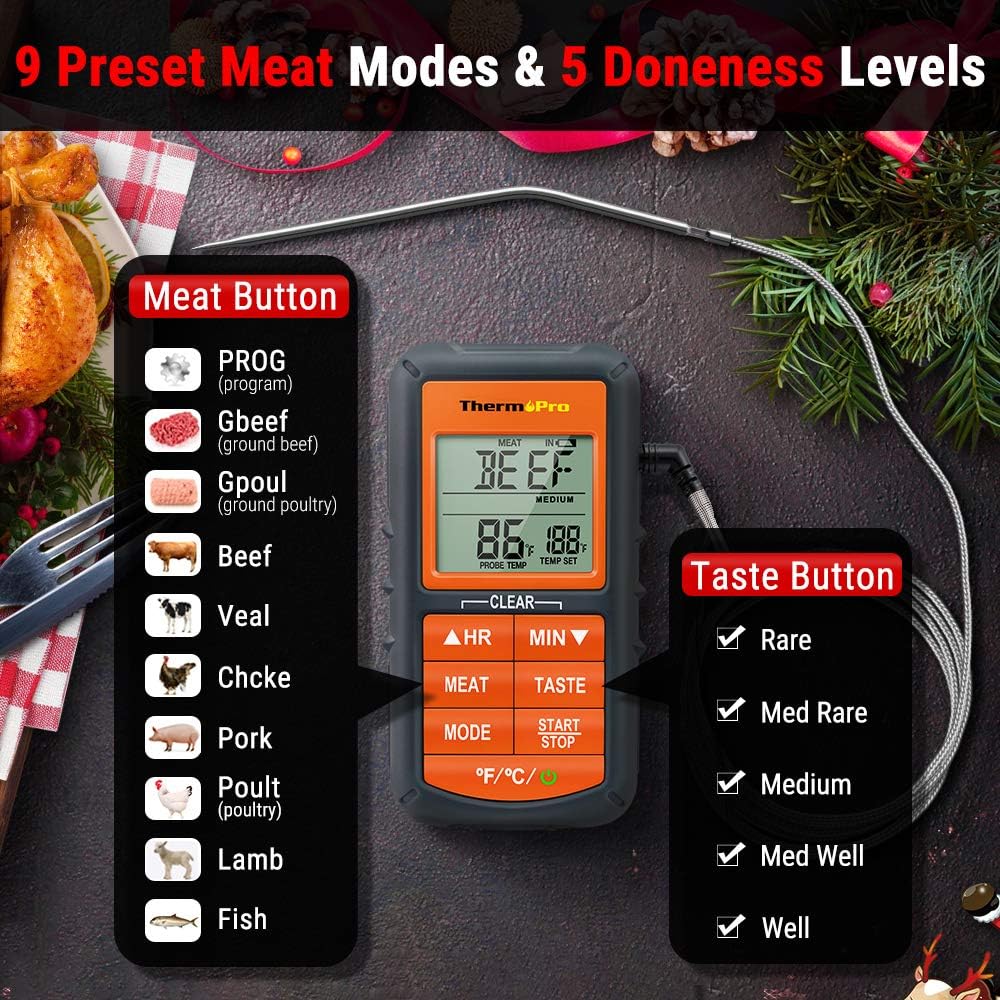
Figure 4: Display showing the 9 preset meat modes and 5 doneness levels available on the TP06S.
4. Doneness Level Selection
After selecting a meat type, press the TATMAK button to choose your desired doneness level (e.g., Rare, Medium Rare, Medium, Medium Well, Well Done). The target temperature will adjust accordingly.
5. Custom Temperature Setting (PROG Mode)
To set a custom target temperature:
- Basın MOD button until "PROG" appears on the display.
- Kullanın HR (Saat) ve DAKİKA (Minute) buttons to adjust the target temperature up or down.
- Basmak BAŞLAT/DURDUR to confirm your custom setting.
6. Zamanlayıcı İşlevi
The TP06S includes a count-up and countdown timer. To use the timer:
- Basın MOD Zamanlayıcı moduna geçmek için düğme.
- Kullanın HR Ve DAKİKA buttons to set the desired countdown time (up to 23 hours, 59 minutes).
- Basmak BAŞLAT/DURDUR to begin or pause the timer.
- To reset the timer, press and hold both HR Ve DAKİKA düğmelere aynı anda basın.
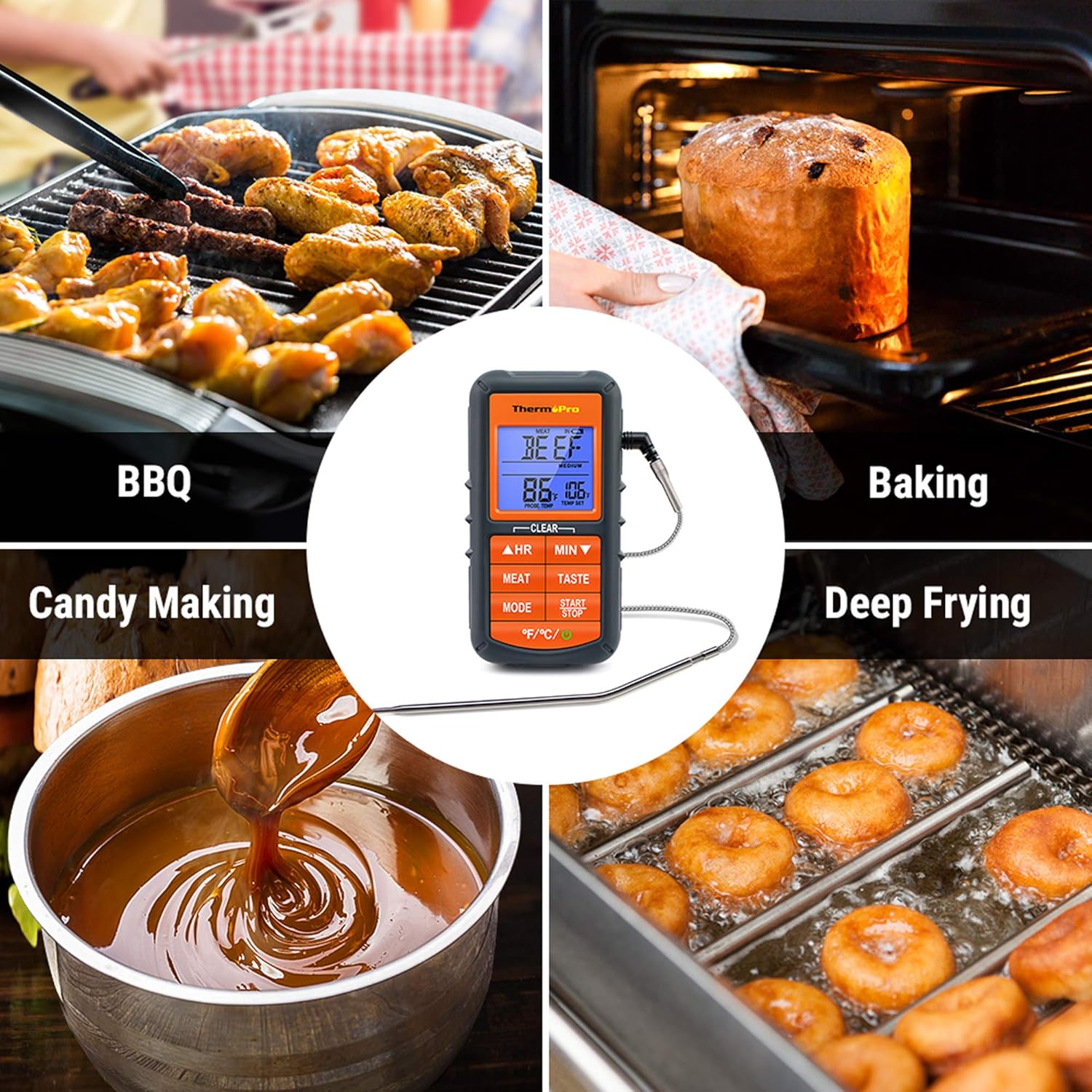
Figure 5: The TP06S unit showing both the current temperature and the countdown timer on its display.
7. Smart Backlight and Alarm
The display backlight changes color to indicate temperature progression:
- Mavi: Temperature increases by 10°F.
- Yeşil: Temperature is within 15°F of the set target temperature.
- Kırmızı: Current temperature reaches the set target temperature, and an alarm sounds.

Figure 6: Visual representation of the smart backlit LCD, indicating temperature status with different colors.
Bakım
1. Temizlik
The stainless steel probe can be cleaned with warm soapy water. Wipe the main thermometer unit with a damp Kumaş. YAPAMAZ immerse the main unit in water or place it in a dishwasher, as this can damage the electronic components.
2. Depolama
Store the thermometer and probe in a dry place at room temperature when not in use. Ensure the probe tip protector is in place to prevent damage.
Sorun giderme
1. Yanlış Sıcaklık Ölçümleri
- Ensure the probe is fully inserted into the thickest part of the meat, avoiding bones or gristle.
- Check that the probe cable is securely connected to the main unit.
- Verify that the probe cable is not damaged or frayed. A damaged probe may need replacement.
- Test the probe in boiling water (212°F / 100°C at sea level) or ice water (32°F / 0°C) to check its accuracy.
2. Display Not Working / No Power
- Pillerin doğru kutuplara takılıp takılmadığını kontrol edin.
- Pilleri yeni AAA pillerle değiştirin.
- Güç düğmesine sıkıca basıldığından emin olun.
3. Alarm Çalmıyor
- Confirm that a target temperature has been set.
- Check if the unit's volume is not set to mute (if applicable, though this model typically has a fixed alarm sound).
Özellikler
| Marka: | ThermoPro |
| Model Adı: | Digital Grill Meat Thermometer with Probe for Smoker Grilling Food |
| Ürün Model Numarası: | TP06S |
| Güç Kaynağı: | Pille Çalışır (2 adet AAA pil dahildir) |
| Sıcaklık Aralığı: | 482 °F'ye (250 °C) kadar |
| Prob Malzemesi: | Gıda Sınıfı Paslanmaz Çelik |
| Probe Wire Rating: | Rated for 716°F (380°C) |
| Görüntüleme Türü: | LCD with Smart Backlight |
| Özellik: | Alarm, Preset Temperatures, Timer |
| Sertifikalar: | NSF Sertifikalı |

Figure 7: Certifications for the ThermoPro TP06S, including NSF, CE, and RoHS compliance.
Garanti ve Destek
For warranty information, technical support, or to purchase replacement parts, please visit the official ThermoPro website or contact their customer service. You can also refer to the detailed user guides available online: