
giriiş
This manual provides instructions for the safe and effective operation and maintenance of your INSIZE 1108-150 Electronic Caliper. Please read this manual thoroughly before use and retain it for future reference.

Şekil 1: Ön view of the INSIZE 1108-150 Electronic Caliper, showing the digital display, measurement jaws, and control buttons.
Ürün Bittiview
The INSIZE 1108-150 is a precision electronic caliper designed for accurate dimensional measurements. It features a clear digital display and is constructed from durable stainless steel.
Temel Özellikler:
- Measurement Range: 0-6 inches / 0-150 mm
- Çözünürlük: 0.0005 inç / 0.01 mm
- Accuracy: ±0.0008 inches
- Otomatik kapanma fonksiyonu
- Inch/millimeter conversion
- Zero setting at any position
- Veri çıktısı kapasitesi
- Paslanmaz çelik konstrüksiyon
Şekil 2: Technical diagram illustrating the INSIZE 1108-150 Electronic Caliper's dimensions and key specifications.

Şekil 3: Geri view of the INSIZE 1108-150 Electronic Caliper, displaying the serial number and the battery compartment location.
Paket İçeriği
Paketi açtığınızda tüm ürünlerin eksiksiz ve hasarsız olduğundan emin olun:
- INSIZE 1108-150 Electronic Caliper (Main Unit)
- CR2032 Pil (önceden takılı veya ayrı olarak dahil)
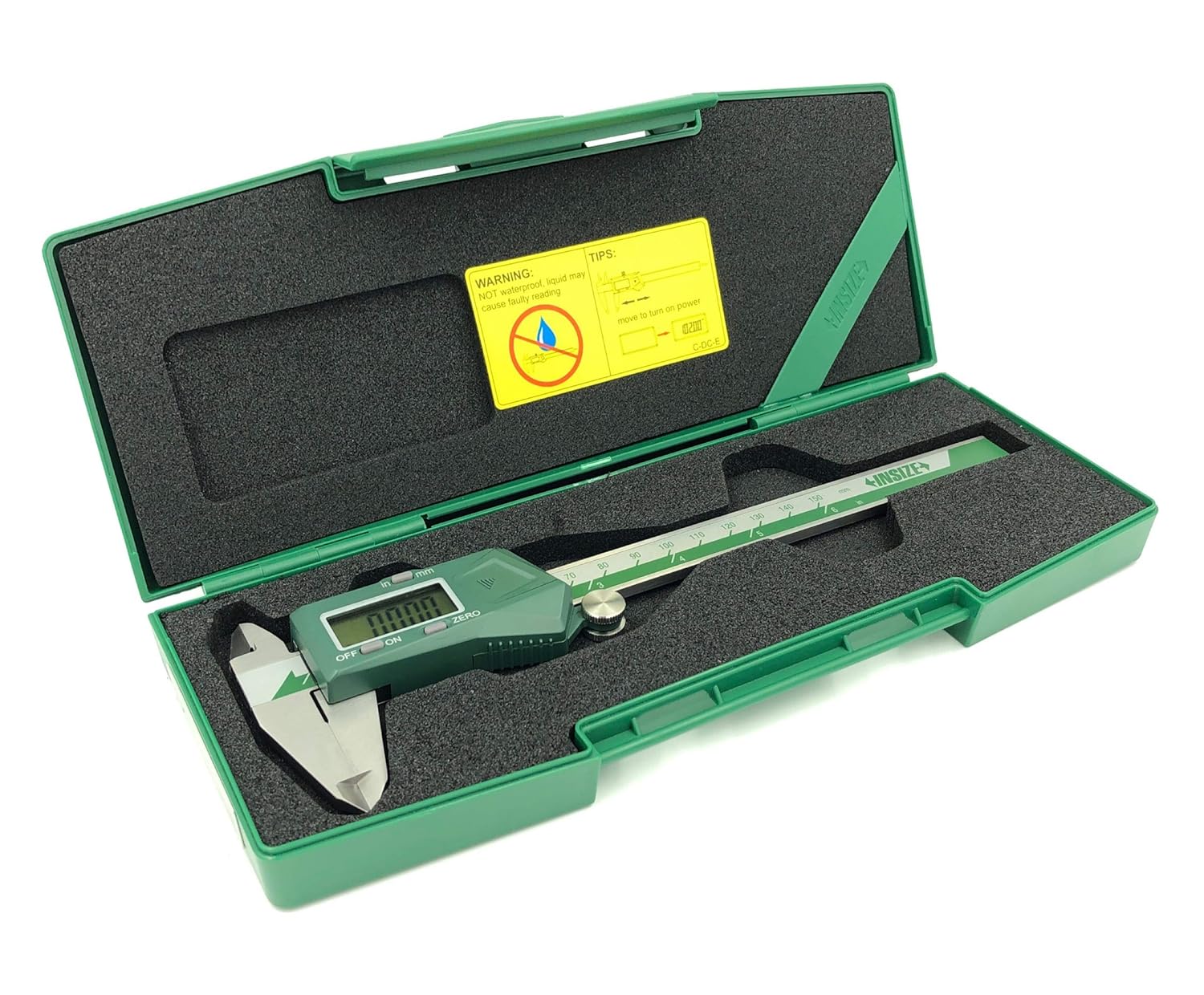
- Hard Plastic Storage Case
- Çalıştırma Talimatı Kılavuzu
- Muayene Belgesi

Şekil 4: The INSIZE 1108-150 Electronic Caliper, its instruction manual, and inspection certificate neatly stored within its protective hard plastic case.
Kurmak
Pil Kurulumu
The caliper uses one CR2032 battery. If the display does not turn on or shows a low battery indicator, replace the battery.
- Locate the battery compartment cover on the digital unit (refer to Figure 3).
- Slide the cover open or use a small tool to gently pry it open.
- Eski pili kutuplarına dikkat ederek çıkarın.
- Yeni bir CR2032 pili pozitif (+) tarafı yukarı bakacak şekilde takın.
- Pil bölmesi kapağını sıkıca kapatın.

Şekil 5: The INSIZE 1108-150 Electronic Caliper alongside a CR2032 battery, indicating the battery type required for operation.
Kullanım Talimatları
Açma/Kapatma
- Açmak için: Press the "ON/OFF" button or simply move the digital unit along the beam.
- Kapatmak: Press the "ON/OFF" button. The caliper will also automatically power off after a period of inactivity.
Sıfır Ayarı
The zero point can be set at any position, allowing for incremental measurements.
- Close the measuring jaws completely for absolute zero, or position the jaws at your desired reference point.
- Press the "ZERO" button. The display will show "0.00" or "0.000".
Inch/Millimeter Conversion
To switch between inch and millimeter units:
- Press the "INCH/MM" button. The display will toggle between the two units.
Ölçüm Alma
- Ensure the caliper is clean and the jaws are free of debris.
- Turn on the caliper and set the zero point as needed.
- Gently open the jaws and position the workpiece between the appropriate measuring surfaces (outside jaws for external dimensions, inside jaws for internal dimensions, or depth rod for depth measurements).
- Close the jaws until they make firm, but not excessive, contact with the workpiece.
- Ölçüm değerini doğrudan dijital ekrandan okuyun.

Şekil 6: A user demonstrating the measurement of an external diameter on a cylindrical metal part using the INSIZE 1108-150 Electronic Caliper.
Bakım
Temizlik
- Regularly clean the measuring surfaces and the beam with a clean, dry, lint-free cloth.
- Avoid using solvents or abrasive cleaners, as these can damage the display or measuring surfaces.
- Keep the digital unit dry. While the caliper is made of stainless steel, the electronic components are not waterproof.
Depolamak
- Store the caliper in its protective hard plastic case when not in use to prevent damage.
- Kuru bir ortamda, doğrudan güneş ışığından ve aşırı sıcaklıklardan uzakta saklayın.
- Saklamadan önce ölçüm yüzeylerindeki gerilimi azaltmak için çeneleri hafifçe açın.

Şekil 7: The INSIZE 1108-150 Electronic Caliper resting securely within its custom-fit hard plastic storage case, ready for protection when not in use.
Sorun giderme
| Sorun | Olası Neden | Çözüm |
|---|---|---|
| Ekran açılmıyor. | Pil bitmiş veya yanlış takılmış. | CR2032 pilini kutuplarının doğru olmasına dikkat ederek değiştirin. |
| Yanlış veya değişken ölçümler. | Dirt/debris on measuring surfaces or beam; low battery; damaged sensor. | Clean the caliper thoroughly. Replace battery. If problem persists, contact support. |
| "ZERO" button not responding. | Button malfunction or electronic issue. | Ensure battery is fully charged. If problem persists, contact support. |
| Automatic power off not working. | Elektronik arıza. | Destek ekibiyle iletişime geçin. |
Özellikler
| Özellik | Detay |
|---|---|
| Model Numarası | 1108-150 |
| Ölçüm Aralığı | 0-6 inç / 0-150 mm |
| Çözünürlük | 0.0005 inç / 0.01 mm |
| Kesinlik | ±0.0008 inches |
| Malzeme | Paslanmaz çelik |
| Pil Türü | CR2032 (1 adet dahil) |
| Fonksiyonlar | ON/OFF, ZERO, Inch/mm conversion, Data Output |
| Otomatik Güç Kapatma | Evet |
| Ürün Boyutları | 10.28" U x 4.09" G x 1.3" Y |
| Ağırlık | 13.67 ons |

Şekil 8: Ayrıntılı view of the INSIZE Inspection Certificate, confirming the calibration and accuracy of the Digital Caliper model 1108-150.
Garanti ve Destek
INSIZE products are manufactured to high standards and undergo strict quality control. For warranty information, technical support, or service, please refer to the contact details provided in the included warranty certificate or visit the official INSIZE webalan.
INSIZE Contact Information:
- INSIZE USA: www.insize.com
- Refer to your product's specific warranty card for regional contact details.