
1. Giriş
This manual provides essential information for the installation, operation, maintenance, and troubleshooting of your Western Digital RE WD2000FYYZ 2TB Enterprise Hard Drive. Please read this manual thoroughly before using the product to ensure proper functionality and longevity.
2. Ürün Bittiview
2.1 Temel Özellikler
- Yüksek Kapasite: 2TB storage suitable for demanding enterprise applications.
- Yüksek Performans: Delivers 6 Gb/s transfer rates, sustained sequential data rates of 171 MB/s, and high random I/O rates.
- Güvenilirlik: Field-tested 1.2 million hour MTBF for 24x7 operation in up to 100% duty cycle applications.
- Dual Processor: Enhanced processing power for maximized performance.
- Arayüz: SATA 6 Gb/s.
- Form Faktörü: 3.5 inç.
2.2 Kutuda Neler Var?
- Western Digital RE WD2000FYYZ 2TB Enterprise Hard Drive

Figure 1: The Western Digital RE WD2000FYYZ 2TB Enterprise Hard Drive securely packaged within a cardboard box, cushioned by protective inserts. This illustrates the typical packaging for safe transport.
3. Kurulum ve Kurulum
This section outlines the general steps for installing your Western Digital RE WD2000FYYZ hard drive into a compatible system. Ensure your system is powered off and disconnected from the power source before proceeding.
3.1 Fiziksel Kurulum
- Sisteminizi Hazırlayın: Power down your computer and unplug all cables. Open the computer case to access the drive bays.
- Sürücüyü Monte Edin: Slide the hard drive into an available 3.5-inch drive bay. Secure it using screws or the system's tool-less mounting mechanism.
- Kabloları Bağlayın:
- Connect a SATA data cable from the drive to an available SATA port on your motherboard.
- Connect a SATA power cable from your power supply unit (PSU) to the drive's power connector.
- Davayı Kapat: Once secured and connected, close your computer case and reconnect all external cables.

Şekil 2: Alt view of the Western Digital RE WD2000FYYZ 2TB Enterprise Hard Drive, highlighting the SATA data and power connectors. The drive's label is clearly visible, displaying model information and a serial number WMC1P0219357.
3.2 İlk Sistem Kurulumu
- BIOS/UEFI Yapılandırması: Power on your computer and enter the BIOS/UEFI setup. Verify that the newly installed hard drive is detected. Ensure the SATA port mode is set appropriately (e.g., AHCI for optimal performance).
- İşletim Sistemi Tanıma: Boot into your operating system. For a new drive, it will likely appear as unallocated space.
- Başlat ve Biçimlendir: Use your operating system's disk management utility (e.g., Disk Management in Windows, Disk Utility in macOS,
fdisk/gpartedin Linux) to initialize the drive, create partitions, and format them. This makes the drive ready for data storage.
Şekil 3: Açısal view of the Western Digital RE WD2000FYYZ 2TB Enterprise Hard Drive, showcasing its metallic casing and product label. The label clearly displays the 'WD Enterprise-class' branding, 2.0TB capacity, and model number WD2000FYYZ.
4. Kullanım Talimatları
Once installed and formatted, your Western Digital RE WD2000FYYZ hard drive functions like any other storage device. You can use it for:
- İşletim sistemini depolama files ve uygulamaları.
- Saving documents, media, and other personal or business data.
- Acting as a primary or secondary storage drive in a desktop or server environment.
- Integration into RAID arrays for enhanced performance or data redundancy.
Veri bozulmasını veya disk hasarını önlemek için bilgisayarınız için her zaman doğru kapatma prosedürlerini uygulayın.
5. Bakım
Regular maintenance helps ensure the longevity and optimal performance of your hard drive.
- Veri Yedekleme: Regularly back up critical data to another storage device or cloud service. Hard drives can fail, and backups are essential for data recovery.
- Sürücü Sağlığı İzleme: Sürücünüzün sağlık durumunu izlemek için SMART (Kendi Kendini İzleme, Analiz ve Raporlama Teknolojisi) araçlarını kullanın. Birçok işletim sistemi ve üçüncü taraf yardımcı program bu işlevi sunar.
- Sistemi Temiz Tutun: Ensure your computer's internal environment is clean and free of dust to maintain proper airflow and prevent overheating, which can impact drive performance and lifespan.
- Donanım Yazılımı Güncellemeleri: Western Digital desteğini periyodik olarak kontrol edin webBelirli modeliniz için mevcut tüm ürün yazılımı güncellemelerini bulabileceğiniz site. Ürün yazılımı güncellemeleri performansı, kararlılığı ve uyumluluğu artırabilir.
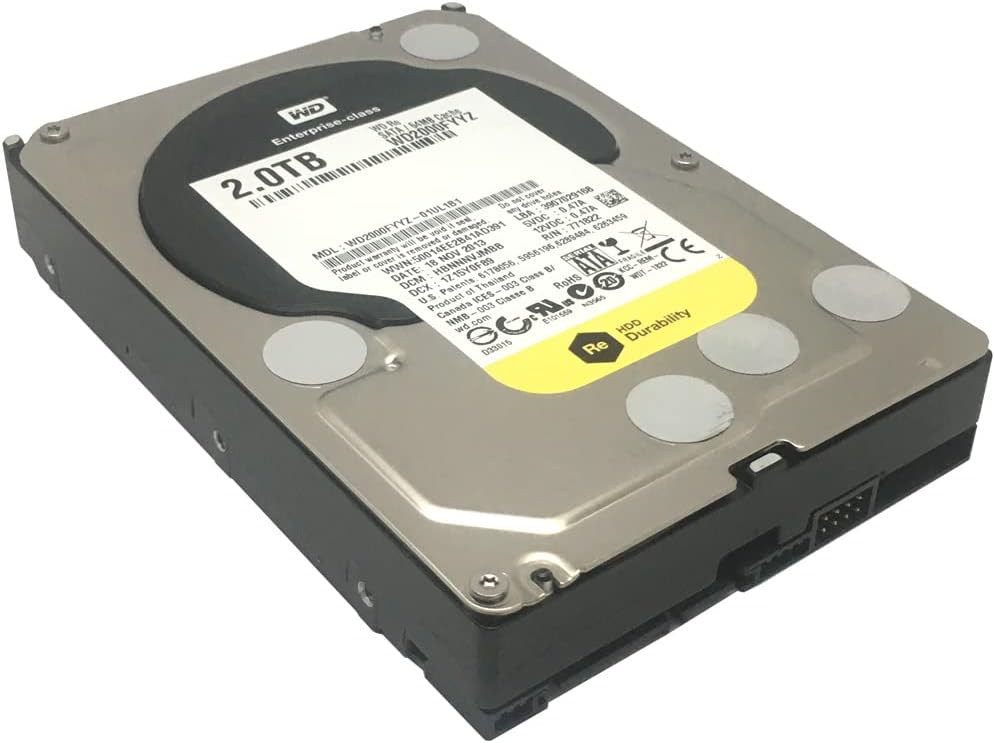
Figure 4: Western Digital RE WD2000FYYZ 2TB Enterprise Hard Drive sealed in an anti-static bag, ready for installation or storage. The product label is visible through the bag, confirming the model and capacity. A serial number WMC1P0219357 is visible on the label.
6. Sorun Giderme
If you encounter issues with your hard drive, consider the following basic troubleshooting steps:
- Sürücü Algılanmadı:
- Tüm SATA veri ve güç kablosu bağlantılarını kontrol edin. Sağlam bir şekilde takılı olduklarından emin olun.
- Verify the drive is enabled in your system's BIOS/UEFI settings.
- Sürücüyü farklı bir SATA portuna bağlamayı veya farklı kablolar kullanmayı deneyin.
- Güç kaynağınızın (PSU) yeterli suya sahip olduğundan emin olun.tage ve mevcut güç bağlantı noktaları.
- Yavaş Performans:
- Disk kaynaklarını tüketen arka plan işlemlerini kontrol edin.
- Ensure the drive is not excessively fragmented (for HDDs, defragmentation can help).
- Run a S.M.A.R.T. diagnostic to check for potential drive health issues.
- Verify that the SATA controller drivers are up to date.
- Alışılmadık Sesler:
- Clicking, grinding, or repetitive beeping sounds can indicate a failing drive. Immediately back up any critical data and consider replacing the drive.
- Veri Bozulması/Hataları:
- Bir disk kontrol yardımcı programını çalıştırın (örneğin,
chkdskin Windows) to scan for and repair file sistem hataları. - Ensure your operating system and drivers are stable and up to date.
- Bir disk kontrol yardımcı programını çalıştırın (örneğin,

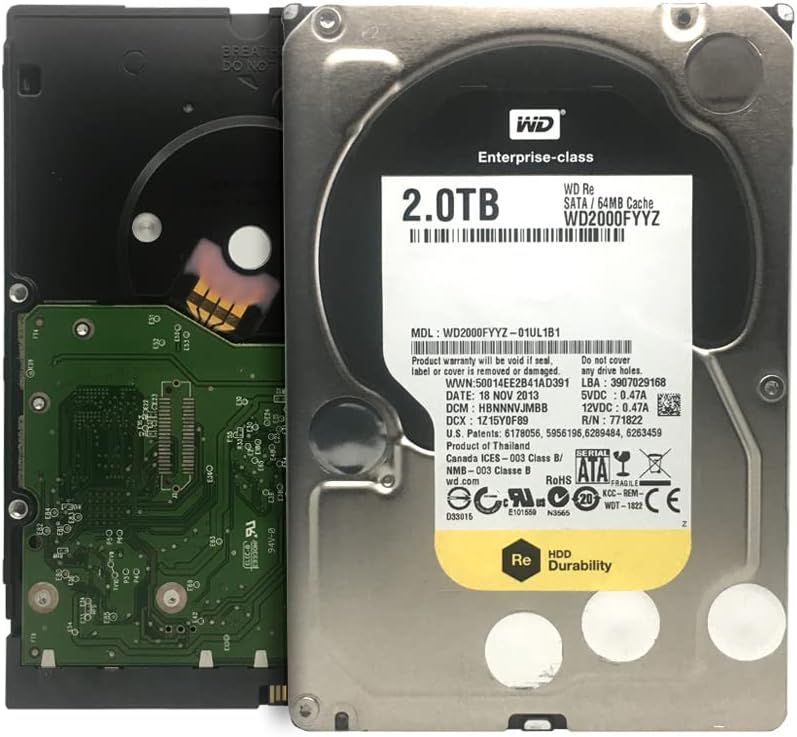
Figure 5: Western Digital RE WD2000FYYZ Hard Drive with PCB exposed. The PCB is green and contains various electronic components. The drive's label is visible on the metal casing, showing model number WD2000FYYZ and other specifications. A serial number WMC1P0219357 is visible on the label.
7. Özellikler
| Özellik | Şartname |
|---|---|
| Model Numarası | WD2000FYYZ |
| Kapasite | 2 TB (2000 GB) |
| Arayüz | SATA 6 Gb/s |
| Form Faktörü | 3.5 inç |
| Dönme Hızı | 7200 RPM |
| Önbellek | 64 MB |
| MTBF (Arızalar Arası Ortalama Süre) | 1.2 Milyon Saat |
| Uyumlu Cihazlar | Masaüstü sistemleri |
| Kurulum Türü | Dahili Sabit Sürücü |
| Ürün Ağırlığı | Approximately 0.01 ounces (Note: This value seems unusually low and may be a data entry error. Actual weight for a 3.5" HDD is typically around 1.5 lbs / 680g) |
| Paket Boyutları | 8.86 x 6.06 x 2.95 inç |
8. Garanti ve Destek
Western Digital products are backed by a limited warranty. For specific warranty terms and conditions applicable to your region and product, please refer to the warranty information included with your purchase or visit the official Western Digital webalan.
For technical support, driver downloads, firmware updates, and additional resources, please visit the Western Digital Support webalan:
When contacting support, please have your drive's model number (WD2000FYYZ) and serial number (if available, e.g., WMC1P0219357) ready.