
giriiş
The myTouchSmart Plug-In Indoor/Outdoor Digital Timer is designed to simplify the automation of your lighting and appliances. This weather-resistant timer features two grounded outlets, offering versatile control for landscape, patio, and seasonal lighting. It provides both customizable "My On/Off Time" settings and convenient daily preset options, along with a 24-hour countdown feature. The large LCD screen and blue LED indicators ensure easy programming and monitoring of active programs. Compatible with various light sources including CFL, LED, incandescent, and halogen, this UL listed product is built for convenience and energy efficiency.
Ürün Özellikleri
- Easy-to-set digital timer with two grounded outlets for landscape, patio, and seasonal lights and appliances.
- Features simple daily preset options, fully customizable "My On/Off Time" settings, and a custom, up to 24-hour countdown feature.
- Weather resistant for both outdoor and indoor use. Includes an attached bracket for easy mounting and installation.
- Compatible with CFL, LED, incandescent, and halogen light sources.
- Large LCD screen and blue LED indicators to show active programs.
- Electrical Rating: 125V/60Hz, 15A/1875W General purpose/resistive.
- CSA listed for safety.

Figure 1: Control outdoor or indoor lights with the myTouchSmart timer.

Figure 2: The timer is weather resistant and suitable for outdoor use.
Kurulum Talimatları
- İlk Güçlendirme: Plug the timer into a standard 125V AC outlet. The LCD screen will illuminate. If the screen is blank or not reading, plug it in for at least one hour to charge the internal battery.
- Geçerli Saati Ayarlayın:
- Basın SAAT düğme.
- Kullanın YUKARI (▲) Ve AŞAĞI (▼) arrows to adjust the hour.
- Basmak SAAT again to move to minutes, then use the arrows to adjust.
- Basmak SAAT a third time to confirm and exit time setting.
- Montaj: Use the integrated mounting bracket to securely attach the timer near your desired outlet. Ensure the timer is positioned to prevent water accumulation.

Figure 3: Simple setup involves setting the current time and custom ON/OFF times.
Video 1: An instructional video demonstrating how to set the current time and program ON/OFF times on the myTouchSmart timer.
Kullanım Talimatları
Setting Custom ON/OFF Times ("My On/Off Time")
- Açma Süresini Ayarlayın:
- Basın ZAMANINDA GELDİM button. The display will show the current ON time setting.
- Kullanın YUKARI (▲) Ve AŞAĞI (▼) arrows to adjust the desired ON hour.
- Basmak ZAMANINDA GELDİM again to move to minutes, then use the arrows to adjust.
- Basmak ZAMANINDA GELDİM a third time to confirm and save the ON time. The blue LED indicator next to "my on time" will illuminate when active.
- Kapanma Süresini Ayarla:
- Basın BOŞ ZAMANLARIM button. The display will show the current OFF time setting.
- Kullanın YUKARI (▲) Ve AŞAĞI (▼) arrows to adjust the desired OFF hour.
- Basmak BOŞ ZAMANLARIM again to move to minutes, then use the arrows to adjust.
- Basmak BOŞ ZAMANLARIM a third time to confirm and save the OFF time. The blue LED indicator next to "my off time" will illuminate when active.
Using Preset Schedules
Zamanlayıcı üç kullanışlı önceden ayarlanmış program seçeneği sunar:
- Evening (5pm-12am): Basın AKŞAM düğme.
- Morning (5am-8am): Basın SABAH düğme.
- All Night (6pm-6am): Basın BÜTÜN GECE düğme.
To activate a preset, simply press the corresponding button. The blue LED indicator next to the selected preset will light up.
24-Hour Countdown
To use the countdown feature:
- Basın GERİ SAYIMIM düğme.
- Kullanın YUKARI (▲) Ve AŞAĞI (▼) arrows to set the desired countdown duration (up to 24 hours).
- Basmak GERİ SAYIMIM again to start the countdown. The timer will turn ON for the set duration and then turn OFF.

Figure 4: Program custom ON/OFF times or select from convenient preset schedules.
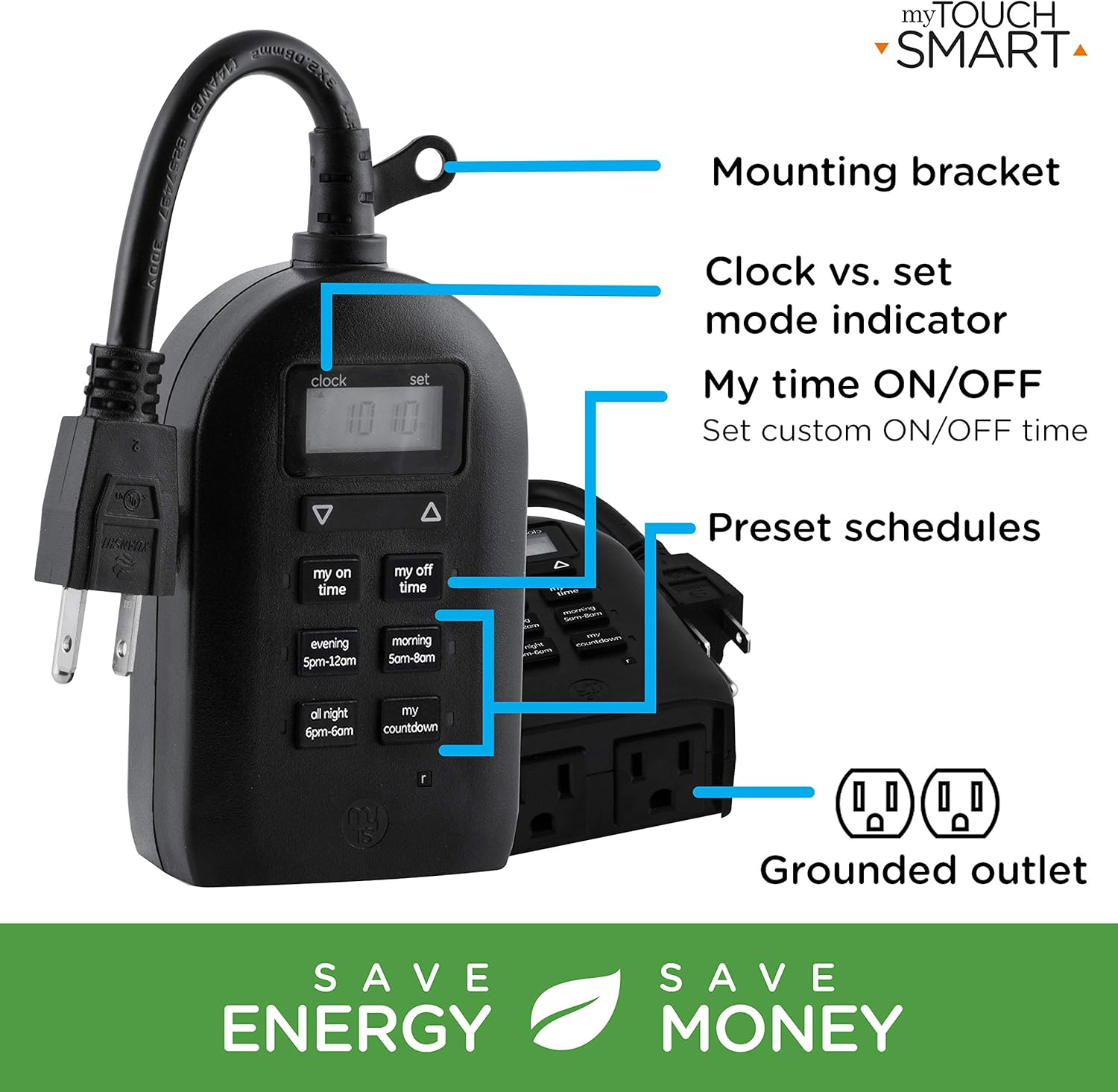
Figure 5: Key features and controls of the myTouchSmart timer.
Bakım
- Temizlik: Temizlemeden önce zamanlayıcıyı elektrik prizinden çıkarın. Dış yüzeyini yumuşak bir bezle silin.amp bez. Sert kimyasallar veya aşındırıcı temizleyiciler kullanmayın.
- Depolamak: Uzun süre kullanılmadığı zamanlarda, zamanlayıcıyı serin, kuru ve doğrudan güneş ışığından ve aşırı sıcaklıklardan uzak bir yerde saklayın.
- Dahili Pil: The timer contains an internal battery to maintain settings during power outages. If the display is dim or blank, plug the timer into an outlet for at least one hour to recharge the battery.
Sorun giderme
| Sorun | Olası Neden | Çözüm |
|---|---|---|
| Zamanlayıcı ekranı boş veya soluk. | Dahili pilin seviyesi düşük veya tamamen bitmiş. | Plug the timer into a live outlet for at least one hour to charge the internal battery. |
| Bağlı cihaz açılıp kapanmıyor. |
|
|
| Zamanlayıcı, düğmelere basılmaya yanıt vermiyor. | Geçici yazılım hatası veya düşük pil. | Unplug the timer from the outlet for a few minutes, then plug it back in. Allow the internal battery to charge if the display was dim. |
Özellikler
| Özellik | Detay |
|---|---|
| Model Numarası | 26898-P1 |
| Elektriksel değerlendirme | 125V AC, 60Hz, 15A, 1875W (General Purpose/Resistive) |
| Çıkışlar | 2 Topraklı Priz |
| Boyutlar | Yaklaşık 3.2" Derinlik x 7" Genişlik x 7.5" Yükseklik |
| Ürün Ağırlığı | 9.92 ons |
| Görüntü Türü | LCD |
| Montaj Tipi | Geçmeli Montaj |
| Sertifikalar | UL Listed, CSA Listed |
| Dahili Pil | Yes (for settings retention) |

Figure 6: Product dimensions for the myTouchSmart timer.
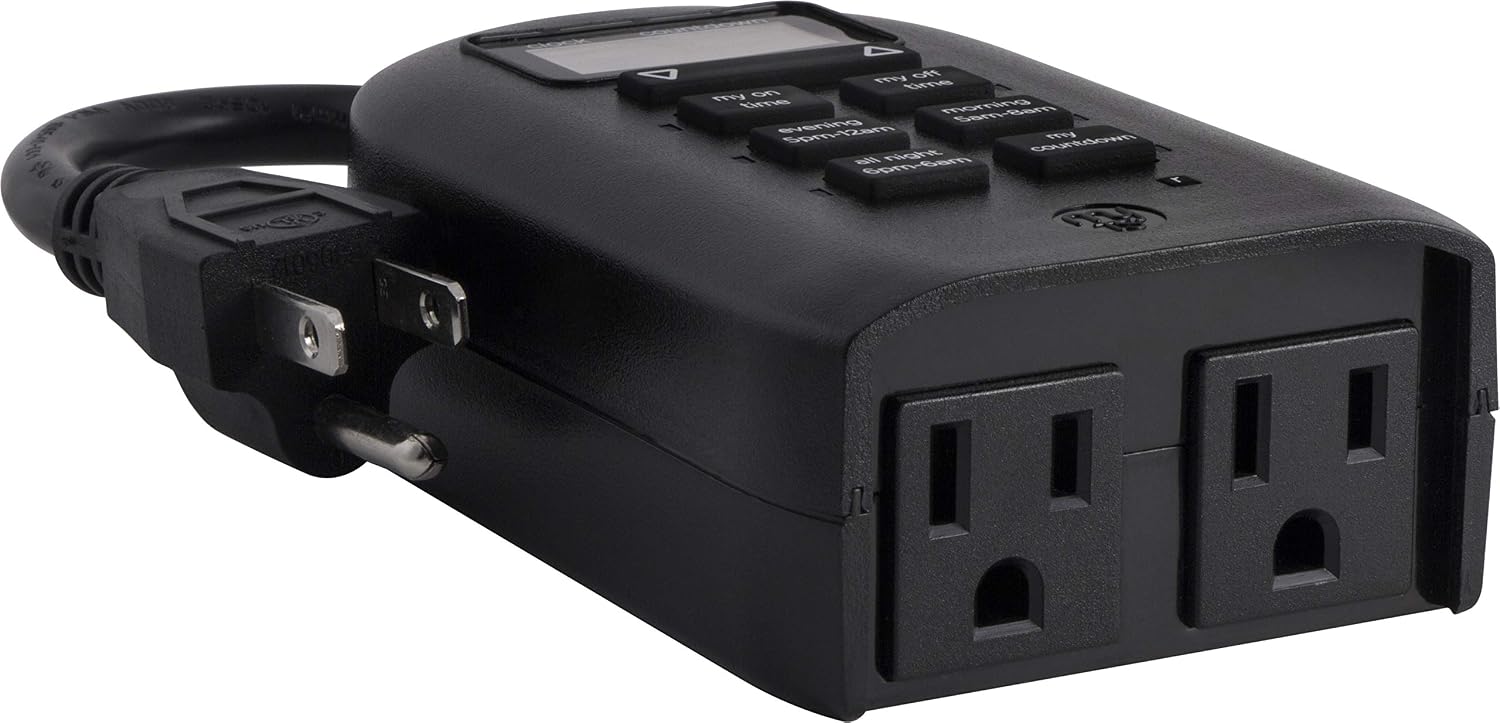
Figure 7: Dual grounded outlets for connecting devices.
Garanti ve Destek
This myTouchSmart timer is backed by a bir yıllık sınırlı garanti from the date of purchase. For warranty claims or technical support, please refer to the contact information provided with your product packaging or visit the official myTouchSmart webalan.
For additional resources, you may also refer to the official Kullanım Kılavuzu (PDF) or Kurulum Kılavuzu (PDF) çevrimiçi olarak mevcuttur.