
1. Giriş
This manual provides detailed instructions for the setup, operation, and maintenance of your Zmodo Mini WiFi 720p HD Wireless Indoor Home Video Security Camera. Please read this manual thoroughly before using the device to ensure proper functionality and safety. This camera is designed for indoor surveillance, offering 720p HD video, two-way audio, and remote access capabilities.
2. Ürün Bittiview
Familiarize yourself with the components of your Zmodo Mini WiFi Camera.

Resim 2.1: Zmodo Mini WiFi Camera mounted on a wall, showing its compact design and lens. This image illustrates the camera's appearance and typical indoor placement.

Resim 2.2: Zmodo Mini WiFi Camera held in a person's hand, demonstrating its small and portable size. This helps visualize the camera's dimensions.
Resim 2.3: Zmodo Mini WiFi Camera displayed with its power adapter and a quick guide. This shows the main items included in the product package.
2.1 Paket İçeriği
- Zmodo Mini WiFi Camera
- Güç Adaptörü
- Hızlı Başlangıç Kılavuzu
3. Kurulum Talimatları
3.1 Uygulama İndirme
Kontrol etmek ve view your camera, download the MeShare app. Arama "MeShare" in the Apple App Store (for iOS 6 and up) or Google Play Store (for Android 2.3 and up).
3.2 Açma
- Güç adaptörünü kameranın güç girişi portuna bağlayın.
- Güç adaptörünü standart bir elektrik prizine takın.
- Wait for the camera's indicator light to show a specific status (refer to the app for light status meanings during setup).
3.3 Network Connection (SmartLink)
The camera uses 2.4GHz Wi-Fi for connectivity. It is not compatible with 5GHz networks.
- Open the MeShare app and create an account or log in.
- Yeni bir cihaz eklemek için uygulama içi talimatları izleyin.
- Select the SmartLink setup option. The app will guide you through connecting the camera to your home Wi-Fi network.
- Ensure your mobile device is connected to the 2.4GHz Wi-Fi network you intend to connect the camera to during setup.
4. Kullanım Talimatları
4.1 Canlı View ve Uzaktan Erişim
Access your camera's live 720p HD video feed from anywhere using the MeShare app on your Android, iPhone, or iPad device. You can also access it via a web tarayıcı user.meshare.com/user/login.

Resim 4.1: A laptop, tablet, and smartphone simultaneously displaying live video feeds from Zmodo cameras. This illustrates the multi-device remote access capability.
4.2 İki Yönlü Ses
The camera features two-way audio, allowing you to listen to the environment around the camera and speak through its built-in speaker using the MeShare app.
4.3 Hareket Algılama
The camera is equipped with a motion sensor that can detect movement. You can configure motion alerts within the MeShare app to receive notifications when motion is detected.

Resim 4.2: A smartphone screen showing a Zmodo alert for motion detected, with video clips available for review. This demonstrates the motion alert feature.
4.4 Gece Görüşü
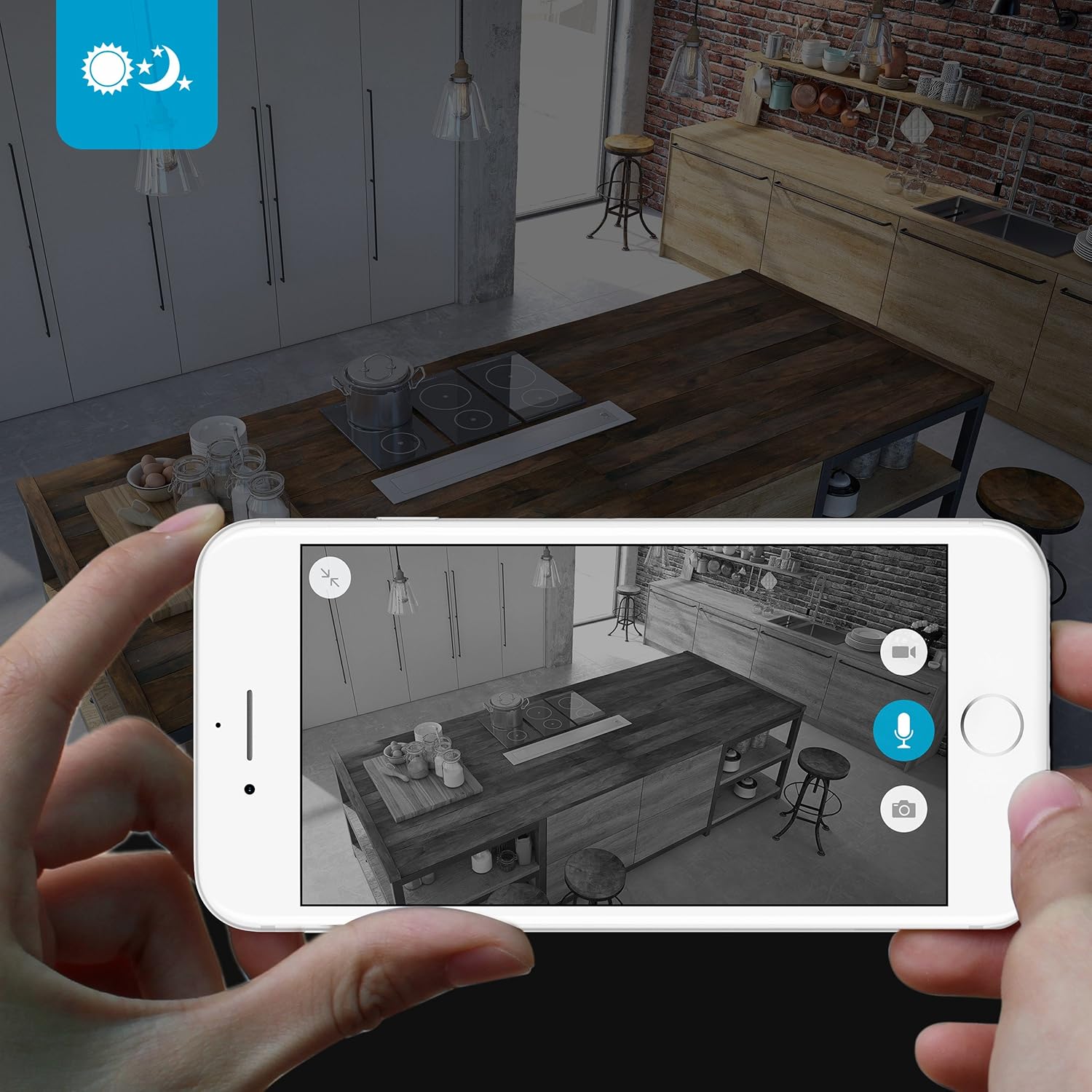
The camera provides clear surveillance even in low-light conditions with its night vision capabilities, offering a range of up to 30 feet. It automatically switches between color day mode and black & white night mode using infrared light.

Resim 4.3: A smartphone screen showing a black and white night vision view from the Zmodo camera in a kitchen setting. This illustrates the camera's low-light performance.
4.5 Geniş Açı View
The camera features a 115° wide-angle lens, allowing for a broad view of your indoor space.

Resim 4.4: A smartphone screen showing a wide-angle view from the Zmodo camera in a bedroom, capturing a broad area. This highlights the 115-degree field of view.
5. Bakım
5.1 Kamerayı Temizleme
- Temizlemeden önce kameranın kapalı olduğundan emin olun.
- Yumuşak, kuru bir bez kullanarak fotoğraf makinesinin gövdesini nazikçe silin.
- Objektif için, çizilmeleri önlemek amacıyla optik eşyalar için özel olarak tasarlanmış bir objektif temizleme bezi kullanın.
- Do not use liquid cleaners or aerosol sprays directly on the camera.
5.2 Çevresel Hususlar
- Bu kamera yalnızca iç mekanda kullanım için tasarlanmıştır.
- Kamerayı doğrudan güneş ışığına veya ısı kaynaklarının yakınına yerleştirmekten kaçının.
- Keep the camera away from moisture and extreme temperatures.
6. Sorun Giderme
6.1 Yaygın Sorunlar ve Çözümler
- Kamera Wi-Fi'ye bağlanmıyor: Ensure your Wi-Fi network is 2.4GHz. Verify your Wi-Fi password. Try restarting your router and the camera.
- Kötü video kalitesi: İnternet bağlantı hızınızı kontrol edin. Kamera merceğinin temiz ve engelsiz olduğundan emin olun.
- Ses yok veya bozuk ses: Verify microphone and speaker settings in the MeShare app. Ensure there are no physical obstructions blocking the microphone or speaker.
- Hareket algılama özelliği çalışmıyor: Check motion detection settings in the MeShare app. Ensure notifications are enabled for the app on your mobile device.
- Kamera çevrimdışı: Check if the camera is powered on. Verify your Wi-Fi network is active and stable. Try restarting the camera.
7. Özellikler
| Özellik | Tanım |
|---|---|
| Model Numarası | WAUBMAKGCUVDD |
| Video Yakalama Çözünürlüğü | 720p HD |
| Bağlantı Teknolojisi | Kablosuz (Wi-Fi 2.4GHz) |
| Çift Yönlü Ses | Evet |
| Geniş Açı | 115° |
| Gece Görüş Aralığı | Up to 30 Feet (Infrared) |
| Hareket Sensörü | Evet (Sadece Hareket Algılama Uyarısı Türü) |
| Güç Kaynağı | AC/DC (5 Volts, 5 Watts) |
| İç/Dış Mekan Kullanımı | Kapalı |
| Boyutlar (U x G x Y) | 7 x 2.1 x 4.5 inç |
| Ürün Ağırlığı | 12 ons |
| Uyumlu Cihazlar | Video Monitor (Android, iPhone, iPad) |
8. Garanti ve Destek
For warranty information or technical support, please refer to the official Zmodo website or contact Zmodo customer service directly. Keep your purchase receipt for warranty claims.
Daha fazla yardım için şu adresi ziyaret edin: Zmodo Store on Amazon.