
1. Giriş
Welcome to the Dash Clear View Toaster instruction manual. This appliance is designed to provide a precise toasting experience with its unique clear-view window and versatile functions. Please read this manual thoroughly before use to ensure safe and efficient operation.
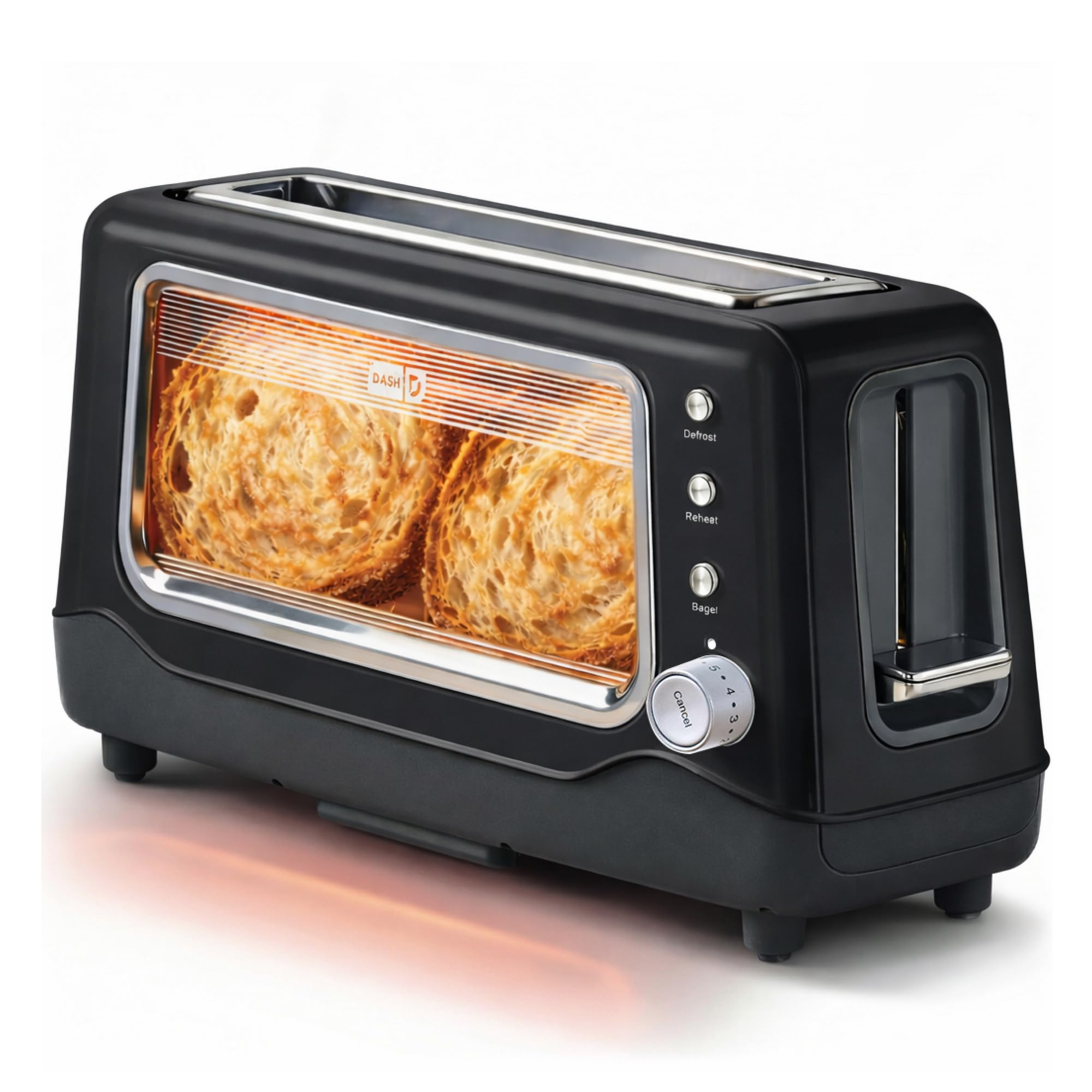
Image 1: The Dash Clear View Toaster in Black, showcasing its sleek design and prominent clear viewpencere.
2. Önemli Güvenlik Önlemleri
Elektrikli aletleri kullanırken her zaman aşağıdakiler de dahil olmak üzere temel güvenlik önlemlerine uyulmalıdır:
- Tost makinesini çalıştırmadan önce tüm talimatları okuyun.
- Sıcak yüzeylere dokunmayın. Kulp veya düğmeleri kullanın.
- Elektrik çarpmasına karşı korunmak için kabloyu, fişleri veya cihazı suya veya başka bir sıvıya daldırmayın.
- Herhangi bir cihazın çocuklar tarafından veya çocukların yakınında kullanılması durumunda yakın gözetim gereklidir.
- Kullanılmadığında ve temizlemeden önce fişini prizden çekin. Parçaları takıp çıkarmadan önce soğumasını bekleyin.
- Kablo veya fişi hasarlı olan veya cihaz arızalandıktan veya herhangi bir şekilde hasar gördükten sonra hiçbir cihazı çalıştırmayın.
- Açık havada kullanmayınız.
- Kablonun masa veya tezgah kenarından sarkmasına veya sıcak yüzeylere temas etmesine izin vermeyin.
- Sıcak gazlı veya elektrikli ocakların üzerine veya yakınına, ya da ısıtılmış fırına koymayın.
- Cihazı kullanım amacı dışında kullanmayınız.
- Büyük boyutlu yiyecekler, metal folyo paketler veya mutfak eşyaları tost makinesine konulmamalıdır; aksi takdirde yangın veya elektrik çarpması riski oluşabilir.
- Tost makineleri çalışırken perde, drape, duvar vb. yanıcı maddelerle örtülürse veya temas ederse yangın çıkabilir.
- Tost makinesi fişe takılıyken yiyecekleri çıkarmaya çalışmayın.
- Gözetimsiz çalıştırmayın.
3. Ürün Özellikleri
The Dash Clear View Toaster is equipped with several features designed for convenience and optimal toasting results:
- Temizlemek-View Pencere: Allows you to monitor the toasting process to achieve your desired browning level.
- Seven-Browning Levels: Adjustable dial for precise control over toast shade, from light to dark.
- Ekstra Geniş Yuvalar: Accommodates various bread types, including bagels, artisan bread, and Texas toast.
- 1-Touch Defrost Function: Ideal for toasting frozen items directly from the freezer.
- 1-Touch Reheat Function: Warms previously toasted items without further browning.
- 1-Touch Bagel Function: Simitlerin kesilmiş iç yüzeyini kızartırken dış yüzeyini de hafifçe ısıtır.
- Auto-Shut Off Feature: Automatically turns off the toaster when the cycle is complete, preventing over-toasting.
- Slide-Out Crumbs Tray: Easily removable for quick and convenient cleaning.
- Removable Glass Panel: Açık viewing window can be removed for thorough cleaning.

Image 2: The Dash Clear View Toaster, highlighting its compact dimensions (15.5" W x 8" H x 6.5" D) and space-saving design on a kitchen countertop.

Image 3: A visual representation of the seven browning levels available on the Dash Clear View Toaster, ranging from very light to very dark toast.
4. Kurulum
- Paketi aç: Carefully remove the toaster and all packaging materials from the box. Retain packaging for future storage or returns.
- Atama: Place the toaster on a stable, heat-resistant, and dry surface away from flammable materials. Ensure adequate ventilation around the appliance.
- İlk Kullanım: Before first use, operate the toaster without bread on the highest setting to burn off any manufacturing residues. A slight odor or smoke may be present; this is normal.
- Güç Bağlantısı: Plug the power cord into a standard 110V electrical outlet. The toaster lever will only stay down when the unit is plugged in.
5. Kullanım Talimatları
Follow these steps for optimal toasting:
- Yiyecek Ekle: Place slices of bread, bagels, or other items into the extra-wide toasting slots.
- Kızarma Seviyesini Seçin: Turn the browning control dial to your desired setting (1 for lightest, 7 for darkest).
- Choose Function (Optional):
- Basın Defrost button for frozen items.
- Basın Yeniden ısıtma button to warm already toasted items.
- Basın Simit button for bagels (toasts cut side, warms outer side).
- Tost Yapmaya Başlayın: Push the toast lever down until it locks into place. The heating elements will activate, and you can observe the browning through the clear-view pencere.
- Toasting'i İptal Et: Kızartma döngüsünü istediğiniz zaman durdurmak için, İptal etmek button. The toast will automatically pop up.
- Tostu Al: Once the toasting cycle is complete, the toast will automatically pop up. Carefully remove the toasted items.

Image 4: The Dash Clear View Toaster with two bagel halves placed in its extra-wide slots, ready for toasting using the dedicated bagel function.
Video 1: A seller-provided video demonstrating the Dash Clear View Toaster's features, including the clear window and various settings. The video shows a person using the toaster with a large slice of sourdough bread, highlighting the extra-wide slot and the ability to monitor browning.
6. Bakım ve Temizlik
Regular cleaning ensures the longevity and performance of your toaster:
- Fişini Çek ve Soğut: Temizlemeden önce ekmek kızartma makinesinin fişini mutlaka prizden çekin ve tamamen soğumasını bekleyin.
- Boş Kırıntı Tepsisi: Slide out the crumb tray located at the bottom of the toaster. Discard crumbs and wipe the tray clean with a damp Bezi yerine yerleştirin. Tepsiyi güvenli bir şekilde tekrar takın.
- Temiz Cam Panel: Açık-view glass panel can be removed for thorough cleaning. Locate the release mechanism (often a lever or clip) at the bottom or side of the glass panel, slide it out, wash with warm soapy water, rinse, and dry completely before reinserting.
- Dış Temizlik: Tost makinesinin dışını bir bezle silinamp bez. Aşındırıcı temizleyiciler kullanmayın veya ekmek kızartma makinesini suya batırmayın.
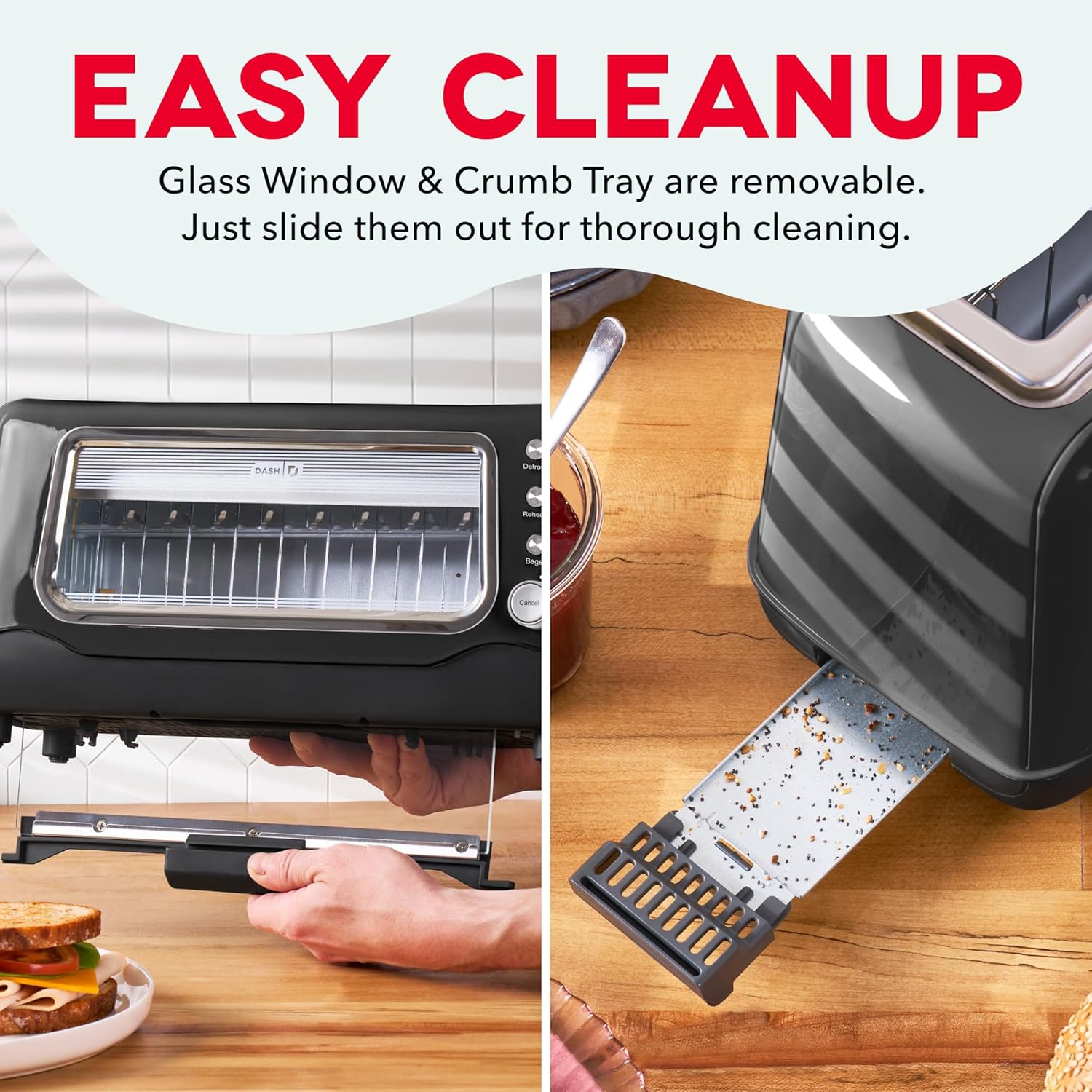
Image 5: The Dash Clear View Toaster demonstrating its easy cleaning features, including the removable slide-out crumb tray and the detachable glass panel for thorough maintenance.
Video 2: Satıcı tarafından sağlanan bir video tanıtımıasing the Dash Clear View Toaster's unboxing and features, including a demonstration of how to remove and clean the crumb tray and glass panel.
7. Sorun Giderme
- Toast Lever Does Not Stay Down: Ensure the toaster is properly plugged into a functioning electrical outlet. The lever is designed to only engage when power is supplied.
- Düzensiz Kızartma: Different types of bread toast differently. Adjust the browning level as needed. For very thick or dense items, a slightly higher setting or a second cycle might be required (monitor closely through the clear window).
- Smoke from Toaster: A small amount of smoke during first use is normal. If smoke persists, unplug the toaster immediately. Check for any lodged food particles or excessive crumbs in the crumb tray or heating elements.
- Food Stuck: Unplug the toaster and allow it to cool. Carefully remove the stuck food using non-metallic utensils. Never use metal objects.
8. Özellikler
| Bağlanmak | Değer |
|---|---|
| Marka | ÇİZGİ |
| Model Numarası | DVTS501BK |
| Renk | Siyah |
| Malzeme | Glass, Polypropylene (PP), Stainless Steel |
| Ürün Boyutları | 6.6"D x 15.7"G x 7.8"Y |
| Netage | 1100 watt |
| Cilttage | 110 Volt |
| Slot Count | 2 (extra-wide) |
| Kızartma Ayar Sayısı | 7 |
| Özel Özellikler | Automatic Shut-Off, Defrost Mode, Reheat Mode, Removable Crumb Tray, Variable Browning Control |
9. Garanti ve Destek
The Dash Clear View Toaster DVTS501BK comes with a 1 yıllık sınırlı garanti. For warranty claims, troubleshooting assistance, or product support, please refer to the contact information provided in your product packaging or visit the official DASH webalan.
Included Components: Toaster, Recipe Guide, Instruction Manual, Warranty.