
1. Giriş
This manual provides essential information for the proper use and care of your genuine FINLUX remote control, model 42FME242S-T. This remote control is designed to operate compatible FINLUX televisions, including models 42FME242ST, 42FME242S-T, and 50FLHKR242BHCN.
It is an authentic replacement part, identical to the remote control originally supplied with your television.
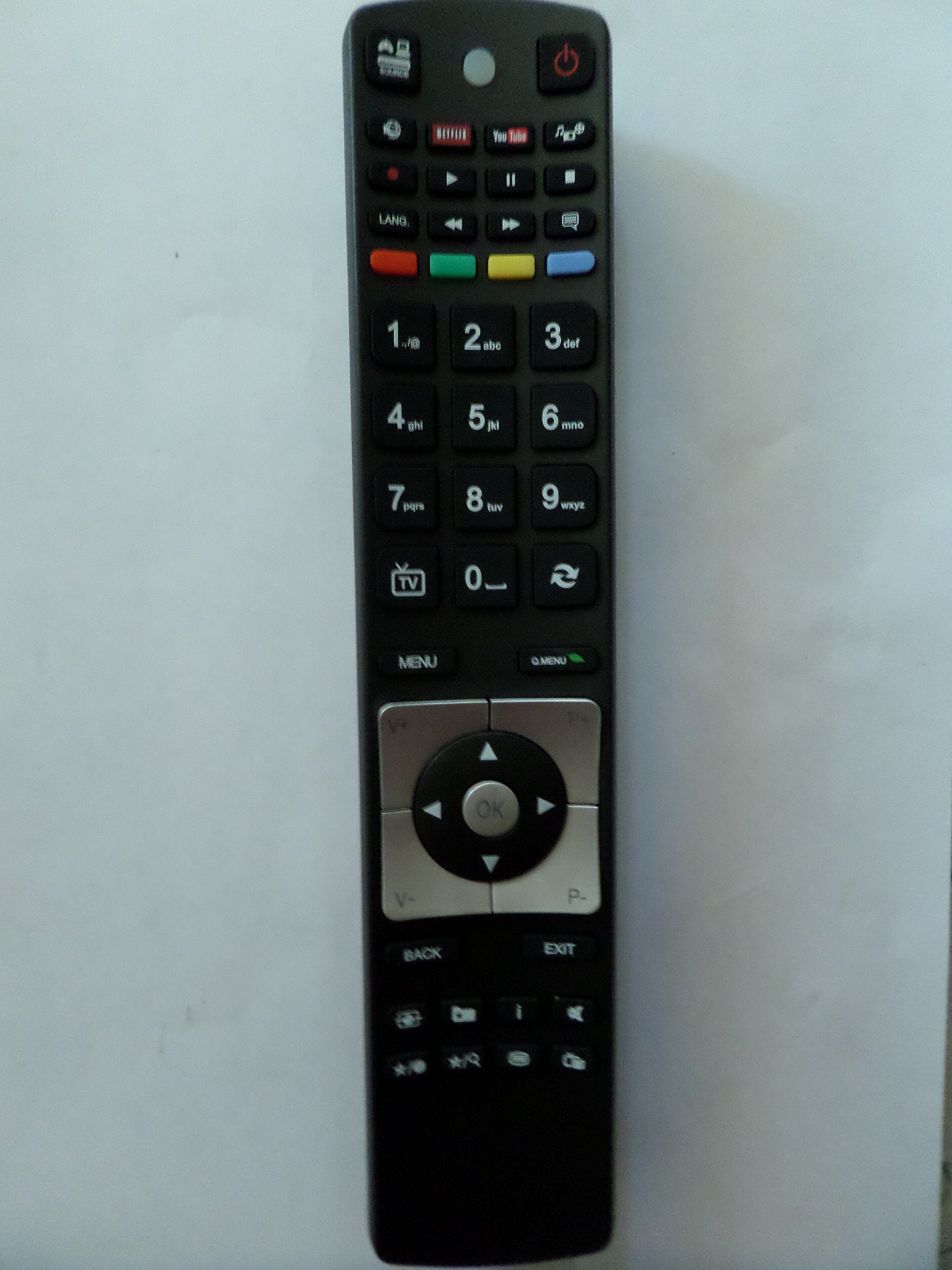
Image: The genuine FINLUX remote control, showing its button layout and design.
2. Kurulum
2.1 Pil Kurulumu
Uzaktan kumanda çalışması için iki (2) adet AA pil gerektirir. Pilleri takmak için şu adımları izleyin:
- Uzaktan kumandanın arkasındaki pil bölmesi kapağını bulun.
- Bölmeyi açmak için kapağı aşağı doğru kaydırın veya (varsa) mandalı bastırın.
- İki adet AA pil takın ve pozitif (+) ve negatif (-) kutupların bölmenin içindeki işaretlerle doğru şekilde hizalandığından emin olun.
- Pil bölmesi kapağını yerine oturtup tık sesi duyana kadar kaydırarak kapatın.
Not: Her zaman yeni pil kullanın ve her iki pili aynı anda değiştirin. Eski ve yeni pilleri veya farklı tipteki pilleri karıştırmayın.
3. Kullanım Talimatları
This remote control uses infrared (IR) technology to communicate with your television. Ensure there is a clear line of sight between the remote control and the TV's IR receiver.
3.1 Temel Fonksiyonlar
The remote control provides standard functions for operating your FINLUX television. While specific button layouts may vary slightly, common functions include:
- Güç Açma/Kapatma: Televizyonu açar veya kapatır.
- Kanal Seçimi: TV kanallarını değiştirir.
- Ses Kontrolü: Ses seviyesini ayarlar.
- Sesini kapatmak: TV sesini kapatır.
- Giriş/Kaynak: Farklı giriş kaynaklarını seçer (örneğin, HDMI, AV).
- Menü: Accesses the TV's on-screen menu.
- Yön tuşları: (Up, Down, Left, Right, OK) for navigating menus.
- Sayı Düğmeleri: Doğrudan kanal girişi için.
Refer to your television's user manual for detailed information on specific button functions and advanced features.
4. Bakım
4.1 Temizlik
Uzaktan kumandayı temizlemek için yumuşak, kuru bir bez kullanın. İnatçı kirler için hafifçe kurulayın.ampen the cloth with water or a mild, non-abrasive cleaner. Do not use harsh chemicals, solvents, or abrasive cleaning pads, as these can damage the remote control's surface and internal components.
4.2 Depolama
When not in use for extended periods, remove the batteries to prevent leakage, which can damage the remote control. Store the remote control in a cool, dry place away from direct sunlight and extreme temperatures.
5. Sorun Giderme
- Uzaktan kumanda yanıt vermiyor:
- Pillerin doğru kutuplara ve doğru şekilde takılıp takılmadığını kontrol edin.
- Replace the batteries with new AA batteries.
- Uzaktan kumanda ile televizyonun IR alıcısı arasında herhangi bir engel olmadığından emin olun.
- Make sure you are within the maximum operating range (approximately 10 meters).
- Düğmeler takılı kalıyor veya yanıt vermiyor:
- Uzaktan kumandayı Bakım bölümünde açıklandığı gibi temizleyin.
- If the issue persists, the remote control may require replacement.
6. Özellikler
| Özellik | Detay |
|---|---|
| Marka | Finlux'un |
| Üretici | FINLUX |
| Model Numarası | 42FME242S-T |
| Parça Numarası | 42FME242S-T |
| Uyumlu Cihazlar | Television (FINLUX models: 42FME242ST, 42FME242S-T, 50FLHKR242BHCN) |
| Pil Türü | 2 adet AA pil |
| Bağlantı Teknolojisi | Kızılötesi (IR) |
| Maksimum Çalışma Aralığı | 10 metre (yaklaşık 33 fit) |
| İlk Mevcut Tarih | 22 Eylül 2018 |
7. Garanti ve Destek
Information regarding specific warranty terms or direct customer support for this product is not available in the provided data. Please refer to the documentation that came with your original television or contact FINLUX customer service for warranty inquiries and support options.