
1. Giriş
This manual provides essential information for the proper use and maintenance of your Western Digital WD Elements 1TB Portable Hard Drive. The WD Elements portable hard drive offers reliable, high-capacity storage in a compact design, making it suitable for various computing environments.
Temel özellikler şunlardır:
- Dijital Depolama Kapasitesi: 1TB
- Form Faktörü: 2.5 inç
- Bağlantı: SuperSpeed USB 3.0 port, backward compatible with USB 2.0
- Uyumluluk: Pre-formatted NTFS for Windows, can be reformatted for Mac or other operating systems
- Dayanıklılık: Engineered for shock tolerance and long-term reliability
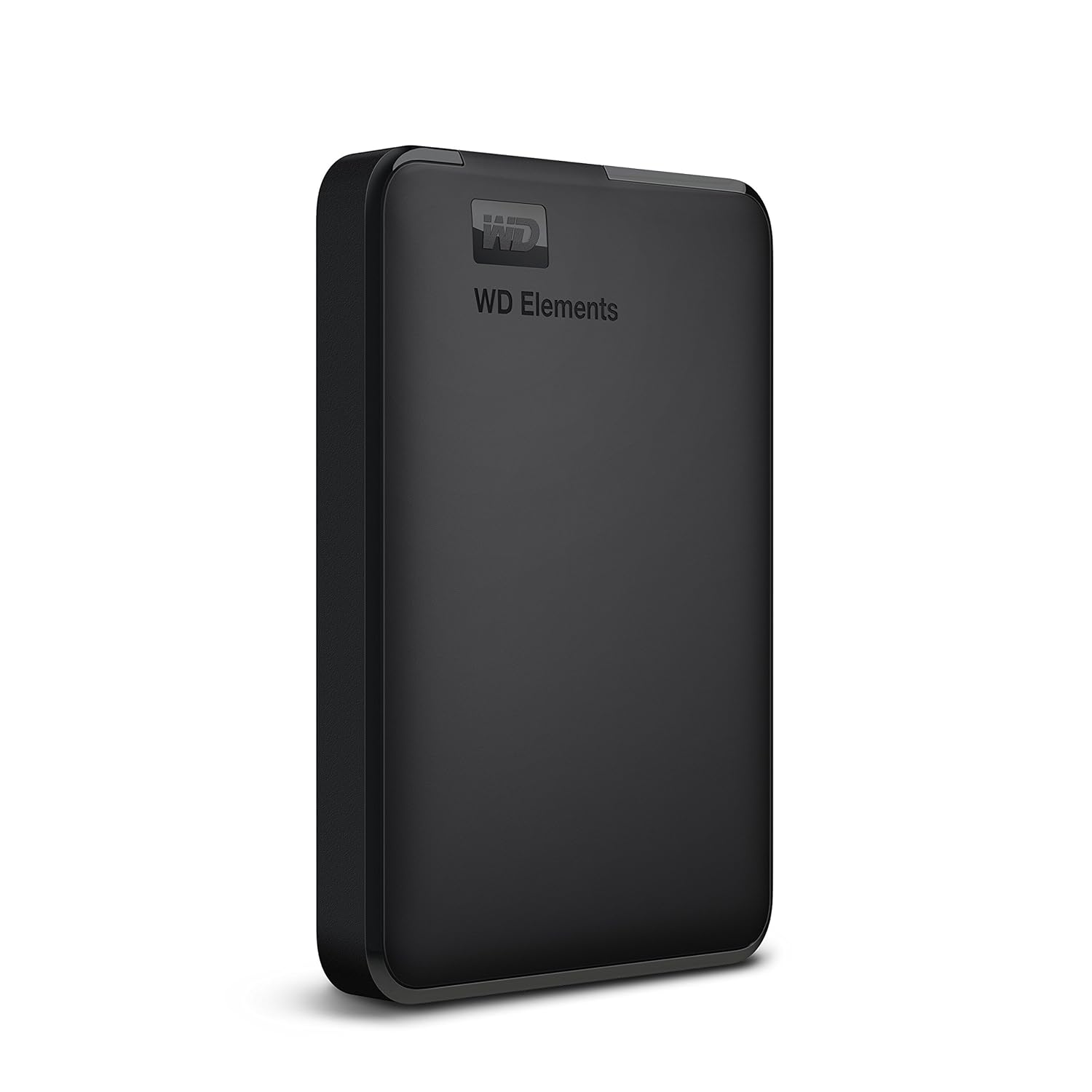
Image 1.1: The Western Digital WD Elements 1TB Portable Hard Drive, showcasinKompakt ve şık tasarımıyla dikkat çekiyor.
2. Paket İçeriği
Paketin içinde tüm öğelerin mevcut olduğundan emin olun:
- Western Digital Elements Portable Hard Disk Drive
- USB 3.0 Kablosu
- Hızlı Başlangıç Kılavuzu
3. Kurulum
3.1 Connecting the Hard Drive
- Locate an available USB port on your computer (PC, Mac, PS4, or Xbox). For optimal performance, use a USB 3.0 port.
- Connect the small end of the included USB 3.0 cable to the USB port on the WD Elements portable hard drive.
- Connect the larger end of the USB 3.0 cable to the USB port on your computer or console.
- Sürücü otomatik olarak açılacak ve işletim sisteminiz tarafından algılanacaktır.

Image 3.1: The WD Elements portable hard drive connected to a laptop, demonstrating USB 3.0 and USB 2.0 compatibility.
3.2 Initial Use and Formatting
The drive comes pre-formatted with the NTFS file system, making it ready for immediate use with Windows operating systems. For Mac users or other operating systems, reformatting the drive is necessary.
Windows için:
No special action is required. The drive will appear as a new storage device in 'This PC' or 'My Computer'.
Mac için:
- Sürücüyü Mac'inize bağlayın.
- 'Disk Yardımcı Programı'nı açın (Uygulamalar > Yardımcı Programlar > Disk Yardımcı Programı).
- Kenar çubuğundan WD Elements sürücüsünü seçin.
- Click 'Erase'.
- Choose a suitable format (e.g., APFS or Mac OS Extended (Journaled)) and a name for the drive.
- Click 'Erase' again to confirm. Warning: This will delete all data on the drive.
4. Kullanım Talimatları
4.1 Veri Aktarımı
Aktarmak için files, simply drag and drop them to and from the WD Elements drive icon on your desktop or in your file explorer. The USB 3.0 interface ensures fast data transfer speeds.

Image 4.1: A laptop screen displaying a data transfer progress bar, illustrating the fast data transfer capabilities of the drive.
4.2 Güvenli Kaldırma
Always safely eject the hard drive before disconnecting it to prevent data corruption. For Windows, use the 'Safely Remove Hardware and Eject Media' icon in the system tray. For Mac, drag the drive icon to the Trash or use the 'Eject' option in Finder.
5. Bakım
To ensure the longevity and optimal performance of your WD Elements portable hard drive:
- Aracın sürüş alanını temiz, kuru bir ortamda, aşırı sıcaklıklardan ve doğrudan güneş ışığından uzak tutun.
- Avoid dropping or subjecting the drive to physical shocks.
- Do not block ventilation openings, if any.
- Dış yüzeyini yumuşak ve kuru bir bezle temizleyin. Sıvı temizleyiciler kullanmayın.
- Regularly back up important data to another storage device.
6. Sorun Giderme
6.1 Sürücü Algılanamadı
- Ensure the USB cable is securely connected to both the drive and the computer/console.
- Try connecting the drive to a different USB port.
- Mümkünse sürücüyü farklı bir USB kablosuyla test edin.
- Bilgisayarınızı veya konsolunuzu yeniden başlatın.
- For Windows, check 'Disk Management'. For Mac, check 'Disk Utility' to see if the drive is recognized but unformatted.
6.2 Yavaş Veri Aktarım Hızları
- Ensure the drive is connected to a USB 3.0 port on your computer. USB 2.0 ports will result in slower speeds.
- Bilgisayarınızın USB 3.0 sürücülerinin güncel olduğundan emin olun.
- Büyük iş yükleri sırasında birden fazla zorlu uygulamayı çalıştırmaktan kaçının file Transferler.
6.3 Sürücüden Olağandışı Sesler Geliyor
If the drive emits clicking, grinding, or other unusual noises, immediately back up any accessible data and discontinue use. Contact Western Digital support for assistance.
7. Özellikler

Image 7.1: Visual representation of the compact dimensions of the WD Elements portable hard drive.
| Özellik | Detay |
|---|---|
| Marka | Batı Dijital |
| Model Numarası | WDBHHG0010BBK-EESN |
| Seri | Elementler |
| Dijital Depolama Kapasitesi | 1 TB (1024 GB) |
| Sabit Sürücü Boyutu | 1TB |
| Sabit Disk Açıklaması | Mekanik Sabit Disk |
| Form Faktörü | 2.5 inç |
| Sabit Sürücü Arayüzü | USB 3.0 |
| Bağlantı Teknolojisi | USB |
| Donanım Platformu | Mac, PC, Unix |
| Renk | Siyah |
| Ürün Boyutları (UxGxY) | 11.1x8.2x1.5 cm |
| Ürün Ağırlığı | 300 gr |
| Menşei ülke | Tayland |
8. Garanti ve Destek
8.1 Garanti Bilgileri
The Western Digital WD Elements 1TB Portable Hard Drive comes with a 3 Yıllık Sınırlı GarantiBu garanti, normal kullanım koşullarındaki malzeme ve işçilik kusurlarını kapsar. Garanti talepleriniz için lütfen satın alma belgenizi saklayın.

Image 8.1: A visual representation of the product's warranty coverage. Note: The image shows '2-Year Limited Warranty', but the product specifications state '3-Year Warranty'. Please refer to your product packaging for the most accurate warranty period.
8.2 Teknik Destek
For technical assistance, product registration, or to access the full user manual and software downloads, please visit the official Western Digital support webalan:
You may also find helpful resources and FAQs on the Western Digital brand store: