
giriiş
This manual provides essential information for the safe and efficient installation, operation, and maintenance of your Dinuy M34364 Lumen Musical Chime. Please read these instructions carefully before using the product and retain this manual for future reference.
Ürün Bittiview
The Dinuy M34364 Lumen Musical Chime is a 220V musical doorbell designed for residential or commercial use. It provides an audible signal when activated, offering a clear and distinct sound.
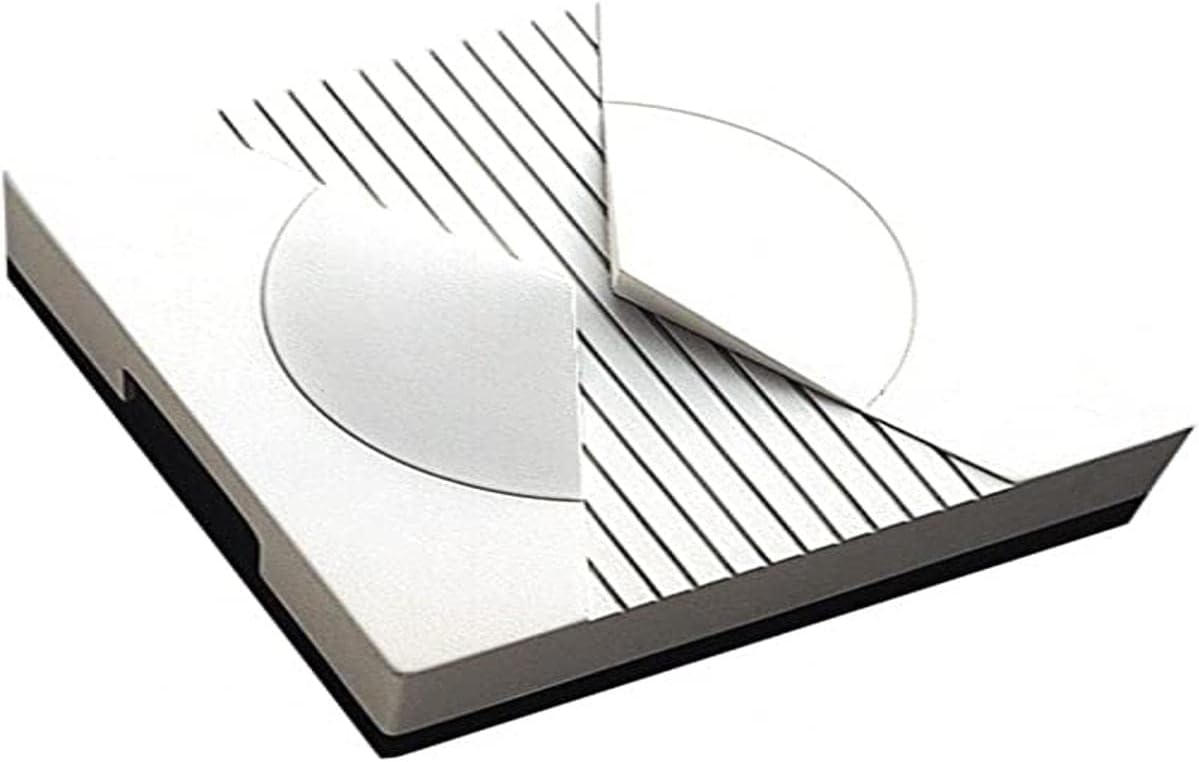
This image displays the Dinuy M34364 Lumen Musical Chime, a compact, square-shaped device with a white finish. The top surface features a circular design element and parallel black lines, suggesting a modern aesthetic. The device has a dark base.
Kurulum Talimatları
Proper installation is crucial for the safe and correct functioning of the chime. If you are unsure about any steps, consult a qualified electrician.
- Önce Güvenlik: Before beginning any installation, ensure the main power supply to the installation area is turned off at the circuit breaker to prevent electrical shock.
- Montaj Yeri: Choose a suitable indoor location for the chime, away from direct moisture or extreme temperatures. Ensure the mounting surface is stable.
- Mounting the Chime: Secure the chime to the wall using appropriate screws and wall plugs (not included), ensuring it is level and firmly attached.
- Kablolama: Connect the 220V power supply wires to the designated terminals on the chime. Refer to the wiring diagram usually found inside the chime's casing or on its back. Ensure all connections are secure and insulated.
- Connect Push Button: Connect the doorbell push button (not included) to the chime's input terminals as per the wiring diagram.
- Gücü Geri Yükle: Once all connections are made and secured, restore power at the circuit breaker.
- Test İşlevselliği: Press the doorbell push button to verify that the chime sounds correctly.
Kullanım Talimatları
The Dinuy M34364 Lumen Musical Chime operates simply once installed.
- Etkinleştirme: The chime will sound when the connected doorbell push button is pressed.
- Ses Seçimi: If your model includes multiple melodies, there may be a small button or switch on the side or back of the unit to cycle through available sounds. Consult the specific markings on your device.
- Ses Ayarı: Some models may feature a volume control dial or button. Adjust as needed for your environment.
Bakım
The Dinuy M34364 Lumen Musical Chime requires minimal maintenance to ensure long-lasting performance.
- Temizlik: Periodically wipe the exterior of the chime with a soft, dry cloth. Do not use abrasive cleaners, solvents, or excessive moisture, as these can damage the unit.
- Denetleme: Occasionally check the wiring connections to ensure they remain secure. If any damage is observed, disconnect power immediately and consult a qualified technician.
- Kullanıcı Tarafından Bakımı Yapılabilecek Parça Yok: The internal components of the chime are not user-serviceable. Do not attempt to open or repair the unit yourself.
Sorun giderme
If you encounter issues with your chime, refer to the following table for common problems and solutions.
| Sorun | Olası Neden | Çözüm |
|---|---|---|
| Zil sesi çıkmıyor. | No power, loose wiring, faulty push button. | Check power supply at the circuit breaker. Verify all wiring connections are secure. Test the push button for functionality. |
| Chime sounds intermittently. | Loose connections, faulty push button. | Inspect all wiring connections for tightness. Test or replace the push button. |
| Ses bozuk veya zayıf. | Internal component issue, incorrect voltage. | Ensure the chime is receiving the correct 220V power. If the issue persists, contact customer support. |
Teknik Özellikler
- Üretici: Dinuy
- Model Numarası: M34364
- Referans: TI.LUM.220
- Güç Kaynağı: 220V (ürün açıklamasına göre)
- Paket Boyutları: 12.4x12x6.2 cm
- Ağırlık: 60 gram
- Quantity per package: 1
- ASIN: B00J0ARR8E
Garanti ve Destek
For information regarding warranty coverage, technical support, or spare parts availability, please refer to the documentation provided with your purchase or contact Dinuy customer service directly. Keep your proof of purchase for warranty claims.