
giriiş
Thank you for choosing the Tascam TH-200X Studio Headphones. These closed-back headphones are designed for accurate audio monitoring, mixing, and general music listening. They feature a lightweight, durable construction with comfortable padding for extended use. This manual provides essential information for the proper setup, operation, maintenance, and troubleshooting of your TH-200X headphones.
Kutuda Neler Var?
Lütfen paketinizde aşağıdaki tüm öğelerin bulunduğundan emin olun:
- Tascam TH-200X Studio Headphones
- Attached Audio Cable (3.5mm jack)
- 6.35mm (1/4-inch) Screw-on Adapter
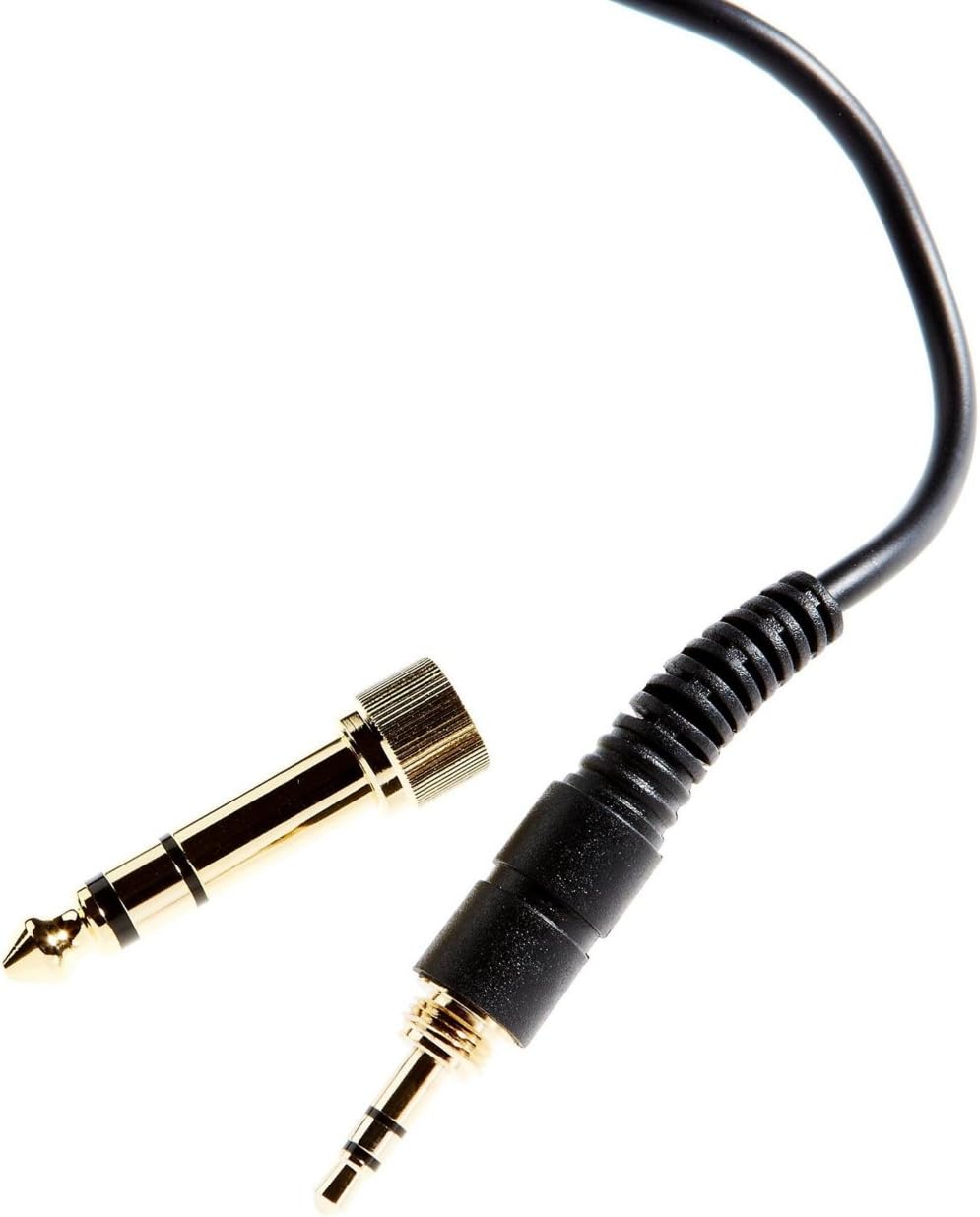
Image: The included 3.5mm audio jack and the detachable 6.35mm (1/4-inch) screw-on adapter for wider compatibility with audio equipment.
Kurulum Talimatları
- Paketin açılması: Kulaklıkları ve tüm aksesuarları ambalajından dikkatlice çıkarın.
- Bir Ses Kaynağına Bağlanma:
- For devices with a 3.5mm headphone jack (e.g., smartphones, laptops), simply plug the attached 3.5mm cable directly into the audio output.
- For devices with a 6.35mm (1/4-inch) headphone jack (e.g., audio interfaces, mixing consoles, amplifiers), screw the provided 6.35mm adapter onto the 3.5mm jack before plugging it into the audio output. Ensure the adapter is securely fastened.
- Uyumun Ayarlanması:
- Place the headphones over your ears, ensuring the earcups fully enclose your ears for optimal sound isolation and comfort.
- Adjust the headband by sliding the earcups up or down along the stainless steel frame until a comfortable and secure fit is achieved. The 'L' and 'R' indicators on the inside of the headband denote the left and right earcups, respectively.

Resim: Yan view of the Tascam TH-200X headphones, highlighting the branding and the 'L' indicator for the left earcup.
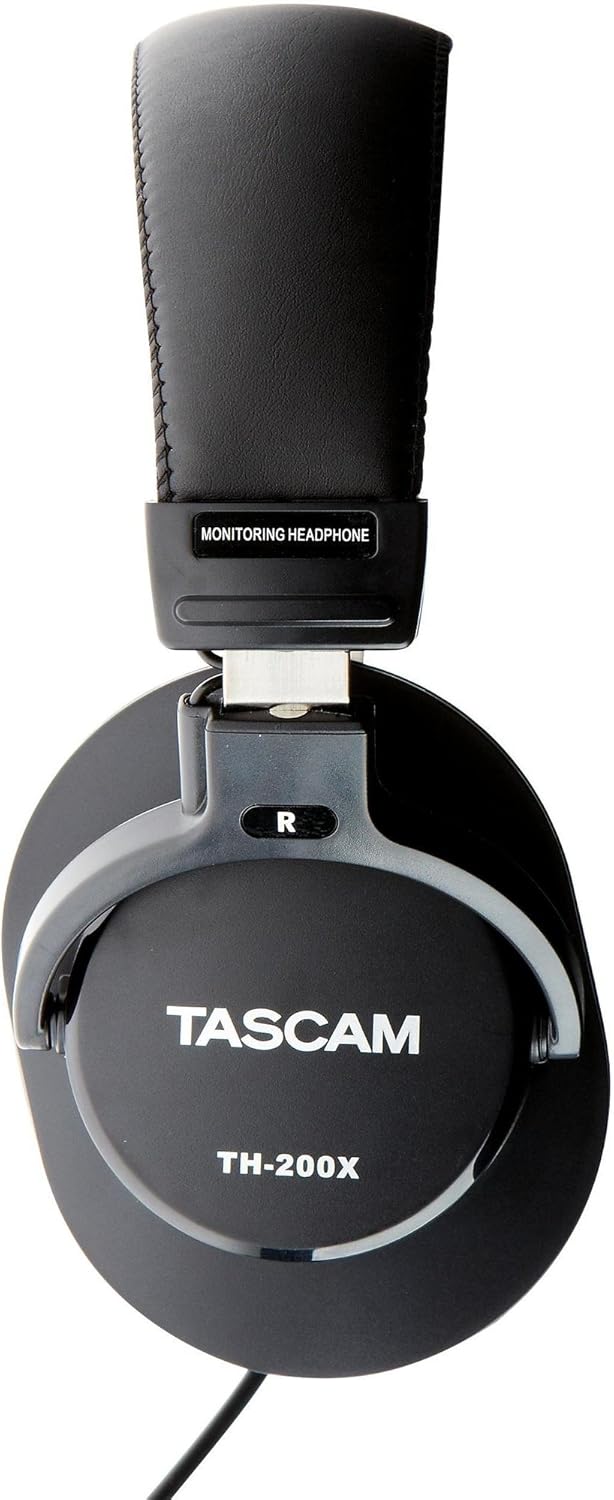
Resim: Yan view of the Tascam TH-200X headphones, highlighting the branding and the 'R' indicator for the right earcup.
Kullanım Talimatları
- Ses Kontrolü: Adjust the volume directly from your connected audio source (e.g., computer, audio interface, smartphone). The TH-200X headphones do not feature inline volume controls.
- Güvenle Dinlemek: To prevent hearing damage, avoid listening at high volumes for extended periods. Start with a low volume and gradually increase it to a comfortable level.
- Kullanım Amacı: These headphones are optimized for studio monitoring and mixing, providing a neutral sound reproduction. They are also suitable for general music listening.
Bakım
- Temizlik:
- Kulaklıkların kulaklık kısımlarını ve kafa bandını yumuşak, kuru bir bezle silin.
- İnatçı kirler için hafifçeampBezi suyla yıkayın. Sert kimyasallar veya aşındırıcı temizleyiciler kullanmaktan kaçının.
- Kulaklığınızı suya veya başka bir sıvıya batırmayın.
- Depolamak:
- Store the headphones in a clean, dry place away from extreme temperatures and direct sunlight.
- Kulaklıkların üzerine ağır cisimler koymaktan kaçının.
- Kablo Bakımı:
- Avoid sharply bending or twisting the cable.
- Do not pull on the cable to disconnect it from an audio source; always grasp the plug itself.

Resim: Açısal view of the Tascam TH-200X headphones, demonstrating the adjustable headband and durable construction.
Sorun giderme
- Ses Yok:
- Ensure the headphone cable is fully plugged into both the headphones and the audio source.
- Ses kaynağınızdaki ses seviyesini kontrol edin ve sessize alınmadığından emin olun.
- Cihaza özgü bir sorunu elemek için kulaklıkları farklı bir ses kaynağı veya cihazla test edin.
- If using the 6.35mm adapter, ensure it is securely screwed onto the 3.5mm jack.
- Bozuk Ses:
- Lower the volume on your audio source. Excessive volume can cause distortion.
- Ensure the audio cable connections are secure.
- Test with another audio source to determine if the issue is with the headphones or the source.
- Rahatsız Uyum:
- Adjust the headband length by sliding the earcups until they sit comfortably over your ears without excessive pressure.
- Ensure the earcups fully cover your ears.
Teknik Özellikler
| Örnek | TH-200X |
| Marka | Tascam |
| Kulak Yerleşimi | Kulak Üstü |
| Form Faktörü | Kulak Üstü |
| Gürültü Kontrolü | Ses Yalıtımı |
| Ses Sürücüsü Türü | Dynamic Driver (40mm Neodymium Magnet) |
| Frekans Aralığı | 15Hz–22kHz |
| Bağlantı Teknolojisi | Kablolu |
| Kulaklık girişi | 3.5 mm Jack, 6.35 mm Jack (with adapter) |
| Malzeme | Paslanmaz Çelik (çerçeve) |
| Ürün Ağırlığı | 0.41 Kilogram |
| Ek Özellikler | Lightweight, Adjustable, Durable, Retractable Cable |

Resim: Ön view of the Tascam TH-200X headphones, showcasing the comfortable padded headband and earcups.
Garanti ve Destek
Tascam products are manufactured to high-quality standards. For specific warranty information, please refer to the warranty card included with your product or visit the official Tascam webalan.
For technical support, service, or further inquiries, please visit the official Tascam support page:
Garanti talepleri için lütfen satın alma belgenizi saklayın.
Additionally, if purchased through Amazon, a 30-day refund/replacement policy may apply. Please refer to your Amazon purchase details for more information.


