
giriiş
This manual provides instructions for the proper setup, operation, and maintenance of your Black Box USB to Serial Cable, model IC199A-R3. This cable is designed to facilitate communication between devices with a DB9 serial port and computers equipped with a USB Type-A port. Please read this manual thoroughly before using the product to ensure optimal performance and longevity.
Ürün Bittiview
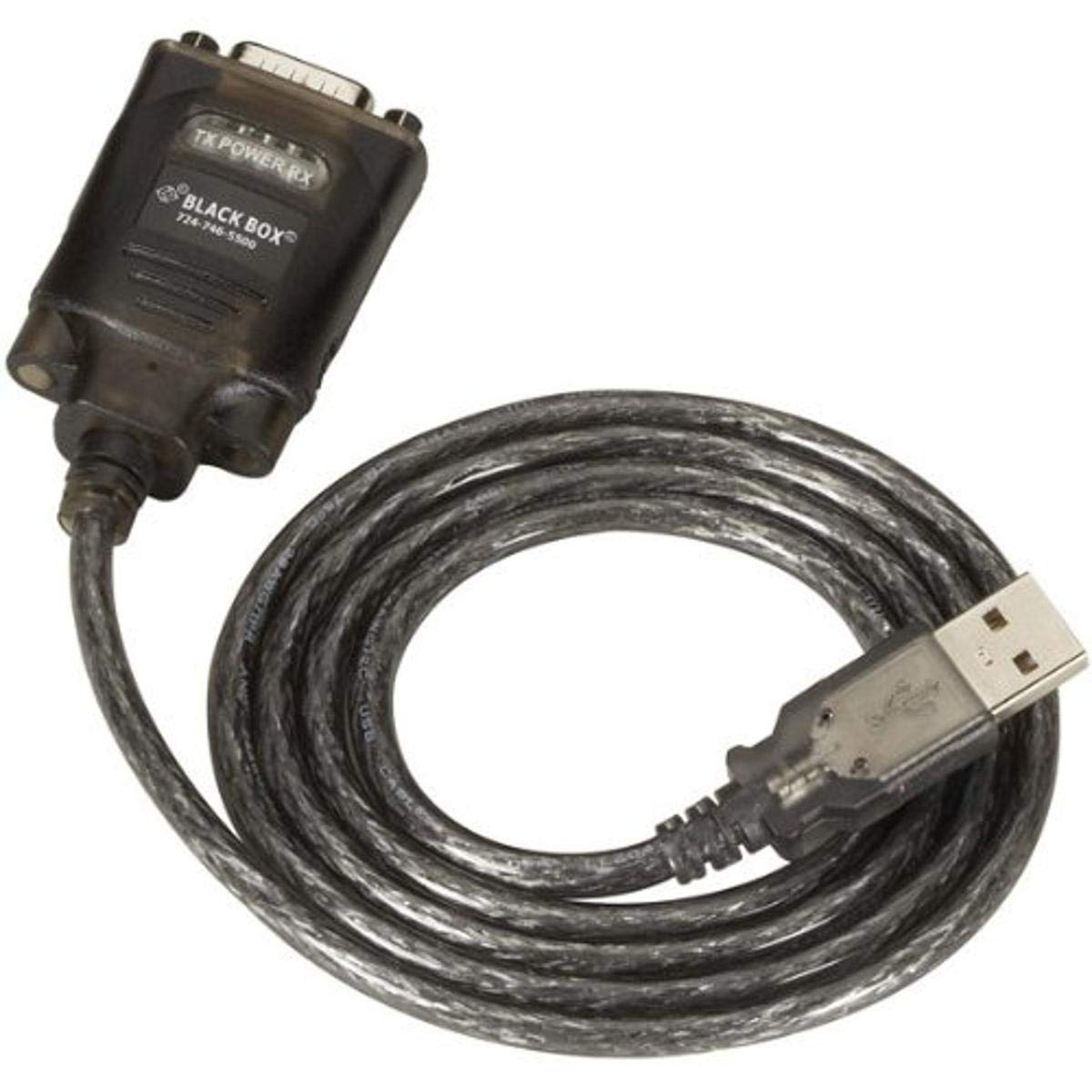
Figure 1: Black Box USB to DB9 Serial Cable (IC199A-R3)
This image displays the Black Box USB to DB9 Serial Cable, featuring a USB Type-A male connector on one end and a DB9 male serial connector on the other. The cable is black and designed for connecting serial devices to a computer's USB port.
The Black Box IC199A-R3 is a reliable solution for connecting legacy serial devices, such as modems, to modern computers that typically lack dedicated serial ports. Its robust design ensures stable data transmission.
Kurulum Talimatları
- Bağlayıcıları Tanımlayın: Locate the USB Type-A male connector and the DB9 male serial connector on the cable.
- Bilgisayara Bağlan: Insert the USB Type-A male connector into an available USB port on your computer.
- Seri cihaza bağlan: Connect the DB9 male serial connector to the DB9 female port on your serial device (e.g., modem). Ensure a secure connection.
- Sürücü Kurulumu: In most modern operating systems (Windows 10/11, macOS, Linux), the necessary drivers should install automatically upon connection. If the device is not recognized, you may need to manually install drivers. Refer to your operating system's documentation or the Black Box support website for driver downloads if required.
- Bağlantıyı Doğrulayın: After connecting, check your computer's Device Manager (Windows) or System Information (macOS/Linux) to confirm that the USB to Serial adapter is recognized and functioning correctly. It typically appears as a "USB Serial Port" or similar entry.
Kullanım Talimatları
Once the Black Box IC199A-R3 cable is properly installed and recognized by your computer, it functions as a standard serial port.
- Yazılım Yapılandırması: Open the serial communication software or application you intend to use (e.g., HyperTerminal, PuTTY, minicom, or specific device configuration software).
- COM Portunu Seçin: Within your software, select the virtual COM port assigned to the USB to Serial adapter. This port number can usually be found in your computer's Device Manager (under "Ports (COM & LPT)").
- Seri Bağlantı Ayarlarını Yapılandır: Set the appropriate serial communication parameters (baud rate, data bits, parity, stop bits, flow control) to match the requirements of your connected serial device. Refer to the documentation of your serial device for these settings.
- İletişimi Başlatın: Once configured, you can initiate data transfer or communication with your serial device through the software.
Bakım
To ensure the longevity and reliable performance of your Black Box USB to Serial Cable, follow these simple maintenance guidelines:
- Depolamak: Store the cable in a cool, dry place away from direct sunlight and extreme temperatures when not in use.
- İşleme: Avoid bending or kinking the cable sharply, especially near the connectors, as this can damage internal wires.
- Temizlik: Gerekirse, kabloyu ve konektörleri yumuşak, kuru, tüy bırakmayan bir bezle nazikçe silin. Sıvı temizleyiciler veya çözücüler kullanmayın.
- Bağlantı / Bağlantı Kesilmesi: Kabloyu takarken veya çıkarırken daima kablonun kendisinden çekmek yerine konektör gövdesinden tutun.
Sorun giderme
If you encounter issues with your Black Box USB to Serial Cable, consider the following troubleshooting steps:
- Kablo Tanınmadı:
- USB konektörünün bilgisayarın USB portuna tamamen takıldığından emin olun.
- Bilgisayarınızda farklı bir USB bağlantı noktası deneyin.
- Bilgisayarınızı yeniden başlatın.
- Check Device Manager (Windows) or System Information (macOS/Linux) for any error messages or unrecognized devices. Reinstall drivers if necessary.
- Seri cihazla iletişim kurulamadı:
- Verify that the DB9 connector is securely attached to your serial device.
- Confirm that the correct COM port is selected in your serial communication software.
- Double-check that the serial communication parameters (baud rate, data bits, parity, stop bits, flow control) in your software match those of your serial device.
- Ensure the serial device itself is powered on and functioning correctly.
- Try using a different serial communication software to rule out software-specific issues.
- Aralıklı Bağlantı:
- Inspect the cable for any visible damage or frayed wires.
- Tüm bağlantıların sağlam ve gevşek olmadığından emin olun.
- Avoid placing the cable near sources of strong electromagnetic interference.
Özellikler
| Marka | Kara kutu |
| Model Numarası | IC199A-R3 |
| Bağlayıcı Türü (Bilgisayar) | USB Tip A Erkek |
| Connector Type (Device) | DB9 Male Serial |
| Kablo Tipi | Seriye USB |
| Uyumlu Cihazlar | Modem |
| Özel Özellik | Dolaşmayan |
| Renk | Siyah |
| Pin Sayısı | 9 (on DB9 connector) |
| Ürün Ağırlığı | 0.24 Pound (yaklaşık 3.84 ons) |
| Ürün Ölçüleri (Ambalaj) | 6.75 x 1.5 x 4 inç |
| Üretici | BLACK BOX CORPORATION |
Garanti ve Destek
For information regarding warranty coverage, technical support, or to download the latest drivers, please visit the official Black Box webSite üzerinden satın alabilir veya müşteri hizmetleriyle iletişime geçebilirsiniz. Garanti talepleriniz için satın alma fişinizi saklayın.