
Önemli Güvenlik Bilgileri
Please read and understand all instructions before using the laminator. Keep this manual for future reference.
- Güç kablosu veya fişi hasarlıysa laminasyon cihazını çalıştırmayın.
- Laminasyon cihazını sudan veya diğer sıvılardan uzak tutun.
- Do not insert metal objects into the laminator.
- Çalışma sırasında makinenin çevresinde yeterli havalandırma sağlandığından emin olun.
- Kullanılmadığı zaman veya temizlemeden önce laminatörün fişini çekin.
- Bu cihaz, fiziksel, duyusal veya zihinsel yetenekleri kısıtlı olan veya deneyim ve bilgi eksikliği bulunan kişiler (çocuklar dahil) tarafından, güvenliklerinden sorumlu bir kişi tarafından cihazın kullanımıyla ilgili olarak gözetim veya talimat sağlanmadığı sürece kullanılmak üzere tasarlanmamıştır.
Ürün Bittiview
The Amazon Basics 9-Inch Thermal Laminator is designed for home, office, or classroom use, providing high-quality lamination for various document sizes.
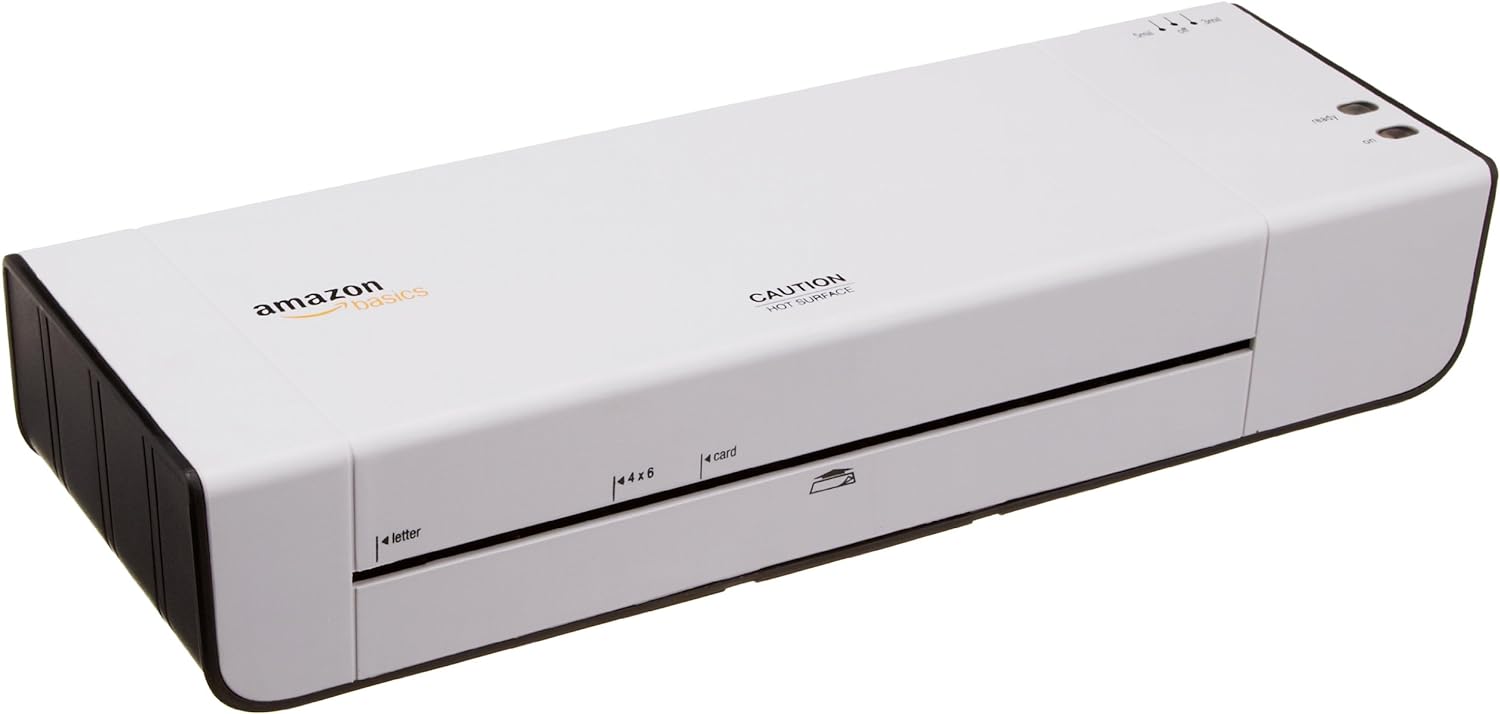
Şekil 1: Ön view of the Amazon Basics 9-Inch Thermal Laminator Machine, showing the feed slot and branding.
Temel Özellikler:
- Laminates documents up to 9 inches wide.
- Two heat settings: 3 mil and 5 mil.
- Quick 4-minute warm-up time.
- Jam release lever for easy clearing.
- Kompakt tasarım.
Kurmak
Paketin açılması:
Carefully remove the laminator from its packaging. Retain the packaging for future storage or transport.
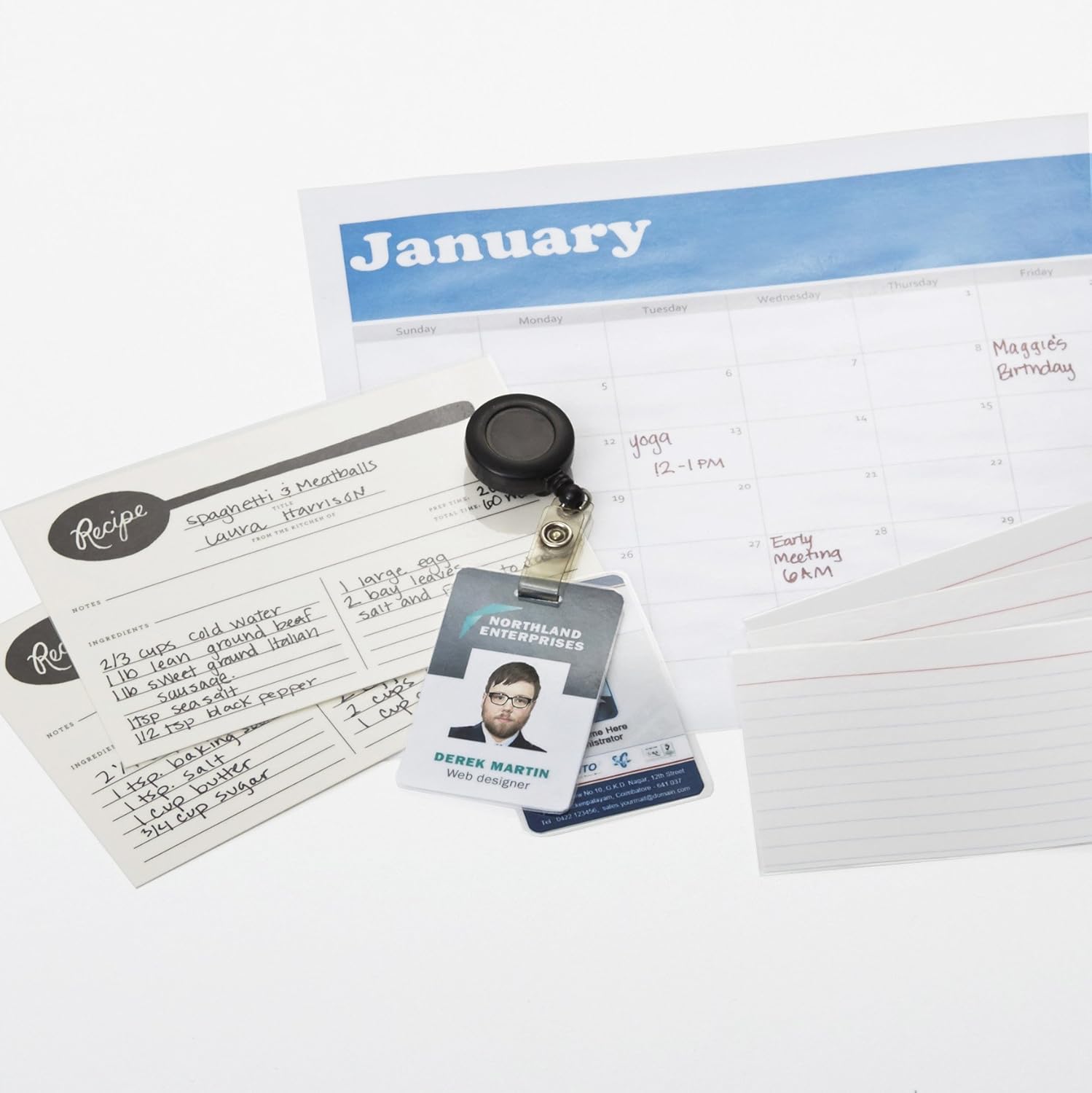
Figure 2: The laminator machine as it appears inside its frustration-free packaging.
Atama:
Place the laminator on a flat, stable, and heat-resistant surface. Ensure there is adequate space around the machine for proper ventilation and for documents to exit the rear.
Güç Bağlantısı:
Plug the power cord into a standard electrical outlet. The power switch is located on the side of the unit.

Şekil 3: Yakın çekim view of the power switch, 3mil/5mil heat settings, and release lever on the side of the laminator.
Kullanım Talimatları
Laminating a Document:
Power On and Warm-up:
Turn the power switch to the "On" position. The "Ready" indicator light will illuminate once the machine has warmed up (approximately 4 minutes).
Isı Ayarını Seçin:
Choose the appropriate heat setting based on the laminating pouch thickness:
- 3 mil: For normal documents, photos, and card stock.
- 5 mil: For thinner papers.
Belgeyi Hazırla:
Place the document inside a laminating pouch, ensuring it is centered and there is an even border around the edges. Use the included 3 mil thick, 8.9 by 11.4 inch laminating pouches or any compatible 3 mil or 5 mil pouch.

Şekil 4: Ör.ample of laminating recipe cards, showing the document being fed into the laminator.
Keseyi Takın:
Carefully insert the sealed edge of the laminating pouch into the laminator's feed slot. The machine will automatically pull the pouch through.

Figure 5: A calendar page being laminated, demonstrating the machine's ability to handle various document types.
Retrieve Laminated Document:
Once the pouch exits the rear of the machine, allow it to cool on a flat surface before handling to ensure proper sealing.

Figure 6: A collection of laminated items, including recipe cards, ID badges, and a calendar, showcasing the versatility of the laminator.
Bakım
Temizlik:
Ensure the laminator is unplugged and completely cool before cleaning. Wipe the exterior with a soft, damp bezle silin. Aşındırıcı temizleyiciler veya çözücüler kullanmayın.
Roller Cleaning (Optional):
Periodically, you may run a cleaning sheet (available separately) through the laminator to remove any adhesive residue from the rollers.
Depolamak:
Store the laminator in a cool, dry place when not in use. Ensure the power cord is neatly wrapped and not kinked.
Sorun giderme
| Sorun | Olası Neden | Çözüm |
|---|---|---|
| Laminator does not turn on. | Fişe takılı değil; güç düğmesi kapalı; prizde elektrik yok. | Check power cord connection; ensure power switch is "On"; test outlet with another device. |
| Pouch jams in the machine. | Pouch inserted incorrectly; pouch too thick; foreign object. | Basın serbest bırakma kolu to clear the jam. Ensure pouch is inserted sealed edge first and is within specified thickness (3 or 5 mil). |
| Lamination is cloudy or bubbly. | Incorrect heat setting; machine not fully warmed up; low-quality pouch. | Ensure correct heat setting (3 mil for normal, 5 mil for thinner); wait for "Ready" light; use high-quality laminating pouches. |
| Lamination is not sealed properly. | Incorrect heat setting; machine not fully warmed up; document too thick for pouch. | Verify heat setting; wait for "Ready" light; ensure document fits pouch with adequate border. |
Özellikler
| Özellik | Detay |
|---|---|
| Model Numarası | PL9-US |
| Laminasyon Genişliği | 9 inçe kadar |
| Isı Ayarları | 3 mil, 5 mil |
| Isınma Süresi | Yaklaşık 4 dakika |
| Silindir Sayısı | 2 |
| Ağırlık | 1.2 kilo |
| Güç Kaynağı | Standart AC |
Garanti ve Destek
For warranty information and customer support, please visit the official Amazon Basics websiteyi ziyaret edin veya doğrudan Amazon müşteri hizmetleriyle iletişime geçin.
Çevrimiçi destek: Amazon Basics Mağazası
Note: Reading the full user manual is recommended prior to the first use of this product.