
giriiş
The Corsair CX Series CX600 is a 600 Watt, 80+ Bronze Certified, Non-Modular Power Supply designed for maximum compatibility and reliability. It provides continuous power output and is an efficient solution for various PC builds, offering a balance of performance and value.
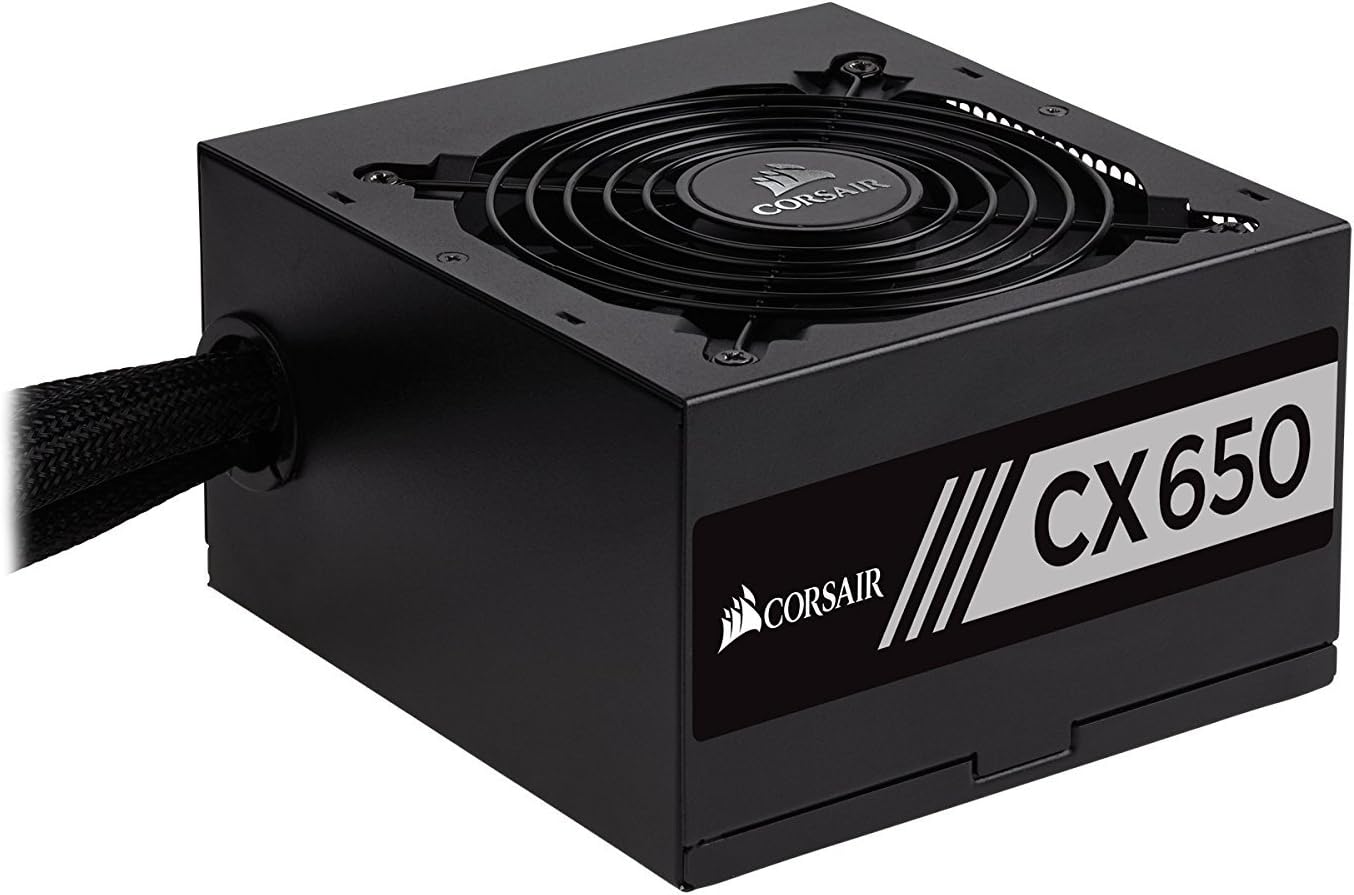
Şekil 1: Ön view of the Corsair CX600 Power Supply, showcasinkompakt tasarımı ve fan ızgarasıyla.
Güvenlik Bilgileri
Please read and understand all safety precautions before installing or operating your power supply. Failure to do so may result in personal injury or damage to your equipment.
- Do not open the power supply unit (PSU) casing. Yüksek hacimtagCihaz, güç kaynağından bağlantısı kesildiğinde bile içeride bulunur.
- Ensure the power supply is disconnected from the AC outlet before installation, removal, or any maintenance.
- Güç kaynağını iyi havalandırılan bir yere, ısı kaynaklarından ve doğrudan güneş ışığından uzak bir yere kurun.
- Yalnızca güç kaynağıyla birlikte verilen kabloları kullanın.
- Bilgisayar sisteminizin doğru şekilde topraklanmasını sağlayın.
- Avoid spilling liquids on the power supply.
- This product is designed for use in personal computer systems only.
Paket İçeriği
Paketinizde tüm öğelerin mevcut olduğundan emin olun:
- Corsair CX600 Power Supply Unit
- AC Güç Kablosu
- Montaj Vidaları
- Kablo Bağları
Kurulum ve Kurulum
Başlamadan Önce
- Turn off and unplug your computer from the wall outlet.
- Bilgisayarınızın kasasını açın.
- Mevcut bir güç kaynağını değiştiriyorsanız, eski güç kaynağının tüm kablolarını çıkarın ve kasadan çıkarın.
Fiziksel Kurulum
- Carefully place the CX600 power supply into the designated PSU bay in your computer case. Ensure the fan is facing the correct direction for optimal airflow (typically facing down if your case has a bottom vent, or up if it's a top-mounted PSU).
- Birlikte verilen montaj vidalarını kullanarak güç kaynağını kasaya sabitleyin.
- Connect the 24-pin ATX motherboard power cable to the corresponding port on your motherboard. Ensure it clicks into place.
- Connect the 4+4 pin EPS/ATX 12V CPU power cable to the CPU power connector on your motherboard.
- Connect the 6+2 pin PCIe power cables to your graphics card(s) if applicable. The CX600 provides two such connectors.
- SATA güç kablolarını depolama sürücülerinize (SSD'ler, HDD'ler) ve optik sürücülerinize bağlayın.
- Connect Molex power cables to any peripherals that require them (e.g., case fans, older drives).
- Use the included cable ties to manage and organize the cables for better airflow and aesthetics.
- Bilgisayar kasanızı kapatın.
- AC güç kablosunu güç kaynağına ve ardından duvar prizine bağlayın.

Figure 2: The Corsair CX600 Power Supply displaying its full array of non-modular cables, including ATX, CPU, PCIe, SATA, and Molex connectors.

Şekil 3: Arka view of the Corsair CX600 Power Supply, showing the AC power input and the main power switch.
Operasyon
After successful installation, ensure the power switch on the back of the power supply is in the 'ON' (I) position. You can then power on your computer using the case's power button. The CX600 features an ultra-quiet 120mm fan that adjusts its speed based on temperature, providing efficient cooling with minimal noise. Its 80 Plus Bronze certification ensures high power efficiency, reducing heat generation and operating costs.
Bakım
The Corsair CX600 is designed for reliable, long-term operation with minimal maintenance. However, periodic cleaning can help maintain optimal performance and longevity.
- Toz Giderimi: Güç kaynağının fan ızgarası ve havalandırma deliklerindeki tozu periyodik olarak basınçlı hava kullanarak temizleyin. Temizlemeden önce bilgisayarın kapalı ve fişinin çekilmiş olduğundan emin olun.
- Kablo yönetimi: Ensure cables are not obstructing airflow within the case. Re-organize if necessary.
- Çevresel Koşullar: Operate the power supply within recommended temperature and humidity ranges to prevent damage.

Şekil 4: Yukarıdan aşağıya view of the Corsair CX600 Power Supply's 120mm cooling fan, which helps maintain optimal operating temperatures.
Sorun giderme
If you encounter issues with your Corsair CX600 power supply, refer to the table below for common problems and solutions.
| Sorun | Olası Neden | Çözüm |
|---|---|---|
| Bilgisayar açılmıyor. | Power cable not connected, PSU switch off, faulty component, or insufficient power. | Ensure AC power cord is securely connected. Check PSU power switch is ON (I). Verify all internal power cables (24-pin, CPU, PCIe) are properly seated. Test with minimal components. |
| System shuts down unexpectedly. | Overload, overheating, or power fluctuations. | Ensure adequate ventilation. Check for dust buildup. The CX600 has over-voltage, over-power, under-voltage, and short circuit protection; if these trigger, the PSU will shut down to protect components. Reduce system load if consistently tripping. |
| Fan is noisy or not spinning. | Dust buildup, fan obstruction, or fan malfunction. | Clean the fan grille and blades with compressed air. Ensure no cables are obstructing the fan. If the fan is not spinning at low loads, this is normal as it adjusts speed based on temperature. If it's consistently noisy or not spinning at high loads, contact support. |
| Peripherals not receiving power. | Loose cable connection or faulty peripheral. | Check the connections of the SATA or Molex cables to the peripheral and the PSU. Test the peripheral with another power source if possible. |
Teknik Özellikler
Detailed specifications for the Corsair CX600 Power Supply:
| Özellik | Detay |
|---|---|
| Model Adı | CX Series (CX600) |
| Model Numarası | CP-9020048-US |
| Marka | Korsan |
| Çıkış Watttage | 600 Watt |
| Verimlilik Sertifikası | 80 PLUS Bronz |
| Form Faktörü | ATX12V / EPS12V |
| Soğutma Yöntemi | Hava (120 mm fan) |
| Boyutlar (UxGxY) | 5.5 x 5.9 x 3.4 inç (140 x 150 x 86 mm) |
| Ürün Ağırlığı | 4.5 pound (2.04 kg) |
| Öncü | Active Power Factor Correction (0.99) |
| Giriş Voltage | 90~264V (Universal AC input) |
| Koruma Özellikleri | aşırı sestage, Over-power, Under-voltage, Kısa devre koruması |

Şekil 5: Yan view of the Corsair CX600 Power Supply, showing the product label with model information and electrical ratings.
Garanti Bilgileri
The Corsair CX Series CX600 Power Supply comes with a three-year warranty from the date of purchase. This warranty covers defects in materials and workmanship under normal use. For warranty claims, please retain your proof of purchase.
Müşteri Desteği
For technical assistance, troubleshooting beyond this manual, or warranty inquiries, please visit the official Corsair support website or contact their customer service. Lifetime access to Corsair's technical support and customer service is included with your purchase.
An official User Manual (PDF) is also available for download from the Corsair website üzerinden veya bu bağlantı aracılığıyla: Corsair CX Series User Manual PDF