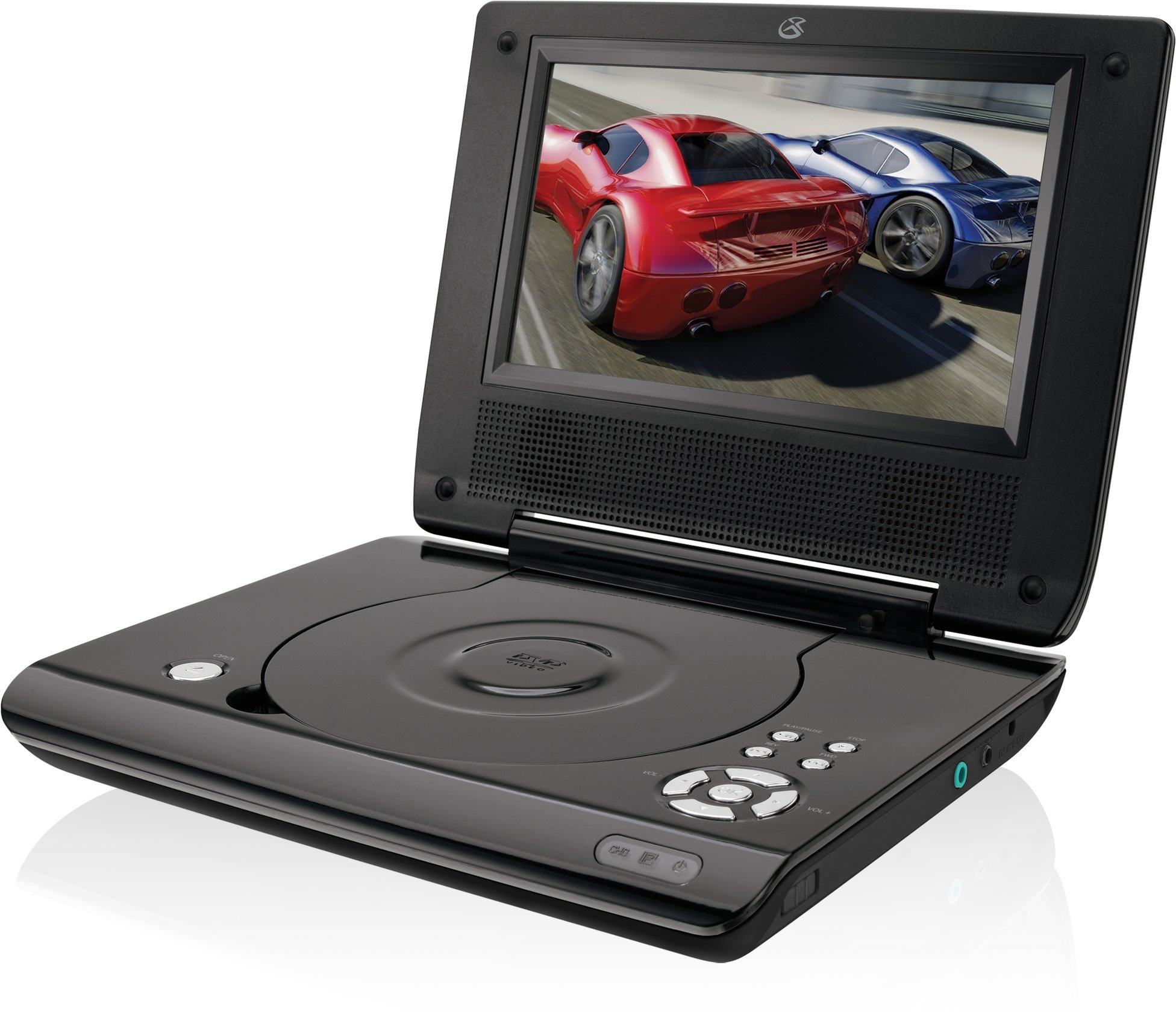
This manual provides essential instructions for the safe and efficient operation of your GPX PD730B 7-inch Portable DVD Player. Please read this manual thoroughly before using the device and retain it for future reference. The GPX PD730B is designed for portable entertainment, allowing you to enjoy DVDs, CDs, and JPEG files on its 7-inch TFT LCD screen.
Paket İçeriği
Aşağıda listelenen tüm öğelerin paketinizde bulunduğunu doğrulayın:
GPX PD730B Portable DVD Player
AC/DC Güç Adaptörü
DC Car Adapter (12V)
Stereo Kulaklıklar
Uzaktan Kumanda (2 AAA pil ile)
Kullanım Kılavuzu (bu belge)
Ürün Bittiview
Figure 1: GPX PD730B Portable DVD Player (Closed)
This image shows the GPX PD730B portable DVD player in its closed position, highlighting its compact and sleek design. The top surface is smooth and black, with control buttons visible on the right edge.
Kontroller ve Bağlantılar
Familiarize yourself with the various controls and connection ports on your portable DVD player.
Güç Düğmesi: Üniteyi açar veya kapatır.
Oynat/Duraklat Düğmesi: Oynatmayı başlatır veya duraklatır.
Durdurma düğmesi: Oynatmayı durdurur.
Atla/Ara Butonları: Navigates tracks or chapters, or fast-forwards/rewinds.
Ses Kontrolü: Ses çıkış seviyesini ayarlar.
Kulaklık girişi: For private listening with stereo earbuds or headphones.
DC Limanda: Connects to the AC/DC or car power adapter for charging and power.
Kurmak
1. Pilin Şarj Edilmesi
Before initial use, fully charge the built-in rechargeable battery. A full charge provides approximately 2 hours of playback time.
Connect the AC/DC power adapter to the DC In port on the DVD player.
AC/DC güç adaptörünü standart bir duvar prizine takın.
The charging indicator light (if present) will illuminate. Charging is complete when the light changes color or turns off (refer to device for specific indicator behavior).
Alternatively, use the 12V DC car adapter to charge the player in a vehicle.
2. Açma/Kapama
Basılı tutun Güç button on the unit to turn the player on or off. The screen will illuminate when powered on.
Kullanım Talimatları
1. Inserting and Removing Discs
Gently open the disc compartment lid.
Place a DVD or CD onto the spindle with the label side facing up. Press down gently on the center of the disc until it clicks into place.
Close the disc compartment lid firmly.
To remove a disc, open the lid, gently press the spindle button (if present) or lift the disc from the edges, avoiding touching the data surface.
2. Temel Oynatma
Disk takıldıktan sonra, oynatıcı genellikle otomatik olarak oynatmaya başlar.
Kullanın Oynat/Duraklat Oynatmayı duraklatmak veya sürdürmek için düğmesine basın.
Basın Durmak Oynatmayı durdurmak için düğmesine basın.
Kullanın Atlamak buttons (usually labeled with arrows) to navigate between chapters or tracks.
Kullanın Ara buttons (often combined with Skip) to fast-forward or rewind.
3. Uzaktan Kumandanın Kullanımı
The included remote control provides convenient access to all player functions from a distance. Ensure the 2 AAA batteries are correctly installed. Point the remote control directly at the player's remote sensor.
4. Kulaklık Bağlama
For private listening, plug the stereo earbuds (or your own headphones) into the Kulaklık girişi on the side of the player. The built-in speakers will automatically mute when headphones are connected.
Figure 2: Portable DVD Player in use (Bedroom)
This image illustrates the portable DVD player being used by a girl in a bedroom setting, demonstrating its suitability for personal entertainment at home.
Figure 3: Portable DVD Player in use (Vehicle)
This image shows a boy watching the portable DVD player in the back seat of a car, highlighting its utility for entertainment during travel.
Figure 4: Portable DVD Player in use (Airplane)
This image depicts a woman using the portable DVD player with headphones on an airplane, showcasing its versatility for quiet, personal entertainment during flights.
Bakım
Cleaning the Player
Disconnect the player from all power sources before cleaning.
Dış yüzeyleri silmek için yumuşak, kuru bir bez kullanın. Aşındırıcı temizleyiciler, cilalar veya çözücüler kullanmayın.
For the screen, use a soft, lint-free cloth specifically designed for LCD screens. Avoid excessive pressure.
Disk bölmesini toz ve kirden uzak tutun.
Pil Bakımı
Pil ömrünü uzatmak için pili sık sık tamamen boşaltmaktan kaçının.
If the player will not be used for an extended period, charge the battery to about 50% before storing.
Store the player in a cool, dry place.
Sorun giderme
If you encounter issues with your GPX PD730B, refer to the following common problems and solutions:
Sorun
Olası Neden
Çözüm
Oynatıcı açılmıyor.
Pil boşalmış; güç adaptörü düzgün bağlanmamış.
Charge the battery; Ensure power adapter is securely connected to both the player and power source.
Disk oynatımı yok.
Disc inserted incorrectly; Disc is dirty or scratched; Incorrect disc format.
Reinsert disc correctly (label side up); Clean disc with a soft cloth; Ensure disc is DVD, CD, or JPEG CD format.
Hoparlörlerden/kulaklıklardan ses gelmiyor.
Volume too low; Headphones not fully plugged in; Mute function active.
Increase volume; Ensure headphones are fully inserted; Check if mute is active on remote or player.
Uzaktan kumanda çalışmıyor.
Piller bitmiş veya yanlış takılmış; uzaktan kumanda ile oynatıcı arasında engel var.
Replace remote batteries; Ensure correct polarity; Remove any obstructions and point remote directly at sensor.
Özellikler
Model Numarası
PD730B
Ekran Boyutu
7 inç
Görüntü Türü
TFT LCD
Yerel Çözünürlük
480x234
En Boy Oranı
16:9
Uyumlu Medya
DVD, DVD+R/RW, CD, CD-R/RW, JPEG CD
Pil Ömrü (Ortalama)
2 Saat
Güç Girişi
AC/DC Adapter, 12V DC Car Adapter
Bağlantı
Yardımcı Giriş (Kulaklık Girişi)
Ürün Ağırlığı
1.72 Pound
UPC
047323007309
Garanti ve Destek
For warranty information, technical support, or service inquiries, please refer to the warranty card included with your product or visit the official GPX webSite. Satın alma fişinizi, garanti talepleriniz için satın alma belgeniz olarak saklayın.
Ask about setup, troubleshooting, compatibility, parts, safety, or missing instructions. Manuals+ will review the question and use this page’s manual context to help answer it.