
Ürün Bittiview
The iSound Twist Portable Bluetooth Wireless Speaker offers a unique design combined with superior sound quality. Its compact form factor allows for portability, while its advanced features enable wireless music streaming and hands-free calling. The speaker features full stereo sound with 6 watts total output from two 40mm drivers and a passive radiator for enhanced bass.
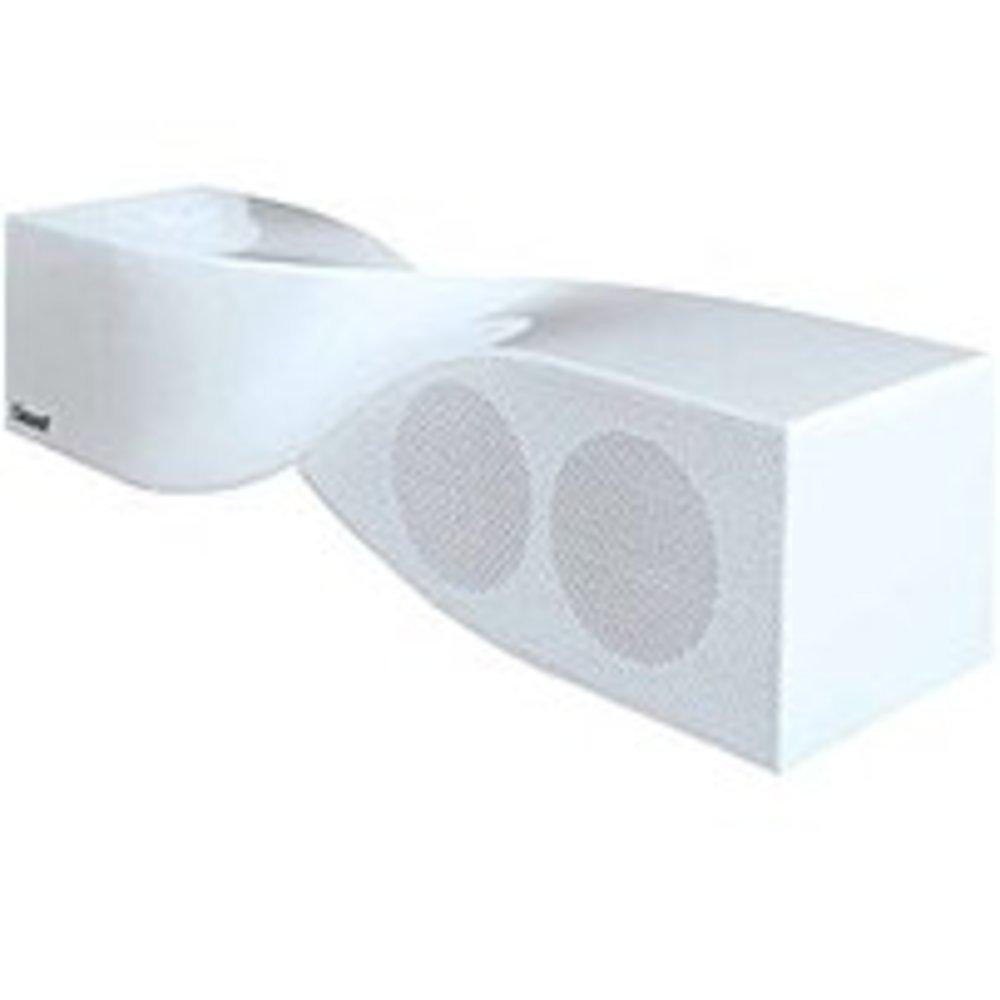
Image: The iSound Twist Portable Bluetooth Wireless Speaker in white, showcasing its unique twisted design.
Paket İçeriği
- iSound Twist Portable Bluetooth Wireless Speaker
- USB Şarj Kablosu
- 3.5 mm AUX Giriş Kablosu
- Kullanım Kılavuzu (bu belge)
Kurmak
1. Hoparlörü Şarj Etme
Before initial use, fully charge the iSound Twist speaker. Connect the provided USB charging cable to the speaker's USB charging port and the other end to a powered USB source (e.g., computer, USB wall adapter). The charging indicator light will illuminate during charging and turn off when fully charged. A full charge provides up to 5 hours of continuous play.

Image: Rear panel of the speaker, highlighting the USB charging port, ON/OFF switch, and AUX IN port.
2. Açma/Kapama
Locate the ON/OFF switch on the rear panel of the speaker. Slide the switch to the "ON" position to power on the device. Slide it to the "OFF" position to power off.
3. Bluetooth Eşleştirme
- Ensure the speaker is powered on and within close proximity to your Bluetooth-enabled device (e.g., smartphone, tablet, laptop).
- The speaker will automatically enter Bluetooth pairing mode. A blue indicator light will flash, indicating it is discoverable.
- Cihazınızda Bluetooth ayarlarına gidin ve Bluetooth'u etkinleştirin.
- Arama available devices. The iSound Twist speaker should appear in the list, typically named "iSound Twist" or similar.
- Select the speaker from the list to initiate pairing. If prompted for a password, enter "0000".
- Once successfully paired, the blue indicator light on the speaker will stop flashing and remain solid. You will hear an audible confirmation.
- Your device is now connected, and you can stream audio wirelessly.
4. AUX Giriş Bağlantısı
For devices without Bluetooth capability, or if you prefer a wired connection, use the provided 3.5mm AUX cable.
- Connect one end of the 3.5mm AUX cable to the AUX IN port on the rear of the speaker.
- Connect the other end of the cable to the headphone jack or audio output port of your audio device.
- Hoparlör otomatik olarak AUX giriş moduna geçecektir.
Kullanım Talimatları
Kontrol Paneli Fonksiyonları
The speaker features onboard controls located on its top surface for convenient operation.
- Güç / Mod Düğmesi: Açmak/kapatmak için basılı tutun. Bluetooth ve AUX modları arasında geçiş yapmak için kısa süre basın.
- Oynat/Duraklat/Ara Düğmesi: Short press to play or pause music. During an incoming call, short press to answer or end the call. Press and hold to reject an incoming call.
- Sesi Aç/Sonraki Parça Düğmesi: Short press to increase volume. Press and hold to skip to the next track.
- Sesi Azaltma/Önceki Parça Düğmesi: Short press to decrease volume. Press and hold to go to the previous track.
Eller Serbest Arama
When connected via Bluetooth, the iSound Twist speaker's built-in microphone allows for hands-free phone calls.
- Bir Aramayı Cevaplama: When a call comes in, the music will pause. Press the Play/Pause/Call button once to answer.
- Aramayı Bitirme: During a call, press the Play/Pause/Call button once to end the call.
- Bir Aramayı Reddetme: Gelen aramayı reddetmek için Oynat/Duraklat/Ara düğmesine basılı tutun.
Bakım
- Hoparlörü sudan, nemden ve aşırı sıcaklıklardan uzak tutun.
- Hoparlörü yumuşak ve kuru bir bezle temizleyin. Aşındırıcı temizleyiciler veya çözücüler kullanmayın.
- Hoparlörü düşürmekten veya sert darbelere maruz bırakmaktan kaçının.
- Uzun süre kullanılmadığı zamanlarda hoparlörü serin ve kuru bir yerde saklayın ve pil ömrünü korumak için düzenli olarak şarj edin.
Sorun giderme
| Sorun | Çözüm |
|---|---|
| Hoparlör açılmıyor. | Ensure the battery is charged. Connect the speaker to a power source using the USB cable and try again. |
| Bluetooth üzerinden eşleştirme yapılamıyor. |
|
| Ses yok veya ses seviyesi düşük. |
|
| Çağrı kalitesi düşük. |
|
Özellikler
| Özellik | Detay |
|---|---|
| Model Adı | ISOUND-1691 |
| Marka | iSes |
| Hoparlör Tipi | Kule |
| Özel Özellik | Dahili Mikrofon |
| Önerilen Kullanımlar | For Smartphones or Tablets, Music Players |
| Uyumlu Cihazlar | Masaüstü bilgisayar, Dizüstü bilgisayar, MP3 çalar, Projeksiyon cihazı, Akıllı telefon, Tablet, Televizyon |
| Çevresel Ses Kanalı Yapılandırması | 2.0 |
| Renk | Beyaz |
| Ürün Ağırlığı | 13.6 ons |
| Su Geçirmez | YANLIŞ |
| Kablosuz İletişim Teknolojisi | Bluetooth |
| Hoparlör Boyutu | 0.75 inç |
| Güç Kaynağı | Pil ile çalışır |
| Pil Sayısı | 1 Lityum İyon pil gereklidir. (dahildir) |
| Ses Sürücüsü Türü | Dinamik Sürücü |
| Ses Sürücüsü Boyutu | 40 Milimetre |
| Ürün Boyutları | 5 x 4 x 11.75 inç |
| Hoparlör Maksimum Çıkış Gücü | 6 Watt |
| Bağlantı Teknolojisi | Kablosuz |
| Ses Çıkışı Modu | Stereo |
| Montaj Tipi | Masa Üstü Montaj |
Resmi Ürün Videosu
Video: Official product video for the iSound Twist Bluetooth Speaker, demonstrating its features and design. This video showcases the speaker's ability to stream audio from various devices and handle calls.
Garanti ve Destek
The iSound Twist Portable Bluetooth Wireless Speaker comes with a Sınırlı Garanti. For specific warranty terms, conditions, and support inquiries, please refer to the warranty card included in your product packaging or visit the official iSound webalan.
For further assistance, please contact iSound customer support.