
1. Giriş
The Woods 59408WD Outdoor Hard-Wired Post Eye Light Control is designed to automatically turn your outdoor lighting on at dusk and off at dawn. This photocell light sensor provides reliable, energy-efficient control for various outdoor light fixtures, ensuring your property is illuminated when needed without manual intervention. It is suitable for hard-wired installations in appropriate enclosures.
2. Güvenlik Bilgileri
- UYARI: Elektrik çarpması riski vardır. Kurulum veya bakım işlemlerinden önce devre kesiciden veya sigorta kutusundan elektriği kesin.
- This device is intended for installation in accordance with the National Electrical Code and local regulations. If you are unsure about wiring, consult a qualified electrician.
- Ensure the device is installed in a dry location or within a weather-resistant enclosure to prevent water damage and ensure safe operation.
- Belirtilen elektrik değerlerini aşmayın.
3. Paket İçeriği
- Woods 59408WD Photocell Light Control
- Hardwire Black (integrated wiring)
4. Özellikler
| Marka | Ormanlar |
| Model Numarası | 59408xXNUMX |
| Cilttage | 120 Volt |
| Netage | 1800 watt (Maksimum) |
| Kontrol Yöntemi | Photocell (Dusk-to-Dawn) |
| Anahtar Türü | Sabit kablolu |
| İç/Dış Mekan Kullanımı | Indoor, Outdoor (in dry location/enclosure) |
| Light Source Compatibility | Fluorescent, Halogen, Incandescent, LED |
| Boyutlar (U x G x Y) | 1.8"U x 1.1"G x 2.1"Y |
| Ağırlık | 0.11 Pound |
5. Kurulum
5.1 Gerekli Araçlar
- Tornavida
- Tel striptizci
- Wire nuts (appropriate size)
- Elektrik bandı
- Cilttage test cihazı
- Weather-resistant electrical enclosure (if installing outdoors in an exposed location)
5.2 Kablolama Talimatları
ÖNEMLİ: Kuruluma başlamadan önce devre kesiciden elektriğin kapalı olduğundan emin olun.
- Telleri hazırlayın: Strip approximately 1/2 inch of insulation from the ends of all wires (photocell, incoming power, and light fixture wires).
- Nötr Kabloları Bağlayın: Bağlan beyaz tel from the photocell to the incoming beyaz (nötr) kablo from your power source and the beyaz (nötr) kablo of your light fixture. Secure with a wire nut.
- Connect Line (Hot) Wire: Bağlan Siyah tel from the photocell to the incoming black (hot/line) wire from your power source. Secure with a wire nut.
- Yük kablosunu bağlayın: Bağlan kırmızı tel from the photocell to the black (hot/load) wire of your light fixture. Secure with a wire nut.
- Güvenli Bağlantılar: Ensure all wire nuts are tight and connections are secure. Wrap each wire nut with electrical tape for added insulation and protection.
- Mount Photocell: Mount the photocell in a location where it will receive natural daylight and is not obstructed by shadows or artificial light sources (e.g., other lights, car headlights) that could interfere with its operation. If installing outdoors, ensure it is within a suitable weather-resistant enclosure.
- Gücü Geri Yükle: Once all connections are secure and the photocell is mounted, restore power at the circuit breaker.
Not: The photocell may have a built-in delay (typically a few seconds to a few minutes) before activating or deactivating to prevent false triggers from transient light changes.
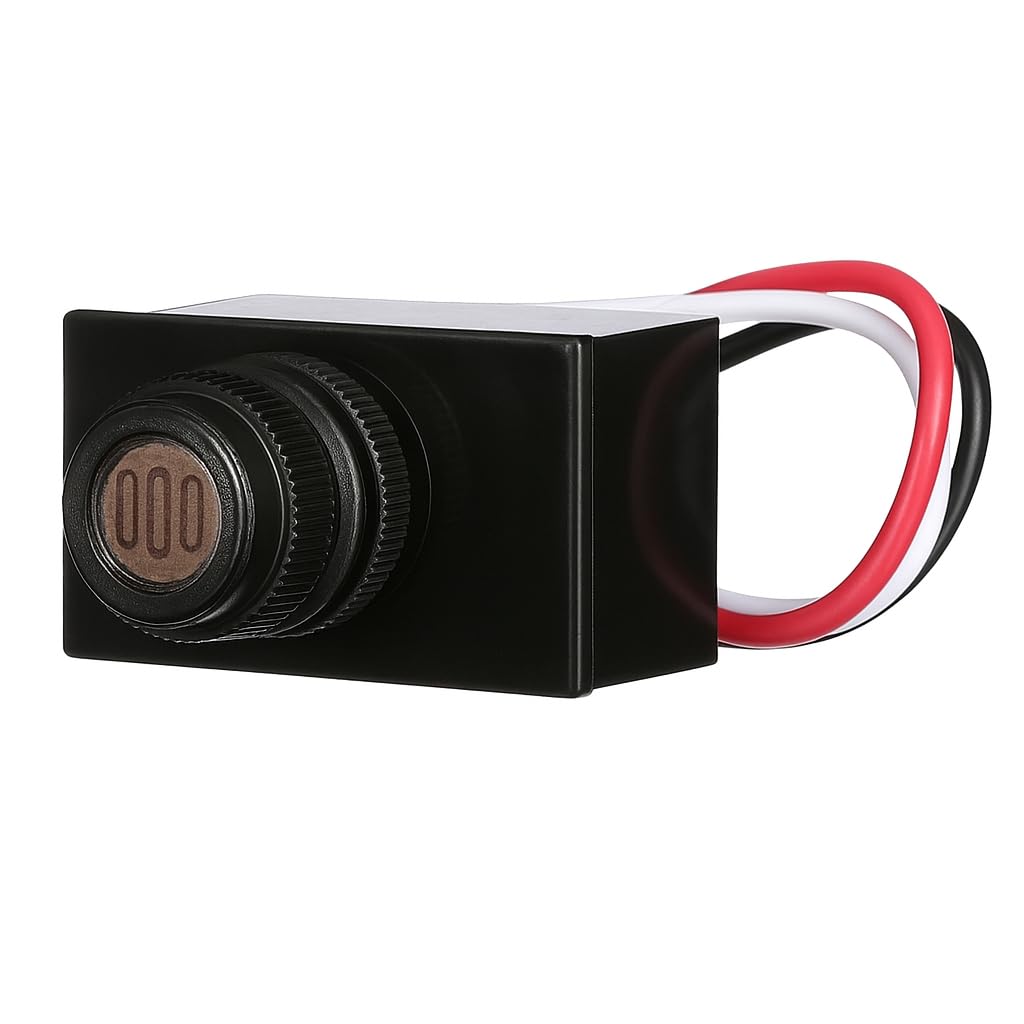
Image: The Woods 59408WD Post Eye Light Control, a compact black unit with a visible light sensor on the front.

Resim: Yakın çekim view of the photocell sensor on the Woods 59408WD unit, showing the light-sensitive element.
6. Operasyon
The Woods 59408WD Post Eye Light Control operates automatically based on ambient light levels:
- At Dusk: When natural light levels fall below a certain threshold, the photocell will detect darkness and activate the connected light fixture.
- At Dawn: When natural light levels rise above a certain threshold, the photocell will detect sufficient light and deactivate the connected light fixture.
There is an intentional delay in the switching mechanism (typically a few seconds to a few minutes) to prevent the light from cycling on and off due to temporary shadows, car headlights, or lightning flashes.
7. Bakım
The Woods 59408WD Post Eye Light Control requires minimal maintenance:
- Periodically inspect the photocell sensor for any dirt, dust, or debris that might obstruct its view of ambient light. Gently clean the sensor with a soft, damp Gerekirse bezle örtün.
- Ensure the area around the sensor remains clear of obstructions (e.g., growing foliage, new decorations) that could block natural light.
- Check wiring connections annually for any signs of wear or corrosion, especially in outdoor installations.
8. Sorun Giderme
| Sorun | Olası Neden | Çözüm |
|---|---|---|
| Işık sürekli açık kalır. | Sensor is not receiving enough light (e.g., obstructed, installed in a dark area). Wiring error (e.g., load wire connected to line). Defective photocell. | Relocate or clear obstructions from the sensor. Verify wiring connections according to Section 5.2. Consult an electrician if unsure. Replace the photocell if other solutions fail. |
| Akşam karanlığında ışıklar yanmıyor. | Üniteye güç gelmiyor. Sensor is receiving too much light (e.g., from another light source). Kablolama hatası. Defective photocell or light fixture bulb. | Devre kesiciyi ve güç kaynağını kontrol edin. Sensörün yerini değiştirin veya yapay ışık kaynaklarından koruyun. Verify wiring connections according to Section 5.2. Test the light fixture with a different power source or replace the bulb. Replace photocell if necessary. |
| Light cycles on/off rapidly. | Interference from flickering light sources or transient shadows. Sensor is partially obstructed or dirty. | Ensure the sensor has a clear, consistent view of ambient light. Clean the sensor. Note that a short delay is normal to prevent rapid cycling. |
| Light turns on/off with a delay. | Bu normal bir işlemdir. | The photocell is designed with a built-in time delay to prevent false triggers. This is not a malfunction. |
9. Garanti ve Destek
For warranty information or technical support, please refer to the product packaging or contact Woods customer service directly. Keep your purchase receipt as proof of purchase.