
giriiş
This manual provides essential information for the safe and efficient operation of your Brookstone iDesign Tower Stereo System. Please read this manual thoroughly before using the product and retain it for future reference.
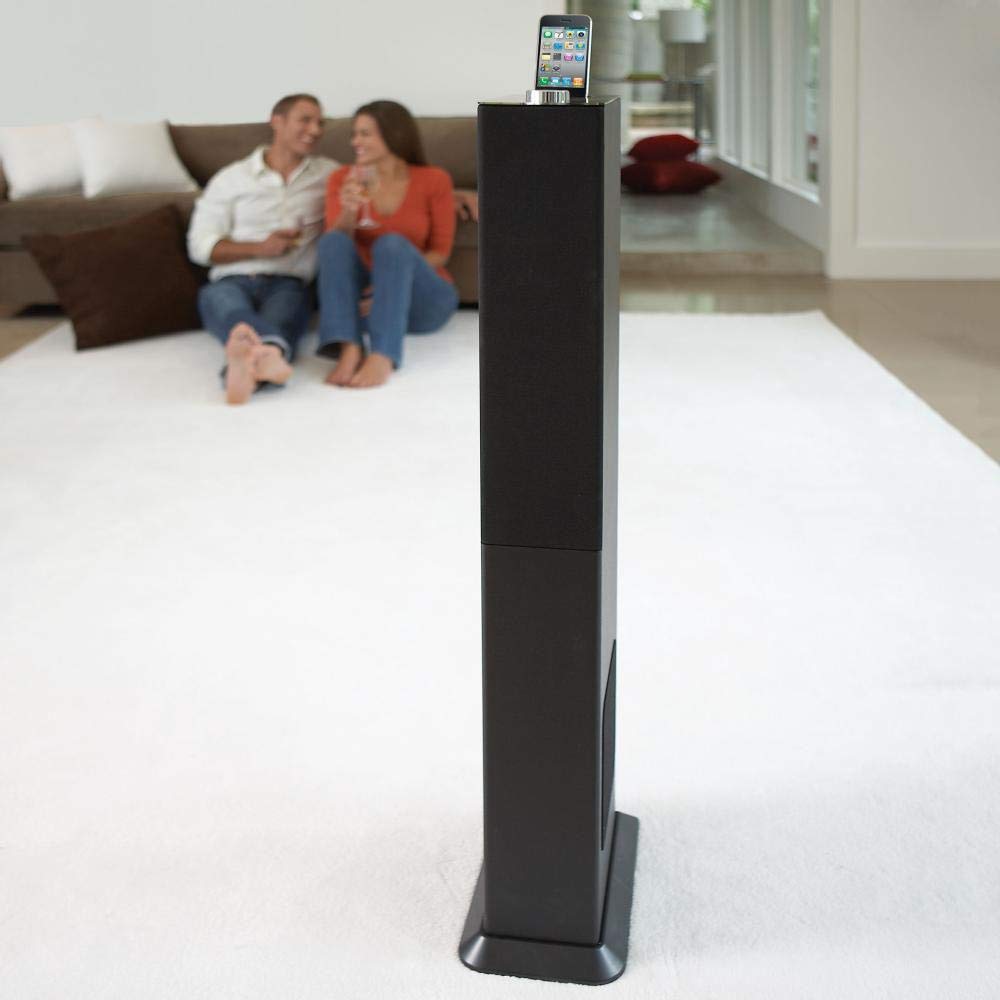
Image: The Brookstone iDesign Tower Stereo System, a tall, slender speaker unit designed for audio playback and device charging.
Güvenlik Bilgileri
- Güç Kaynağı: Yalnızca belirtilen güç adaptörünü kullanın. Voltajın düşük olduğundan emin olun.tage yerel elektrik kaynağınıza uygundur.
- Havalandırma: Havalandırma açıklıklarını kapatmayın. Üreticinin talimatlarına uygun şekilde kurulum yapın.
- Su ve Nem: Bu cihazı yağmur veya neme maruz bırakmayın. Üzerine vazo gibi sıvı dolu nesneler koymayın.
- Sıcaklık: Radyatörler, kalorifer ızgaraları, sobalar veya diğer cihazlar (dahil) gibi herhangi bir ısı kaynağının yakınına kurmayın. amp(ısı üreten)
- Temizlik: Sadece kuru bezle temizleyin.
- Servis: Tüm servis işlemleri için kalifiye servis personeline başvurun. Cihaz herhangi bir şekilde hasar gördüğünde servis gereklidir.
Paket İçeriği
Lütfen paketin içindeki tüm ürünlerin eksiksiz olduğundan emin olun:
- iDesign Tower Stereo System
- Uzaktan kumanda
- Güç Adaptörü
- Kullanım Kılavuzu (bu belge)
- Note: iPod/iPhone devices are not included.
Ürün Bittiview
The iDesign Tower Stereo System features a sleek design with integrated speakers and a docking station for compatible Apple devices. It includes a backlit on/volume knob and a remote control for convenient operation, delivering full, deep bass, crisp, clear highs, and warm middle tones.
Ana bileşenler:
- Hoparlör Izgaraları: Multi-angled speakers for room-filling sound.
- Docking Port: For iPod and iPhone devices (1st and 2nd generation iPod touch, iPod classic, 4th and 5th generation iPod nano, iPhone 3GS, iPhone 3G, iPhone).
- On/Volume Knob: Backlit control for power and volume adjustment.
- Yardımcı Giriş: For connecting other audio devices (cable not included).
- Güç Girişi: Güç adaptörünü bağlamak için.
- Uzaktan Kumanda Sensörü: Uzaktan kumandadan sinyalleri alır.
Kurmak
1. Yerleşim
Place the iDesign Tower Stereo System on a stable, flat surface. Ensure there is adequate space around the unit for proper ventilation. Avoid placing it in direct sunlight or near heat sources.
2. Güç Bağlantısı
- Connect the power adapter cable to the Power Input port on the back of the iDesign Tower Stereo System.
- Güç adaptörünü standart bir duvar prizine takın.
3. Device Docking (iPod/iPhone)
The system is designed for specific iPod and iPhone models:
- iPod touch (1st and 2nd generation)
- iPod klasik
- iPod nano (4th and 5th generation)
- iPhone 3GS
- iPhone 3G
- iPhone
Carefully align your compatible iPod or iPhone device with the docking port and gently push it down until it is securely seated. The device will begin charging automatically when docked and the system is powered on.
4. Auxiliary Input (Optional)
To connect other audio devices (e.g., MP3 players, CD players) that are not compatible with the docking port, use a 3.5mm audio cable (not included) to connect the device's headphone output to the Auxiliary Input port on the iDesign Tower Stereo System.
Kullanım Talimatları
1. Güç Açma/Kapatma
Press the On/Volume knob to turn the system on or off. The knob will illuminate when the system is powered on.
2. Ses Kontrolü
Rotate the On/Volume knob clockwise to increase the volume and counter-clockwise to decrease it. You can also adjust the volume using the remote control.
3. Kaynak Seçimi
The system automatically detects a docked iPod or iPhone. If an auxiliary device is connected, you may need to select the input source using the remote control (if available) or by cycling through inputs with a dedicated button (refer to remote control section for details).
4. Uzaktan Kumanda Kullanımı
The included remote control allows you to manage playback functions (play, pause, skip tracks) and volume for your docked iPod or iPhone from a distance. Point the remote control towards the sensor on the front of the tower system.
5. Şarj Cihazları
When a compatible iPod or iPhone is docked and the system is powered on, the device will charge automatically.
Bakım
Temizlik
Wipe the exterior of the system with a soft, dry cloth. Do not use liquid cleaners or aerosol sprays, as these may damage the finish or internal components. Ensure the system is unplugged before cleaning.
Depolamak
If storing the system for an extended period, unplug it from the power outlet and store it in a cool, dry place, away from direct sunlight and extreme temperatures.
Sorun giderme
| Sorun | Olası Neden | Çözüm |
|---|---|---|
| Güç yok | Güç adaptörü bağlı değil veya priz çalışmıyor. | Ensure power adapter is securely connected to the system and a working wall outlet. |
| Bağlantı noktasına takılı cihazdan ses gelmiyor. | Device not properly docked; volume too low; device not playing. | Re-seat the device in the dock. Increase system volume and device volume. Ensure music is playing on the device. |
| Yardımcı girişten ses gelmiyor. | Auxiliary cable not connected; incorrect source selected; volume too low. | Ensure auxiliary cable is securely connected. Select auxiliary input. Increase system and source device volume. |
| Uzaktan kumanda çalışmıyor | Piller bitmiş; uzaktan kumanda sensöre doğru yönlendirilmemiş; engel var. | Replace remote control batteries. Point remote directly at the sensor. Remove any obstructions between remote and system. |
| Cihaz şarj olmuyor | Device not compatible; system not powered on; device not properly docked. | Verify device compatibility (see Setup section). Ensure system is powered on. Re-seat the device in the dock. |
Özellikler
- Modeli: B003YB9T2C
- Marka: Brookstone
- Paket Boyutları: 42.6 x 14 x 8.6 inç
- Ürün Ağırlığı: 28.3 pound
- İlk Mevcut: 10 Mart 2010
- Uyumluluk: iPod touch (1st/2nd gen), iPod classic, iPod nano (4th/5th gen), iPhone 3GS, iPhone 3G, iPhone.
Garanti ve Destek
Garanti bilgileri ve müşteri desteği için lütfen satın alma işleminizle birlikte gelen belgelere bakın veya resmi Brookstone web sitesini ziyaret edin. webSite. Satın alma belgenizi garanti talepleriniz için saklayın.
"Made for iPod" and "Made for iPhone" mean that an electronic accessory has been designed to connect specifically to iPod or iPhone, respectively, and has been certified by the developer to meet Apple performance standards. Apple is not responsible for the operation of this device or its compliance with safety and regulatory standards. Please note that the use of this accessory with iPod or iPhone may affect wireless performance.