
1. Ürün Bittiview
The Verbatim Acclaim 1TB USB 2.0 Portable External Hard Drive (Model 97393) is a compact and high-capacity storage solution designed for convenient data backup and transfer. This device offers 1 terabyte of storage and connects via a standard USB 2.0 interface, ensuring broad compatibility with various computer systems.
Temel Özellikler:
- 1 TB storage capacity.
- USB 2.0 High-Speed connectivity (up to 480 Mb/s), backward compatible with USB 1.1.
- Kompakt ve taşınabilir tasarım.
- Compatible with Windows and Mac operating systems.
- Includes Nero BackItUp & Burn Essentials software for backup and restore functions.
- Includes a bonus Norton Online Backup (5GB) offer.
- 7 yıllık sınırlı garanti kapsamındadır.

Şekil 1.1: Tepe view of the Verbatim Acclaim 1TB portable hard drive. This image displays the device's sleek piano black finish and the prominent Verbatim logo, highlighting its compact and minimalist design.
2. Kurulum ve Kurulum
2.1. Connecting the Hard Drive
- Locate an available USB port on your computer. The Verbatim Acclaim drive is compatible with both USB 2.0 and USB 1.1 ports. For optimal performance, use a USB 2.0 port.
- Connect the small end of the provided USB cable to the USB port on the Verbatim Acclaim hard drive.
- USB kablosunun büyük ucunu bilgisayarınızdaki uygun bir USB bağlantı noktasına bağlayın.
- The drive will automatically power on and be detected by your operating system. For Windows, drivers will typically install automatically. For Mac, the drive should appear on your desktop or in Finder.

Şekil 2.1: Taraf view of the Verbatim Acclaim hard drive. This image highlights the USB port located on the side of the device, indicating where the USB cable should be connected for power and data transfer.
2.2. Başlangıç Biçimlendirmesi (İsteğe Bağlı)
The drive comes pre-formatted, typically in FAT32, which is compatible with both Windows and Mac. However, FAT32 has a limitation on individual file size (maximum 4GB). If you plan to store files larger than 4GB (e.g., high-definition video files), it is recommended to reformat the drive to NTFS (for Windows) or HFS+ (for Mac).
Uyarı: Reformatting the drive will erase all existing data. Ensure you back up any important fileDevam etmeden önce.
Windows için:
- Open "Disk Management" (Right-click "My Computer" or "This PC" > "Manage" > "Disk Management").
- Locate the Verbatim Acclaim drive (it will be listed as a removable disk).
- Right-click on the drive's partition and select "Format".
- Choose "NTFS" as the file system and click "OK".
Mac için:
- "Disk Yardımcı Programı"nı açın (Uygulamalar > Yardımcı Programlar > Disk Yardımcı Programı).
- Select the Verbatim Acclaim drive from the sidebar.
- Click the "Erase" tab.
- Choose "Mac OS Extended (Journaled)" (HFS+) as the format and click "Erase".
2.3. Yazılım Kurulumu
The Verbatim Acclaim drive includes Nero BackItUp & Burn Essentials software and a bonus offer for Norton Online Backup. These software packages are typically located on the drive itself or can be downloaded from the Verbatim support webalan.
- Access the drive's contents via "My Computer" / "This PC" (Windows) or Finder (Mac).
- Locate the installer files for Nero BackItUp & Burn Essentials. Follow the on-screen instructions to complete the installation.
- Refer to the included documentation or the Verbatim website for details on activating the Norton Online Backup offer.
3. Sabit Sürücüyü Çalıştırma
3.1. Aktarma Files
Once connected, the Verbatim Acclaim drive functions like any other external storage device.
- Sürükle ve Bırak: Basitçe sürükleyin files or folders from your computer to the drive's icon or an open folder on the drive.
- Kopyala ve Yapıştır: Sağ tıklayın files/folders on your computer, select "Copy," then navigate to the external drive, right-click in an empty area, and select "Paste."
- Yedekleme Yazılımı: Utilize the included Nero BackItUp & Burn Essentials software for automated backups and system recovery.
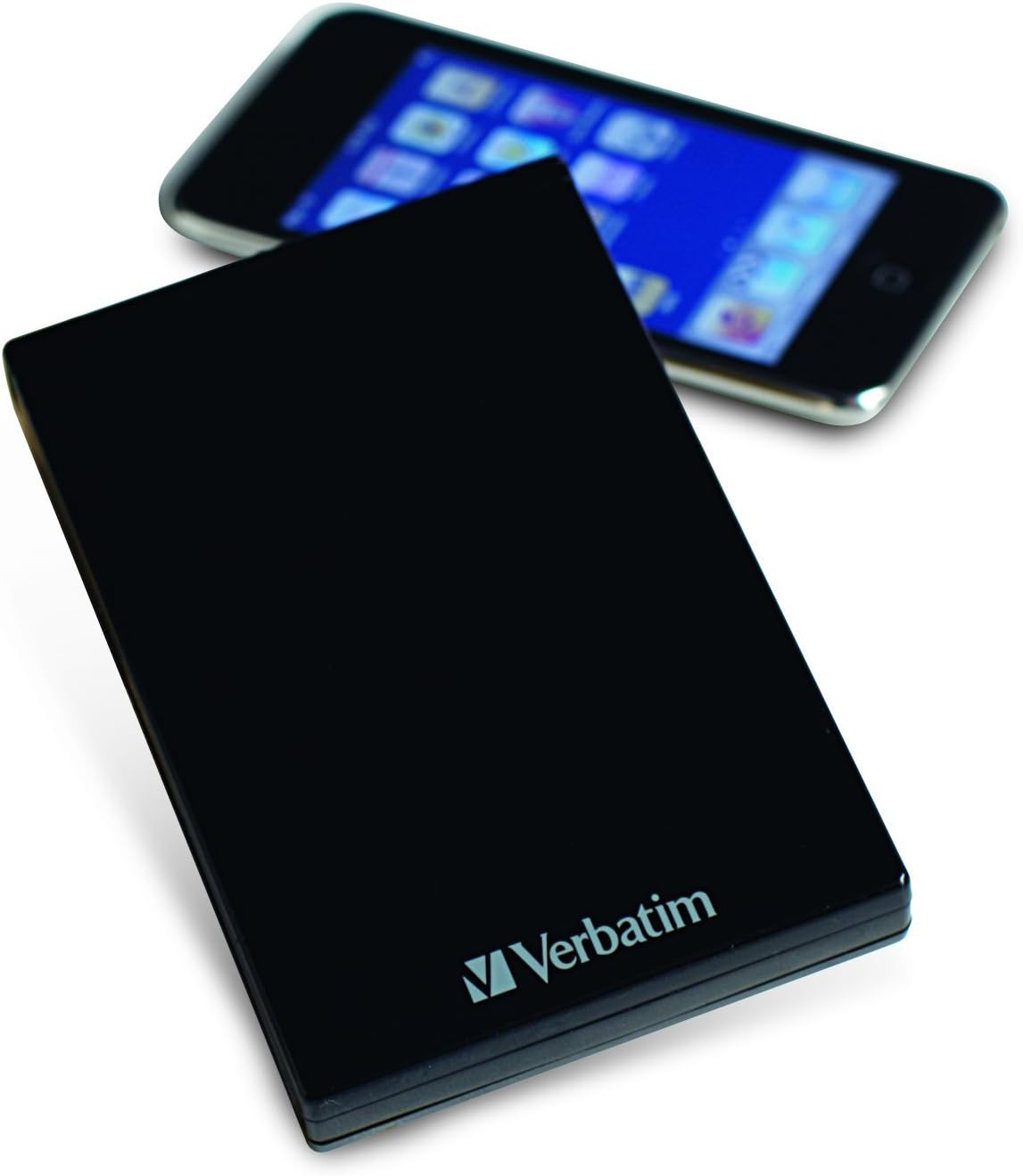
Şekil 3.1: The Verbatim Acclaim hard drive shown next to a smartphone. This image provides a visual reference for the drive's compact and portable dimensions, making it easy to carry.
3.2. Sürücüyü Güvenli Şekilde Kaldırma
To prevent data corruption, always safely eject the hard drive before disconnecting it from your computer.
Windows için:
- Click the "Safely Remove Hardware and Eject Media" icon in the system tray (bottom-right corner).
- Select the Verbatim Acclaim drive from the list.
- Wait for the "Safe to Remove Hardware" notification before disconnecting the USB cable.
Mac için:
- Drag the drive's icon from your desktop to the Trash icon in the Dock (the Trash icon will change to an Eject icon).
- Alternatively, right-click (or Control-click) the drive icon on the desktop and select "Eject [Drive Name]".
- Wait for the drive icon to disappear from your desktop before disconnecting the USB cable.
4. Bakım
Proper maintenance ensures the longevity and reliable performance of your Verbatim Acclaim hard drive.
- Fiziksel Bakım: Handle the drive with care. Avoid dropping it or exposing it to excessive shock, as this can damage the internal components.
- Temizlik: Use a soft, dry, lint-free cloth to clean the exterior of the drive. Avoid using liquid cleaners or abrasive materials.
- Sıcaklık ve Çevre: Sürücüyü serin, kuru bir ortamda, doğrudan güneş ışığından, aşırı sıcaklıklardan ve yüksek nemden uzakta saklayın ve çalıştırın.
- Düzenli Yedeklemeler: While the Acclaim drive is excellent for storing data, it is crucial to maintain multiple copies of important files. No single storage device is infallible.
- Güvenli Fırlatma: Always follow the safe removal procedures outlined in Section 3.2 to prevent data corruption.
5. Sorun Giderme
If you encounter issues with your Verbatim Acclaim hard drive, try the following troubleshooting steps:
- Sürücü Algılanmadı:
- USB kablosunun hem sürücüye hem de bilgisayara güvenli bir şekilde bağlandığından emin olun.
- Sürücüyü bilgisayarınızdaki farklı bir USB portuna bağlamayı deneyin.
- Mümkünse sürücüyü farklı bir USB kablosuyla test edin.
- Bilgisayarınızı yeniden başlatın ve sürücüyü tekrar bağlamayı deneyin.
- Yavaş Veri Aktarımı:
- Ensure you are connected to a USB 2.0 port for optimal speed. USB 1.1 ports will result in significantly slower transfers.
- Arka planda çalışan ve sistem kaynaklarını tüketebilecek gereksiz uygulamaları kapatın.
- Check your computer's disk for errors or fragmentation.
- File System Errors / Drive Unresponsive:
- Always safely eject the drive before disconnecting. Abrupt disconnection can lead to file sistem bozulması
- Run a disk check utility (e.g., "Error Checking" in Windows or "First Aid" in Disk Utility on Mac) to scan and repair minor file sistem hataları.
- If errors persist and data is backed up, consider reformatting the drive as described in Section 2.2.
- Drive Gets Warm:
It is normal for the drive to generate some heat during operation, especially during prolonged data transfers. Ensure adequate airflow around the device.
6. Özellikler
| Özellik | Detay |
|---|---|
| Model Numarası | 97393 |
| Dijital Depolama Kapasitesi | 1TB |
| Sabit Disk Arayüzü | USB 2.0 (High-Speed), USB 1.1 (Full Speed) |
| Bağlantı Teknolojisi | USB |
| Marka | Kelimesi kelimesine |
| Sabit Disk Form Faktörü | 2.5 inç |
| Sabit Disk Açıklaması | Taşınabilir |
| Uyumlu Cihazlar | Desktop (Windows & Mac) |
| Kurulum Türü | Harici Sabit Sürücü |
| Renk | Piyano Siyahı |
| Ürün Boyutları | 5.51 x 1.89 x 7.09 inç |
| Ürün Ağırlığı | 10.8 ons |
| Üretici | Kelimesi kelimesine |
| İlk Mevcut Tarih | 25 Temmuz 2010 |
7. Garanti ve Destek
7.1. Sınırlı Garanti
The Verbatim Acclaim 1TB USB 2.0 Portable External Hard Drive is backed by a 7 yıllık sınırlı garanti. This warranty covers defects in materials and workmanship under normal use. Please retain your proof of purchase for warranty claims. For full terms and conditions of the warranty, please refer to the documentation included with your product or visit the official Verbatim webalan.
7.2. Teknik Destek
For technical assistance, troubleshooting beyond the scope of this manual, or warranty inquiries, please contact Verbatim customer support.
- Visit the official Verbatim webDestek kaynakları, SSS ve iletişim bilgileri için site.
- Have your product model number (97393) and proof of purchase ready when contacting support.