
giriiş
This manual provides detailed instructions for the assembly, operation, and maintenance of your Bush Furniture Salinas Computer Desk with Hutch. Please read all instructions carefully before beginning assembly and retain this manual for future reference. This desk is designed to provide a functional workspace with integrated storage solutions.

Image: The Bush Furniture Salinas Computer Desk with Hutch, showcasing onun Vin'itage Black finish and overall design.
Güvenlik Bilgileri
Genel Güvenlik Önlemleri
- Always follow assembly instructions precisely. Incorrect assembly can lead to instability and injury.
- Kullanmadan önce tüm donanımların iyice sıkıldığından emin olun. Periyodik olarak kontrol edin ve gerekirse yeniden sıkın.
- Do not overload the desk or hutch shelves. Refer to the 'Specifications' section for maximum weight recommendations.
- Boğulma tehlikesini önlemek için küçük parçaları ve ambalaj malzemelerini çocuklardan uzak tutun.
- Devrilmeyi önlemek için masayı düz bir yüzeye yerleştirin.
- Sıcak nesneleri koruyucu bir malzeme kullanmadan doğrudan masa yüzeyine koymaktan kaçının.
Paket İçeriği
Before beginning assembly, verify that all components and hardware are present. If any parts are missing or damaged, contact Bush Furniture customer support.
- Desk panels and components
- Hutch panels and components
- Hardware kit (screws, dowels, cam locks, drawer slides, handles, etc.)
- Montaj talimatları kitapçığı
Montaj Talimatları
Assembly typically requires two people and approximately 3 hours. Tools recommended for assembly include a hammer and a screwdriver. An additional tube of wood glue may be beneficial for enhanced stability.
1. Adım: Çalışma Alanınızı Hazırlayın
Clear a spacious, clean, and level area for assembly. Lay out all parts and hardware, organizing them by type or part number to facilitate the process.
Step 2: Assemble the Desk Base
Follow the provided assembly booklet to construct the main desk frame. This typically involves attaching side panels to the desktop and base, securing them with the provided hardware. Ensure all connections are firm.
Step 3: Install Drawers and Cabinet
Assemble the drawer box and install the drawer slides onto both the drawer and the desk frame. Insert the drawer into its designated slot. For the cabinet, attach hinges to the door and the cabinet frame, then mount the door. Ensure smooth operation of both the drawer and cabinet door.
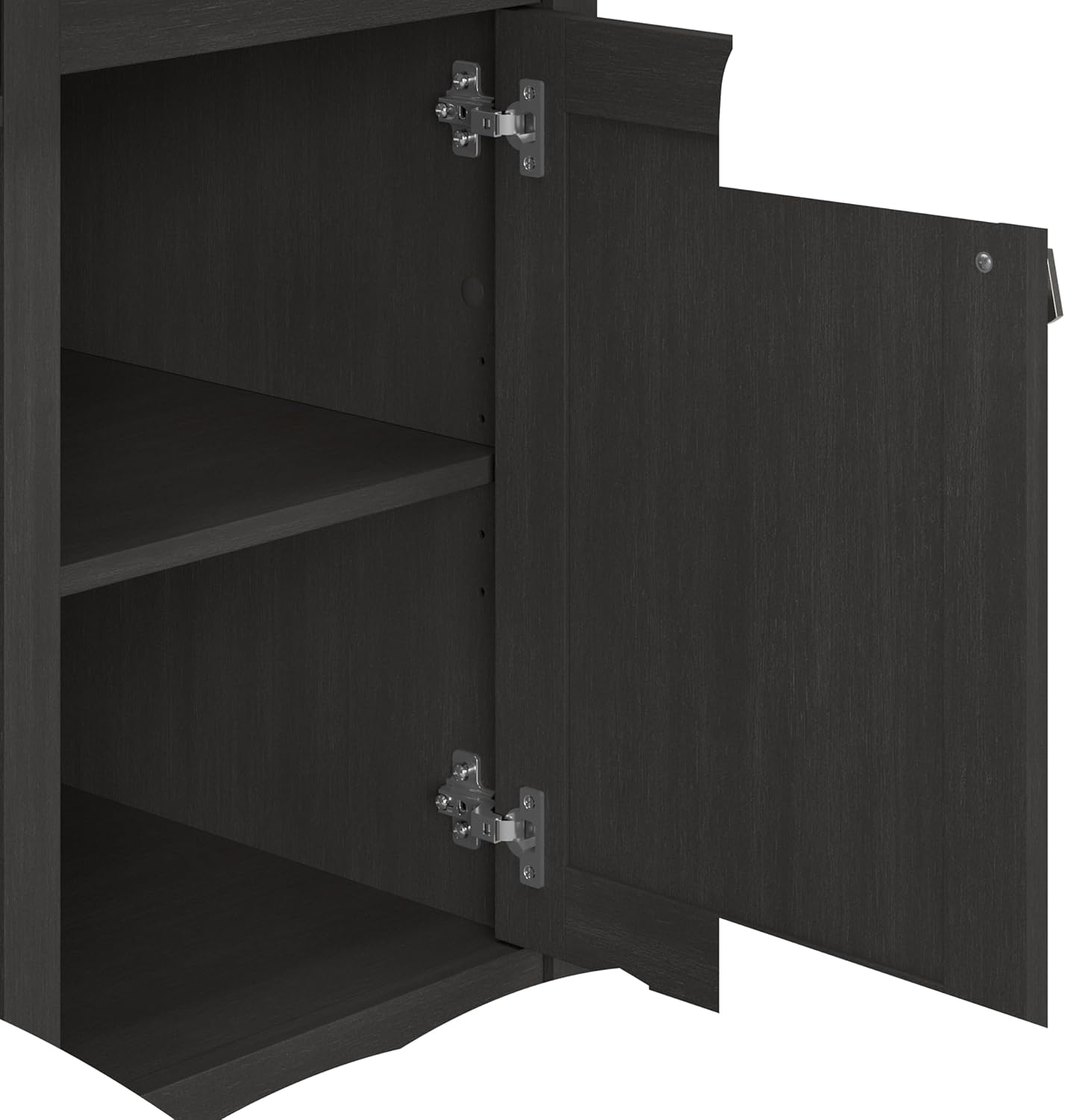
Resim: Açık bir view of the desk's vertical storage cabinet, revealing internal shelving for organization.
Step 4: Attach Keyboard Tray
Mount the pull-out keyboard tray slides to the underside of the desk and then attach the tray itself. Test its smooth extension and retraction.

Image: A close-up of the integrated pull-out keyboard tray, extended to show space for a keyboard and mouse.
Step 5: Assemble and Mount the Hutch
Construct the hutch unit separately, then carefully lift and secure it onto the top of the desk. Ensure it is aligned and firmly attached using the specified hardware to prevent wobbling.

Image: A detailed dimensional diagram illustrating the overall measurements and key sections of the desk and hutch.
Adım 6: Son Kontroller
Once assembled, gently move the desk to its desired location. Re-check all screws and fasteners to ensure they are tight. Confirm that drawers and doors open and close smoothly.
Kullanım Talimatları
Using the Work Surface
Ana masaüstü şunları sağlar: ample space for a computer monitor, laptop, and other work essentials. It supports up to 200 pounds. Utilize the built-in wire management system to keep cables organized and out of sight, maintaining a clutter-free environment.
Keyboard/Laptop Tray
The integrated pull-out tray is designed to hold a keyboard and mouse, or a laptop, freeing up valuable desktop space. Gently pull the tray forward to extend and push back to retract.
Depolama Çekmecesi
The box drawer is ideal for organizing office supplies, pens, and other small items. It features smooth ball-bearing glides for easy access.

Image: The desk's storage drawer, partially open, illustrating its capacity for office supplies.
Vertical Storage Cabinet
The cabinet provides enclosed storage for larger items or documents, helping to keep your workspace tidy. The internal shelf can be adjusted to accommodate various item heights.
Dolap Rafları
The open hutch shelves offer convenient storage and display space for books, decorative items, or work-in-progress files. These shelves help maximize vertical space and keep frequently used items within reach.

Image: The open hutch shelves, demonstrating their use for storing books and displaying decorative objects.
Bakım ve Özen
To maintain the appearance and longevity of your Bush Furniture Salinas Computer Desk with Hutch, follow these care instructions:
- Temizlik: Yüzeyleri reklamla silinamp Kumaşı sert kimyasallardan veya aşındırıcı temizleyicilerden uzak tutun, çünkü bunlar cilaya zarar verebilir.
- Dökülmeler: Mühendislik ürünü ahşap yüzeyde lekelenme veya hasar oluşmasını önlemek için dökülen sıvıları hemen temizleyin.
- Donanım: Masanın sabit kalmasını sağlamak için tüm vidaları ve bağlantı elemanlarını periyodik olarak kontrol edin ve sıkın.
- Güneş ışığı: Uzun süre doğrudan güneş ışığına maruz kalmaktan kaçının, bu solmaya veya renk bozulmasına neden olabilir.
Sorun giderme
Desk Wobbles or is Unstable
- Masanın düz bir zemine yerleştirildiğinden emin olun.
- Check all assembly hardware. Tighten any loose screws or cam locks.
- Verify that all panels are correctly seated and aligned according to the assembly instructions.
Drawer Does Not Slide Smoothly
- Çekmece raylarının hem çekmece kutusuna hem de masa çerçevesine doğru şekilde takıldığından ve hizalandığından emin olun.
- Çekmecelerin raylarında herhangi bir engel olup olmadığını kontrol edin.
- Çekmece kutusunun kare şeklinde monte edildiğini doğrulayın.
Cabinet Door Does Not Close Properly
- Menteşelerin doğru takılıp takılmadığını ve hizalanıp hizalanmadığını kontrol edin. Gerekirse ayarlama yapın.
- Ensure the cabinet frame is square and not warped.
Özellikler
| Özellik | Detay |
|---|---|
| Marka | Çalılık Mobilya |
| Model Numarası | 72708-03 YAŞLARIM |
| Ürün Boyutları (D x G x Y) | 23.19"D x 47.17"G x 62.95"Y |
| Ürün Ağırlığı | 115 Pound |
| Renk | Şaraptage Siyah |
| Malzeme | Engineered Wood (Top, Hutch), Metal (Base, Furniture Legs) |
| Maksimum Ağırlık Önerisi | 200 Pound (Masaüstü) |
| Çekmece Sayısı | 1 |
| Dolap Sayısı | 1 |
| Raf Sayısı | 1 (adjustable in cabinet) + multiple in hutch |
| Gerekli Montaj | Evet (2 kişi önerilir) |
| Montaj İçin Önerilen Araçlar | Çekiç, Tornavida |
Garanti ve Destek
Üretici Garantisi
This Bush Furniture product is backed by a 1-year manufacturer's warranty. This warranty covers defects in materials and workmanship under normal use. For specific details regarding coverage and limitations, please refer to the warranty information provided with your product packaging or contact Bush Furniture directly.
Müşteri Desteği
For assistance with assembly, missing parts, or any product-related inquiries, please contact Bush Furniture customer support. Contact information is typically found in the assembly instructions booklet or on the manufacturer's official webalan.