
giriiş
The Sharp AQUOS BD-HDW43 is a 320GB Blu-ray recorder featuring dual-tuner simultaneous full HD recording. This advanced model supports up to 8.5x full HD recording, allowing approximately 36 hours of recording on a single 50GB Blu-ray disc. It is designed to record full HD video, 5.1ch audio, and linked data with high-quality pure recording, enabling full digital double recording for extended high-definition recording of two programs simultaneously. This manual provides essential information for setting up, operating, maintaining, and troubleshooting your device.

Şekil 1: Ön view of the Sharp AQUOS BD-HDW43 Blu-ray Recorder.
Kurmak
Follow these steps to properly set up your Sharp AQUOS BD-HDW43 Blu-ray Recorder:
- Paketin açılması: Carefully remove the recorder and all accessories from the packaging. Ensure all components are present.
- Atama: Place the recorder on a stable, level surface with adequate ventilation. Avoid placing it near heat sources or in direct sunlight.
- Anten Bağlantısı: Connect your TV antenna cable to the 'Antenna Input' terminal on the rear of the recorder. Then, connect an RF cable from the 'Antenna Output' terminal on the recorder to the 'Antenna Input' on your television.
- Video/Audio Connection (HDMI): For the best picture and sound quality, connect an HDMI cable from the HDMI output terminal on the recorder to an available HDMI input on your TV.
- Diğer Bağlantılar (İsteğe Bağlı):
- LAN: Connect an Ethernet cable to the LAN terminal for network features.
- DV Terminal: Use for connecting compatible digital video cameras.
- D-Terminal (D4x1): For connecting to TVs with D-terminal inputs.
- Optik Dijital Ses: For high-quality digital audio output to an ampLifier veya ev sinema sistemi.
- Güç Bağlantısı: Plug the power cord into the AC inlet on the recorder, then into a wall outlet.
- İlk kurulum: Turn on the recorder and your TV. Follow the on-screen instructions for initial setup, including channel scanning and clock settings.

Figure 2: Rear panel connections of the Sharp AQUOS BD-HDW43 Blu-ray Recorder.
Kullanım Talimatları
This section covers basic operations of your Blu-ray recorder.
Kayıt Programları
- Planlanmış Kayıt: Access the electronic program guide (EPG) to select programs for recording. The BD-HDW43 supports dual-tuner simultaneous recording, allowing you to record two programs at once.
- Kayıt Modları: Choose from various recording modes, including full HD recording at up to 8.5x compression, which maximizes storage capacity while maintaining high video quality.
- Anında Kayıt: Press the 'Record' button on the remote control to start recording the currently viewed programı.
Playback
- HDD Playback: Navigate to the recorded title list to select and play back programs stored on the internal hard disk drive.
- Blu-ray/DVD Playback: Insert a Blu-ray disc or DVD into the disc drive. The recorder will typically start playback automatically. Use the remote control for playback functions such as play, pause, stop, fast forward, and rewind.
Disc Management
- Dublaj: Transfer recorded content from the HDD to a Blu-ray disc or DVD. Refer to the on-screen menu for dubbing options and settings.
- Disklerin Sonlandırılması: After recording to a BD-R/RE or DVD-R/RW, finalize the disc if you intend to play it on other compatible players.
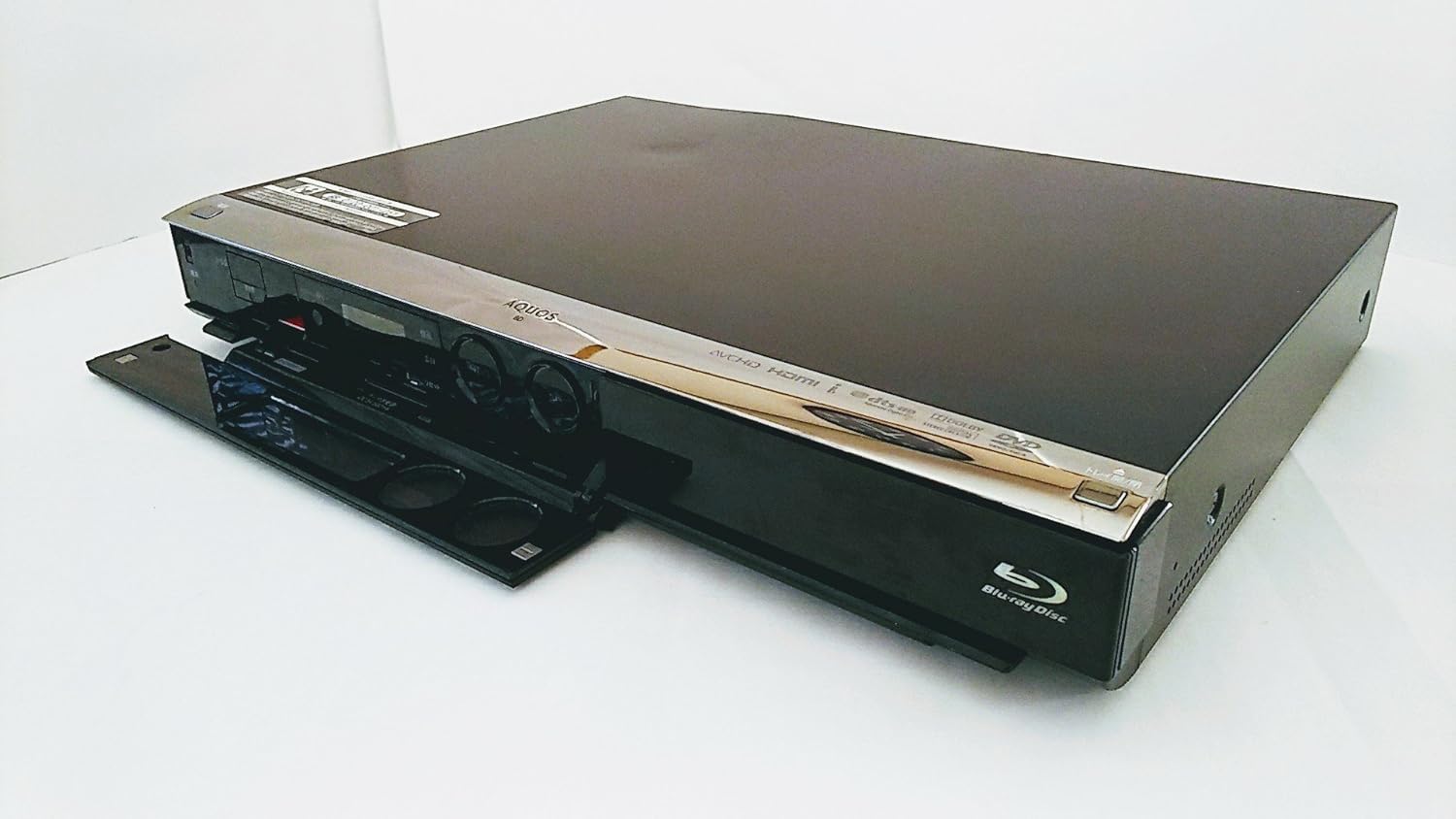
Figure 3: Front panel of the recorder with the disc tray open, showing controls.
Bakım
Proper maintenance ensures the longevity and optimal performance of your recorder.
- Ünitenin Temizlenmesi: Wipe the exterior of the recorder with a soft, dry cloth. Do not use liquid cleaners, abrasive pads, or chemical sprays, as these can damage the finish.
- Disk Bakımı: Handle discs by their edges. Keep them clean and free of scratches. Store discs in their cases when not in use. Avoid exposing discs to direct sunlight or extreme temperatures.
- Havalandırma: Ensure that the ventilation openings on the recorder are not blocked. Adequate airflow prevents overheating.
- Donanım Yazılımı Güncellemeleri: Periodically check the Sharp support website for any available firmware updates for your model. Updates can improve performance and add new features.
Sorun giderme
If you encounter issues with your recorder, refer to the following common problems and solutions:
| Sorun | Olası Neden / Çözüm |
|---|---|
| Güç Yok | Ensure the power cord is securely plugged into both the recorder and a working wall outlet. |
| Televizyonda Görüntü/Ses Yok | Check all video and audio cables (e.g., HDMI) are correctly connected. Ensure the TV input is set to the correct source (e.g., HDMI 1). |
| Disc Not Reading / Playback Issues | Ensure the disc is clean and free of scratches. Try a different disc to rule out a faulty disc. If the issue persists, the disc drive may require servicing. |
| Uzaktan Kumanda Yanıt Vermiyor | Check the batteries in the remote control and replace them if necessary. Ensure there are no obstructions between the remote and the recorder's IR sensor. If using a universal remote, ensure it is programmed correctly for Sharp devices. |
| Poor Recording Quality (especially at 8.5x mode) | Highly compressed recording modes (like 8.5x) may show reduced detail or artifacts, especially in fast-moving scenes or complex images. For critical recordings, use a lower compression mode (e.g., 5x or less) for better quality. |
| Scheduled Recording Failed | Verify that the program guide information is correct and that the recorder was powered on or in standby mode at the scheduled time. Check for conflicting recordings. |
Özellikler
Detailed technical specifications for the Sharp AQUOS BD-HDW43 Blu-ray Recorder:
- Marka: Keskin
- Model Numarası: BD-HDW43
- Depolama Kapasitesi: 320 GB Sabit Disk
- Ayarlayıcılar: 2 (Dual-tuner simultaneous recording)
- Uyumlu Ortam: BD/DVD-R/-RW
- Çözünürlük: 1920 x 1080 pixels (1080p video output)
- Bağlantı Teknolojisi: HDMI, USB
- Giriş/Çıkış Terminalleri:
- LAN Terminal: Yes
- DV Terminal: Yes
- D-Terminal (Output): D4x1
- Optical Digital Audio (Output): 1
- HDMI Terminal (Output): 1
- HDD Recording Time: Approximately 453 hours (standard mode) / 28 hours (high quality mode)
- Media Recording Time: Approximately 36 hours (8.5x full HD recording on 50GB BD) / 4.3 hours (standard mode on 50GB BD)
- High-speed HD Dubbing (HDD to Disc): 60x
- Max Scheduled Programs: 65/yıl
- 3D Video: Desteklenmiyor
- Kademeli tarama: Desteklenen
- Program Rehberi (EPG): Evet
- Ses Çıkış Modu: Stereo, Surround
- Desteklenen Ses Biçimleri: Dolby Dijital, DTS, PCM
- Hoparlör Kanal Yapılandırması: 5.1
- Video Kodlama Formatı: H.264/AVC
- Uyumlu Cihazlar: TV
- Analog Video Formatı: NTSC
- File Formats (Playback): MP4, AVI, MP3, JPEG
- Ürün Ağırlığı: 4.5 kilo

Figure 4: Product label showing model number BD-HDW43 and other details.
Garanti ve Destek
For warranty information, technical support, or service inquiries, please contact Sharp customer service directly. Details regarding your product's warranty period and terms can typically be found in the documentation included with your purchase or on the official Sharp webalan.
Üretici: Sharp Şirketi