
1. Giriş ve Üzeriview
The OttLite W9437T Easy View Kat Lamp is designed to provide exceptional lighting for various tasks, reducing eye fatigue and enhancing visibility. Featuring OttLite 508 Technology, this lamp offers a precise balance of contrast and brightness, ensuring accurate color rendition and clear detail without harsh glare or distortion. It includes an energy-efficient 18-watt bulb and a 3X optical-grade magnifier for intricate work.
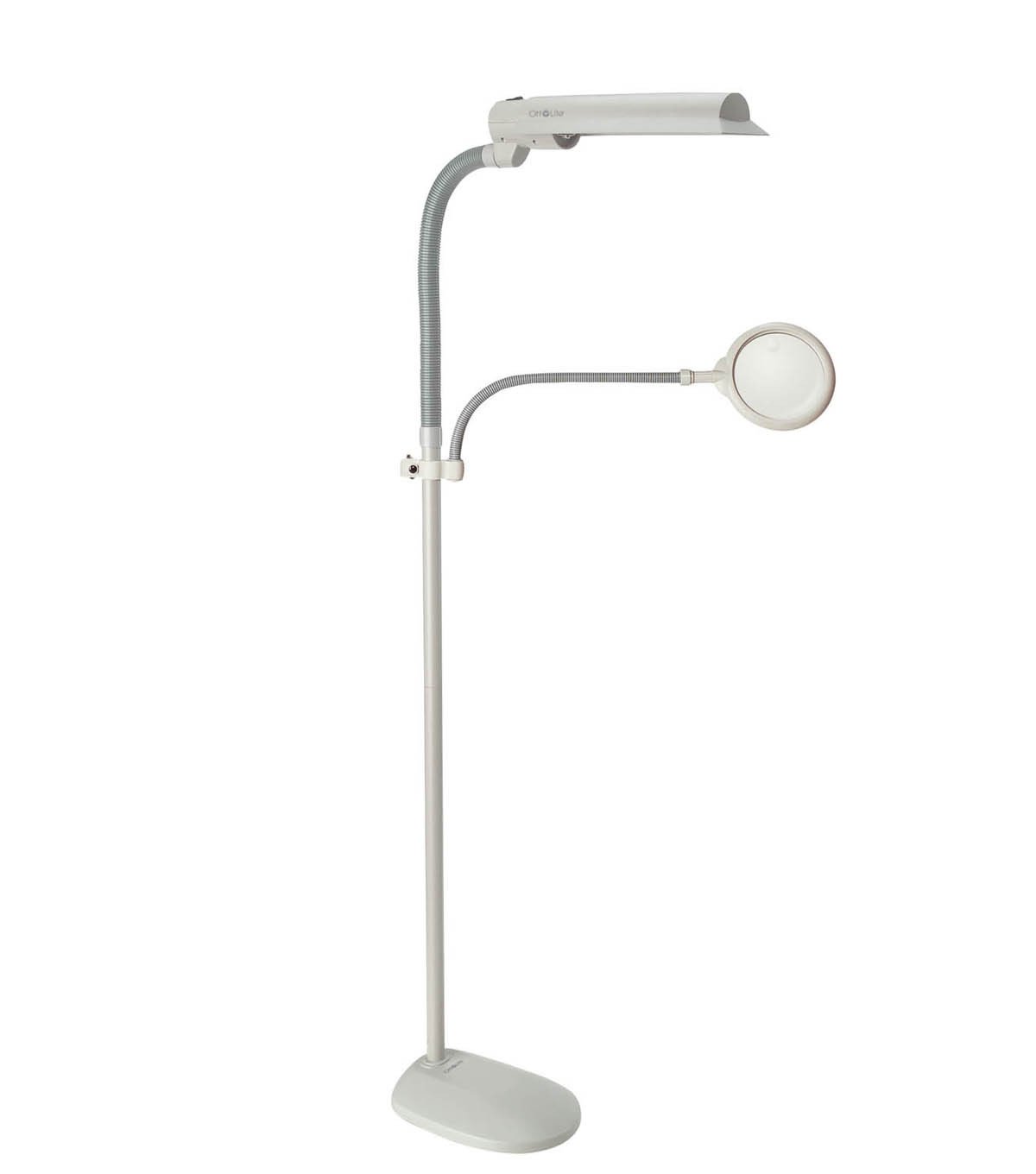
Resim 1.1: The OttLite W9437T Easy View Kat Lamp with its adjustable lamp head and flexible magnifier arm, positioned over a sewing project. A woman is using the magnifier to examine her work.
Temel Özellikler:
- OttLite 508 Technology: Provides a balanced spectrum of light for true colors and clear details.
- 3X Optical-Grade Magnifier: 6-inch diameter magnifier with a flexible gooseneck arm, extending 16 to 22 inches for hands-free viewIng.
- Ayarlanabilir Lamp KAFA: Wide-wing shade rotates to direct light precisely where needed.
- Enerji Verimli Ampul: Includes an 18-watt HD bulb, rated to last up to 10,000 hours.
- Ayarlanabilir yükseklik: Lamp height can be adjusted from 50.75 to 62 inches.
- Kararlı Tasarım: Features a sturdy 10.5-inch wide base for stability.
2. Kurulum ve Montaj
Carefully unpack all components from the packaging. Ensure all parts are present before beginning assembly. No tools are typically required for basic assembly.
Montaj Adımları:
- Direği tabana takın: Securely screw the main pole section into the lamp's base until it is firm and stable.
- L'yi bağlayınamp KAFA: l'yi ekleamp head assembly to the top of the main pole. Ensure it clicks or screws into place securely.
- Ampul Ekle: Carefully insert the provided 18-watt HD bulb into the lamp head socket. Do not overtighten.
- Attach Magnifier Arm: Connect the flexible gooseneck arm of the magnifier to the designated port on the lamp pole or head.
- Konumlandırma: l'yi yerleştirinamp on a flat, stable surface. Adjust the height of the pole and the position of the lamp head and magnifier arm as desired for your workspace.
- Güç Bağlantısı: Güç kablosunu standart bir elektrik prizine takın.
3. Kullanım Talimatları
The OttLite W9437T is designed for ease of use, providing optimal lighting and magnification for various tasks.
L'yi kullanmaamp:
- Güç Açma/Kapatma: Locate the power switch, typically on the lamp head or pole, and press it to turn the lamp açık veya kapalı.
- Işık Yönünün Ayarlanması: The wide-wing shade can be rotated to direct the OttLite illumination precisely onto your work area.
- Yükseklik Ayarı: Lamp pole allows for height adjustment. Loosen the locking mechanism (if present), adjust to the desired height, and then secure it.
Büyüteç'i kullanma:
- Konumlandırma: Use the flexible gooseneck arm to position the 3X optical-grade magnifier directly over the area you wish to view detaylı olarak.
- Eller Serbest Kullanım: The flexible arm allows for hands-free magnification, ideal for intricate crafts, reading fine print, or detailed tasks.
Video 3.1: This video demonstrates the benefits of OttLite's 508 Technology, showcasing how it provides true color and clear detail compared to standard lighting, reducing eye strain and improving visibility for various tasks.
4. Bakım
Proper maintenance ensures the longevity and optimal performance of your OttLite lamp.
Ampul Değişimi:
- Lamp uses an 18-watt HD bulb (replacement type B), designed to last up to 10,000 hours.
- To replace the bulb, ensure the lamp is unplugged and cool.
- Carefully remove the old bulb by twisting it counter-clockwise.
- Insert the new 18-watt HD bulb by aligning the pins and twisting clockwise until secure.
Temizlik:
- her zaman l'nin fişini çekinamp temizlemeden önce.
- l'yi silinamp's surfaces with a soft, dry, or slightly damp Kumaş.
- Aşındırıcı temizleyiciler veya çözücüler kullanmayın, çünkü bunlar yüzeye zarar verebilir.
- For the magnifier lens, use a soft, lint-free cloth specifically designed for optical surfaces.
5. Sorun Giderme
If you encounter issues with your OttLite W9437T lamp, aşağıdaki genel sorun giderme adımlarına bakın:
- Lamp Açılmıyor:
- Güç kablosunun çalışan bir elektrik prizine güvenli bir şekilde takıldığından emin olun.
- Güç anahtarının 'AÇIK' konumunda olup olmadığını kontrol edin.
- Verify that the bulb is correctly installed and not loose. If the bulb is old, consider replacing it.
- Işık Titremesi:
- Ensure the bulb is screwed in tightly.
- If flickering persists, the bulb may be nearing the end of its life and requires replacement.
- Magnifier Distortion:
- Ensure the magnifier lens is clean and free of smudges or dust.
- Adjust the distance between the magnifier and the object for optimal focus.
If these steps do not resolve the issue, please contact OttLite customer support for further assistance.
6. Özellikler
| Özellik | Detay |
|---|---|
| Model Numarası | W9437T |
| Marka Adı | OttLite |
| Lamp Tip | Kat Lamp |
| Işık kaynağı | 18-watt HD Bulb (Type B) |
| Ampul Ömrü | 10,000 saate kadar |
| Büyüteç | 3X Optical-Grade, 6-inch diameter |
| Magnifier Arm Extension | 16 ila 22 inç |
| Ayarlanabilir Yükseklik | 50.75 ila 62 inç |
| Taban Malzemesi | Plastik |
| Gölge Malzemesi | Plastik |
| Ürün Ağırlığı | 10 Pound |
| Güç Kaynağı | Kablolu Elektrik |
| Renk | Güvercin Grisi |
| UPC | 761712103686 |
7. Garanti ve Destek
Your OttLite W9437T Easy View Kat Lamp comes with a manufacturer's warranty to ensure your satisfaction and product reliability.
- Lamp Garanti: Satın alma tarihinden itibaren 2 yıl.
- Bulb Warranty: Satın alma tarihinden itibaren 1 yıl.
For warranty claims, technical support, or any questions regarding your product, please contact OttLite customer service through their official websatın alma belgelerinizle birlikte verilen site veya iletişim bilgileri.