
1. Ürün Bittiview
The Gira 117600 is a universal dimmer insert designed for switching and dimming various light sources. This device integrates into your electrical system to provide flexible control over lighting levels.
Temel Özellikler:
- Universal dimmer for various light sources.
- Push/Rotary switch operation for intuitive control.
- Soft start function for lamps, extending their lifespan.
- Electronic short-circuit protection.
- Otomatik aşırı ısınma koruması.
- Expansion control possible with extension insert 1177 00.
- Equipped with spring terminals for secure wiring.
Compatible Light Sources:
- akkor lamps
- YG halojen lamps
- AG halojen lamps with Gira Tronic transformers
- AG halojen lampgeleneksel transformatörlerle
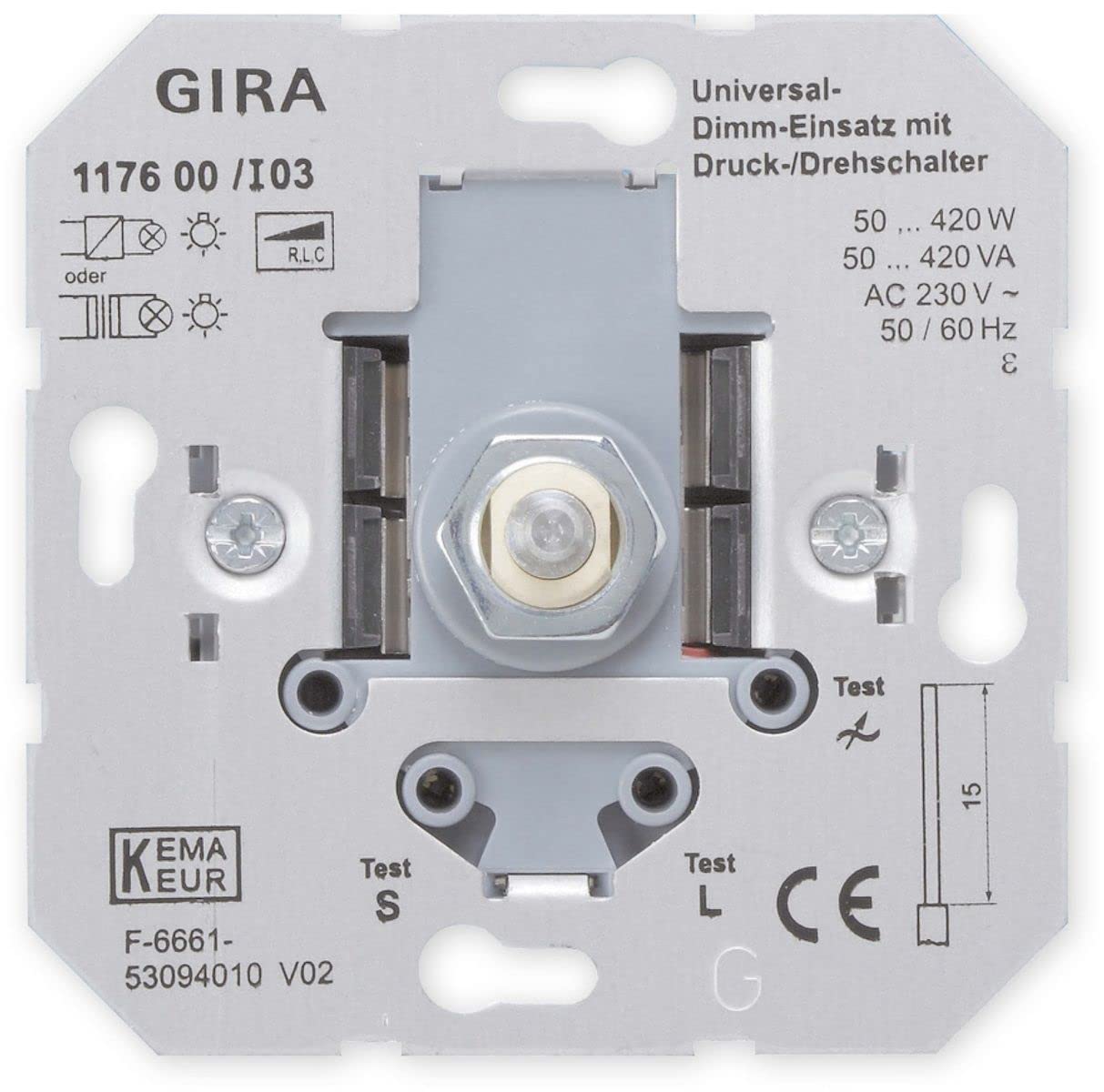
Image 1.1: The Gira 117600 Universal Dimmer Insert, a compact electrical component designed for integration into a wall switch system.
2. Kurulum ve Kurulum
UYARI: Installation of this device involves working with mains electricity. For your safety, installation should only be performed by a qualified electrician in accordance with local wiring regulations and standards. Always switch off the main power supply before beginning any installation work.
The Gira 117600 dimmer insert is designed for integration into a standard flush-mounted box. Follow the wiring diagram provided with the product packaging for correct connection.
Kurulum Adımları (Genel Kılavuz):
- Gücü Kesin: Ensure the main power supply to the circuit is switched off at the consumer unit/fuse box. Verify with a voltage test cihazı.
- Kablolamayı Hazırlayın: Strip the ends of the electrical wires (phase, neutral, switched phase) according to the dimmer's terminal requirements.
- Kabloları Bağlayın: Use the spring terminals to securely connect the wires to the dimmer insert. Refer to the specific wiring diagram for your setup.
- Dimmer Dağı: Carefully place the dimmer insert into the flush-mounted box.
- Kapak Plakasını Takın: Attach the appropriate Gira cover frame and operating element (push/rotary knob) to the dimmer insert.
- Gücü Geri Yükle: Switch the main power supply back on.
Önemli Hususlar:
- Do not connect capacitive loads (e.g., Gira Tronic transformers) and inductive loads (e.g., conventional transformers) simultaneously to the universal dimmer insert.
- An extension control is possible by connecting up to 5 extension inserts (e.g., Gira 1177 00). The maximum cable length between the main dimmer and the last extension should not exceed 100 meters.
- Ensure the total connected load (W/VA) does not exceed the dimmer's maximum switching capacity.
3. Kullanım Talimatları
The Gira 117600 dimmer insert is operated via a compatible push/rotary control element (not included with the insert itself).
- Açma/Kapama: Press the rotary knob briefly to switch the connected lights on or off.
- Karartma: Rotate the knob clockwise to increase the light intensity and counter-clockwise to decrease it.
- Yumuşak Başlangıç: When switched on, the dimmer features a soft start function, gradually increasing the light intensity to the last set level, which helps to prolong the life of the light sources.
4. Bakım
The Gira 117600 dimmer insert is designed for long-term, maintenance-free operation once correctly installed.
- Temizlik: To clean the visible operating element (rotary knob and frame), use a soft, damp Bez kullanın. Yüzeye zarar verebileceğinden aşındırıcı temizleyiciler, çözücüler veya sert kimyasallar kullanmayın.
- Dahili Bileşenler: Do not attempt to open or service the dimmer insert yourself. There are no user-serviceable parts inside.
5. Sorun Giderme
If you experience issues with your Gira 117600 dimmer, please review Aşağıda sık karşılaşılan sorunlar ve çözümleri yer almaktadır:
- Işıklar yanmıyor:
- Ana güç kaynağının açık olup olmadığını kontrol edin.
- Ampullerin çalışır durumda ve doğru şekilde takılmış olduğunu doğrulayın.
- Ensure the dimmer is correctly wired according to the installation instructions.
- The dimmer may have activated its electronic short-circuit protection. Disconnect the load, check for short circuits, and then reconnect.
- Lights do not dim or dim incorrectly:
- Confirm that the connected light sources are dimmable.
- Toplam suyun kontrol edilmesi gerekiyor mu?tage/VA of the connected lights is within the dimmer's specified range (50-420 W/VA).
- Ensure that capacitive and inductive loads are not connected simultaneously.
- Dimmer feels hot:
- The dimmer has automatic overheating protection. If it becomes too hot, it will reduce power or switch off. This usually indicates an overload or insufficient ventilation.
- Reduce the connected load or ensure adequate air circulation around the dimmer.
If problems persist, consult a qualified electrician or contact Gira customer support.
6. Özellikler
| Parametre | Değer |
|---|---|
| Marka | Gira |
| Model Numarası | 117600 |
| Nominal Hacimtage | AC 230V 50/60Hz |
| Anahtarlama Kapasitesi | 50 - 420 W/VA |
| Uzantı Sayısı | En fazla 5 |
| Max. Cable Length (Main to Branch) | 100 metre |
| Özel Özellikler | Dimmable, Soft Start, Electronic Short-Circuit Protection, Automatic Overheating Protection |
| Renk | Gri |
7. Garanti ve Destek
Garanti Bilgileri: Specific warranty terms and conditions for the Gira 117600 Universal Dimmer Insert are typically provided by the manufacturer (Gira) or the retailer at the time of purchase. Please refer to your purchase documentation or the official Gira webayrıntılı garanti bilgileri için site.
Müşteri Desteği: For technical assistance, installation queries, or troubleshooting beyond the scope of this manual, please contact Gira customer support or your authorized Gira dealer. Contact details can usually be found on the official Gira webalan (www.gira.com) or through your retailer.