
giriiş
Satın aldığınız için teşekkür ederizasing the Optimus F-1230 12-Inch Oscillating 3-Speed Table Fan. This manual provides essential information for the safe and efficient operation, maintenance, and care of your new fan. Please read these instructions thoroughly before use and retain them for future reference.

Figure 1: Optimus F-1230 12-Inch Oscillating 3-Speed Table Fan, White.
Önemli Güvenlik Talimatları
- Bu fanı kullanmadan önce tüm talimatları okuyun.
- Hasarlı bir kablo veya fişle hiçbir fanı çalıştırmayın. Fanı atın veya inceleme ve/veya onarım için yetkili bir servis tesisine iade edin.
- Kabloyu halının altından geçirmeyin. Kabloyu kilim, yolluk veya benzeri örtülerle örtmeyin. Kabloyu trafik alanından uzakta ve üzerine basılmayacağı bir yere yerleştirin.
- Always unplug the fan when moving it, cleaning, or when not in use.
- Do not insert fingers or any foreign objects into the grille openings.
- Do not use this fan near windows, in wet areas, or where it may come into contact with water.
- Devrilmeyi önlemek için vantilatörün sabit ve düz bir yüzeye yerleştirildiğinden emin olun.
Paket İçeriği
Upon opening the package, ensure all components are present and undamaged. The Optimus F-1230 fan typically includes the following parts:
- Fan Motor Unit with Base and Control Panel
- Ön Izgara
- Arka Izgara
- Fan Bıçağı
- Grille Retaining Nut
- Bıçak Tutma Kapağı

Figure 2: Components of the Optimus F-1230 Table Fan.
Montaj Talimatları
The Optimus F-1230 fan is designed for no-tool assembly. Follow these steps to set up your fan:
- Attach Rear Grille: Align the rear grille with the motor housing, ensuring the alignment pins on the motor housing fit into the corresponding holes on the rear grille. Secure it with the grille retaining nut by turning clockwise.
- Fan Pervanesini Takın: Slide the fan blade onto the motor shaft, making sure the notch on the blade aligns with the pin on the shaft. Secure it with the blade retaining cap by turning counter-clockwise.
- Ön Izgarayı Takın: Place the front grille over the rear grille, aligning the clips. Snap the front grille into place, ensuring it is securely fastened around the entire circumference.
- Fanı Konumlandırın: Monte edilmiş vantilatörü sağlam, düz bir yüzeye yerleştirin.
Kullanım Talimatları
Once assembled, your Optimus F-1230 fan is ready for use. Ensure the fan is plugged into a standard 120V AC electrical outlet.
Güç ve Hız Ayarları
The fan features a 4-position push button switch located on the base for controlling power and speed:
- Press the appropriate button to select one of the 3 hız ayarı (Low, Medium, High).
- Press the 'OFF' button to turn the fan off.
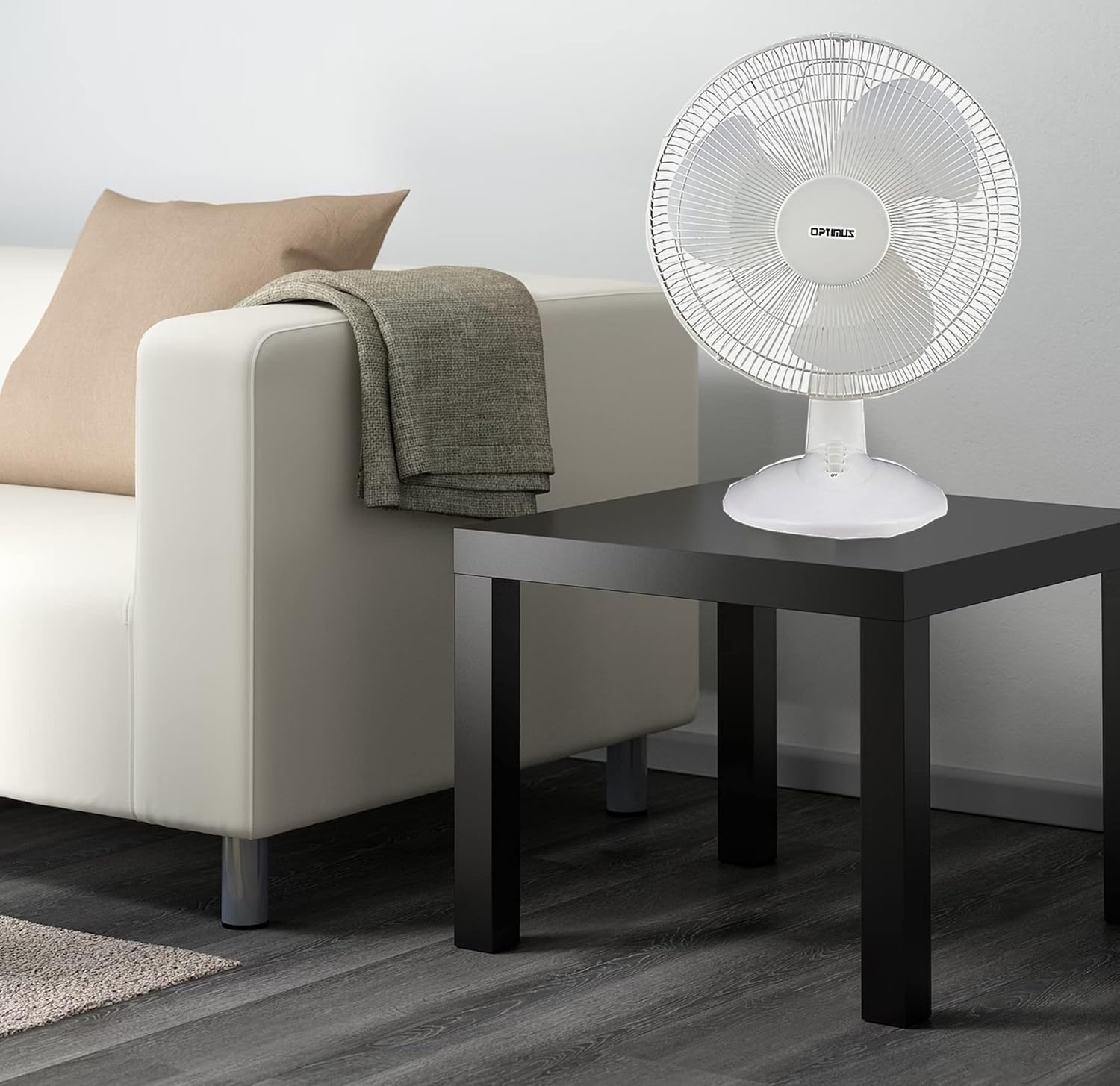
Figure 3: 4-Position Push Button Switch for speed control.
Salınım Fonksiyonu
The fan offers a full room of directional 90-degree oscillation to distribute air across a wider area:
- To start oscillation, push down the oscillation knob located on top of the motor housing.
- To stop oscillation and direct airflow in a fixed position, pull up the oscillation knob.
Adjustable Tilt/Angle Head
The fan head can be adjusted vertically to direct airflow precisely where needed:
- To adjust the tilt, gently push the fan head up or down to the desired angle. The fan head will remain in the selected position.

Figure 4: Adjustable tilt/angle head for vertical airflow adjustment.
Bakım ve Temizlik
Düzenli temizlik ve bakım, fanınızın en iyi performansı göstermesini ve ömrünü uzatmasını sağlayacaktır.
Temizlik
- Temizlemeden önce vantilatörün fişini mutlaka prizden çekin.
- Yumuşak bir d kullanınamp Vantilatörün dış yüzeylerini silmek için bir bez kullanın. Aşındırıcı temizleyiciler veya çözücüler kullanmayın.
- To clean the fan blades, you may need to carefully remove the front grille. Refer to the assembly instructions in reverse order for safe removal and reattachment.
- Fanı tekrar prize takmadan önce tüm parçaların tamamen kuru olduğundan emin olun.
Depolamak
Uzun süre kullanılmayacaksa, fanı tozdan ve hasardan korumak için serin ve kuru bir yerde, tercihen orijinal ambalajında saklayın.
Sorun giderme
Eğer fanınız düzgün çalışmıyorsa, aşağıdaki yaygın sorunlara ve çözümlere göz atın:
- Fan açılmıyor:
- Güç kablosunun çalışan bir elektrik prizine güvenli bir şekilde takıldığından emin olun.
- Check if the outlet is receiving power by plugging in another appliance.
- Verify that the speed control button is pressed to an 'ON' setting (1, 2, or 3).
- Fan gürültülü:
- Vantilatörün sağlam ve düz bir yüzeye yerleştirildiğinden emin olun.
- Fan ızgaralarında veya kanatların çevresinde gevşek parça veya engel olup olmadığını kontrol edin.
- Clean the fan blades and grilles to remove any dust buildup that might cause imbalance.
- Fan does not oscillate:
- Ensure the oscillation knob on top of the motor housing is pushed down.
Bu çözümleri denedikten sonra sorun devam ederse lütfen müşteri desteğiyle iletişime geçin.
Özellikler
| Marka | En iyi |
| Model Numarası | F-1230 |
| Elektrikli Fan Tasarımı | Masa Vantilatörü |
| Renk | Beyaz |
| Güç Kaynağı | Kablolu Elektrik |
| Hız Sayısı | 3 |
| Özel Özellik | titreşen |
| Montaj Tipi | Masa Üstü Montaj |
| Denetleyici Türü | Düğme Kontrolü |
| Netage | 50 watt |
| Cilttage | 120 Volt |
| Ürün Ağırlığı | 4.95 Pound |
| Malzeme Türü | Plastik |
| İç/Dış Mekan Kullanımı | Kapalı |
Garanti ve Müşteri Desteği
Garanti Bilgileri
This Optimus F-1230 fan comes with a 1 Yıl Parça ve İşçilik warranty. Please retain your proof of purchase for any warranty claims.
Müşteri Desteği
For technical assistance, troubleshooting not covered in this manual, or warranty service, please contact Optimus Enterprises. The manufacturer's contact information is: SEATTLE, WA, 98109 US.
You may also visit the official Optimus webEk destek kaynakları için site.