1. Ürün Bittiview
The Kensington K33374 Wireless Presenter with Laser Pointer is designed for effective presentations. It features intuitive controls, a reliable wireless connection, and a built-in laser pointer to highlight key information.

Image: The Kensington K33374 Wireless Presenter and its accompanying USB receiver. The presenter is black with silver control buttons and a blue Kensington logo.
2. Paket İçeriği
Paketin içerisinde tüm ürünlerin mevcut olduğundan emin olun:
- Kensington K33374 Kablosuz Sunucu
- USB Kablosuz Alıcı
- 2 AAA Pil (dahil)
- Kullanım Kılavuzu (bu belge)
3. Kurulum Talimatları
3.1. Pil Kurulumu
- Locate the battery compartment on the back of the presenter.
- Pil bölmesinin kapağını açın.
- İki adet AAA pili, kutupların doğru olmasına dikkat ederek (+/-) takın.
- Pil bölmesi kapağını sıkıca kapatın.
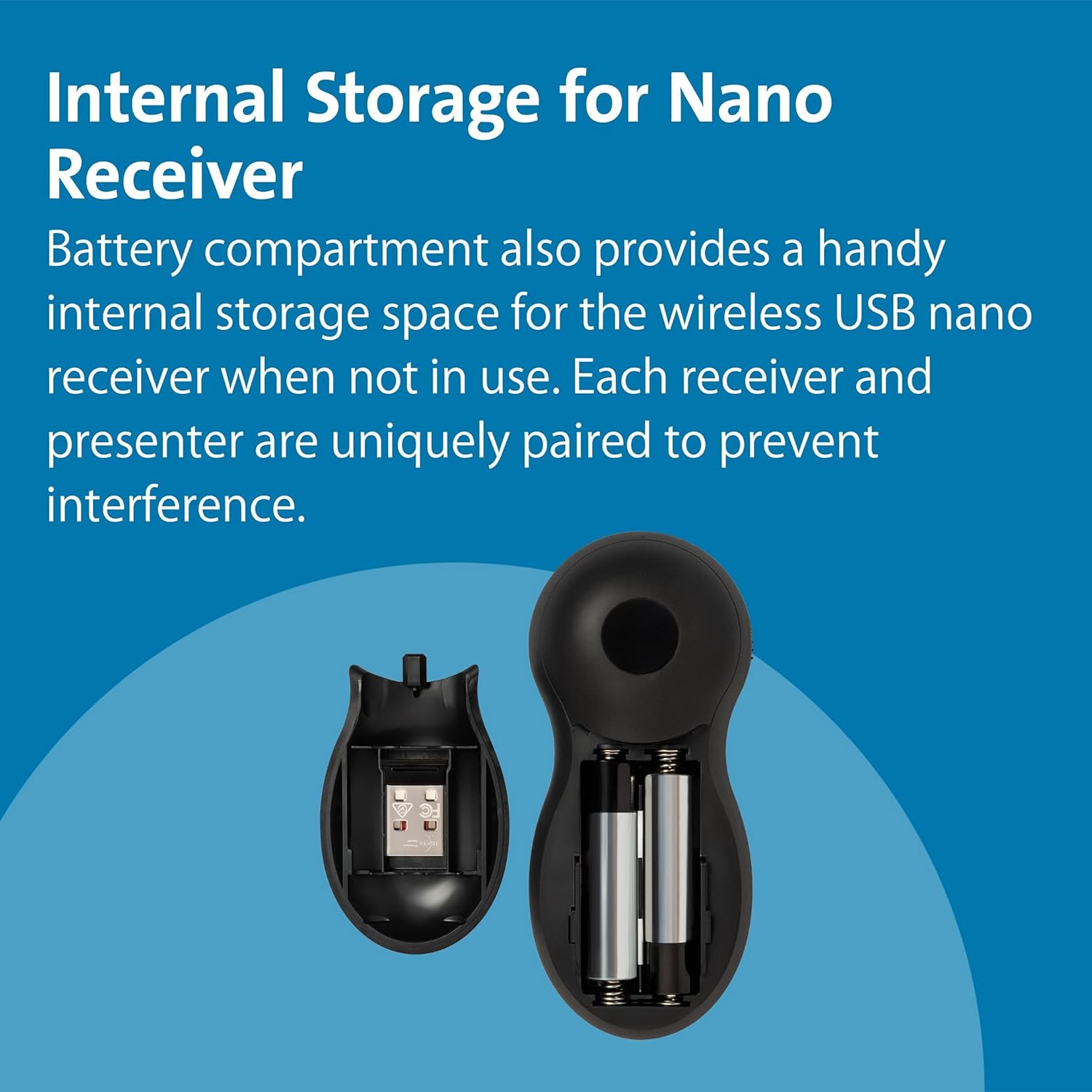
Image: The internal storage compartment of the presenter, showing the space for the USB receiver and two AAA batteries.
3.2. USB Alıcısını Bağlama
- Remove the USB receiver from its internal storage compartment within the presenter.
- USB alıcısını bilgisayarınızdaki uygun bir USB bağlantı noktasına takın.
- The computer should automatically detect and install the necessary drivers (Plug & Play).

Image: The Kensington Wireless Presenter shown alongside its compact USB receiver, ready for connection.
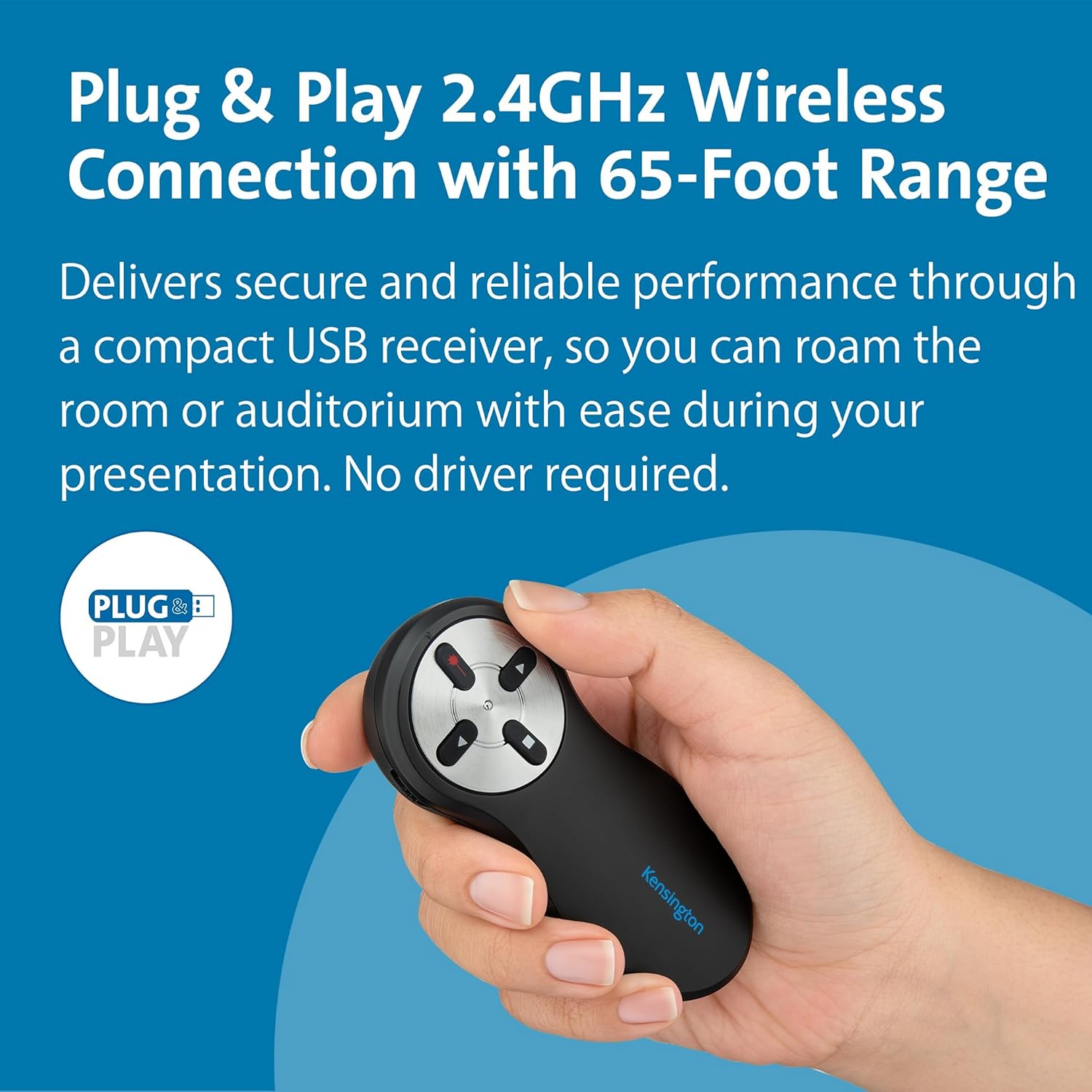
Image: A hand holding the Kensington Wireless Presenter, with a "Plug & Play" logo indicating easy setup.
4. Kullanım Talimatları
The presenter features intuitive 4-button controls for seamless navigation during your presentation.

Image: Close-up of the Kensington Wireless Presenter showing its four main control buttons and the side-mounted on/off switch.
4.1. Düğme Fonksiyonları
- Forward Button (Right Arrow): Advances to the next slide in your presentation.
- Backward Button (Left Arrow): Returns to the previous slide in your presentation.
- Laser Pointer Button (Red Dot): Activates the red laser pointer to highlight specific areas on your screen.
- Black Screen Button (Square): Toggles the screen to black, allowing you to focus audience attention on yourself. Press again to return to the presentation.
- Açma/Kapama Anahtarı: Located on the side of the presenter, slide to turn the device on or off to conserve battery life.

Image: The Kensington Wireless Presenter with a red laser beam projecting from its tip, demonstrating the laser pointer function.
4.2. Kablosuz Menzil
The 2.4GHz wireless technology provides an interference-free control range of up to 65 feet (approximately 20 meters), allowing you to move freely around the room during your presentation.
5. Bakım
5.1. Pil Değişimi
When the presenter's performance diminishes, replace the two AAA batteries following the installation steps in Section 3.1.
5.2. Temizlik
Wipe the presenter with a soft, dry cloth. Avoid using harsh chemicals or abrasive cleaners.
6. Sorun Giderme
- Presenter not responding:
- Ensure the presenter is switched ON.
- Pillerin doğru şekilde takılıp takılmadığını ve yeterli şarja sahip olup olmadığını kontrol edin. Gerekirse değiştirin.
- USB alıcısının bilgisayarınızdaki çalışan bir USB portuna güvenli bir şekilde takılı olduğundan emin olun.
- USB alıcısını farklı bir USB bağlantı noktasına takmayı deneyin.
- Lazer işaretleyici çalışmıyor:
- Ensure the presenter is switched ON.
- Pil şarjını kontrol edin.
- Ensure you are pressing the correct button for the laser pointer.
- Interference or limited range:
- Ensure there are no large metallic objects or other wireless devices causing interference between the presenter and the receiver.
- Reduce the distance between the presenter and the USB receiver.
7. Özellikler
| Özellik | Detay |
|---|---|
| Marka | Kensington |
| Model Numarası | K33374EUB |
| Bağlantı | 2.4 GHz Kablosuz (USB Alıcı) |
| kablosuz Menzil | 65 feet'e (20 metre) kadar |
| Kontroller | 4-Button (Forward, Backward, Laser, Black Screen) |
| Lazer Tipi | Class II Red Laser, 1mW power output |
| Pil Türü | 2 adet AAA pil |
| Boyutlar | 10.16x4.45x1.91 cm |
| Ağırlık | 158.76 gr |
| Uyumlu Cihazlar | Projector, PC, Mac (Plug & Play) |
8. Garanti ve Destek
The Kensington K33374 Wireless Presenter comes with Kensington's one-year warranty. For warranty claims or technical support, please refer to the official Kensington websiteye gidin veya doğrudan müşteri hizmetleriyle iletişime geçin.
Daha fazla bilgi için şu adresi ziyaret edin: Kensington Store on Amazon.