
giriiş
This manual provides essential instructions for the safe and efficient use of your Olympus Note Corder 100 digital voice recorder. Please read this manual thoroughly before operating the device and retain it for future reference.
Ürün Bittiview
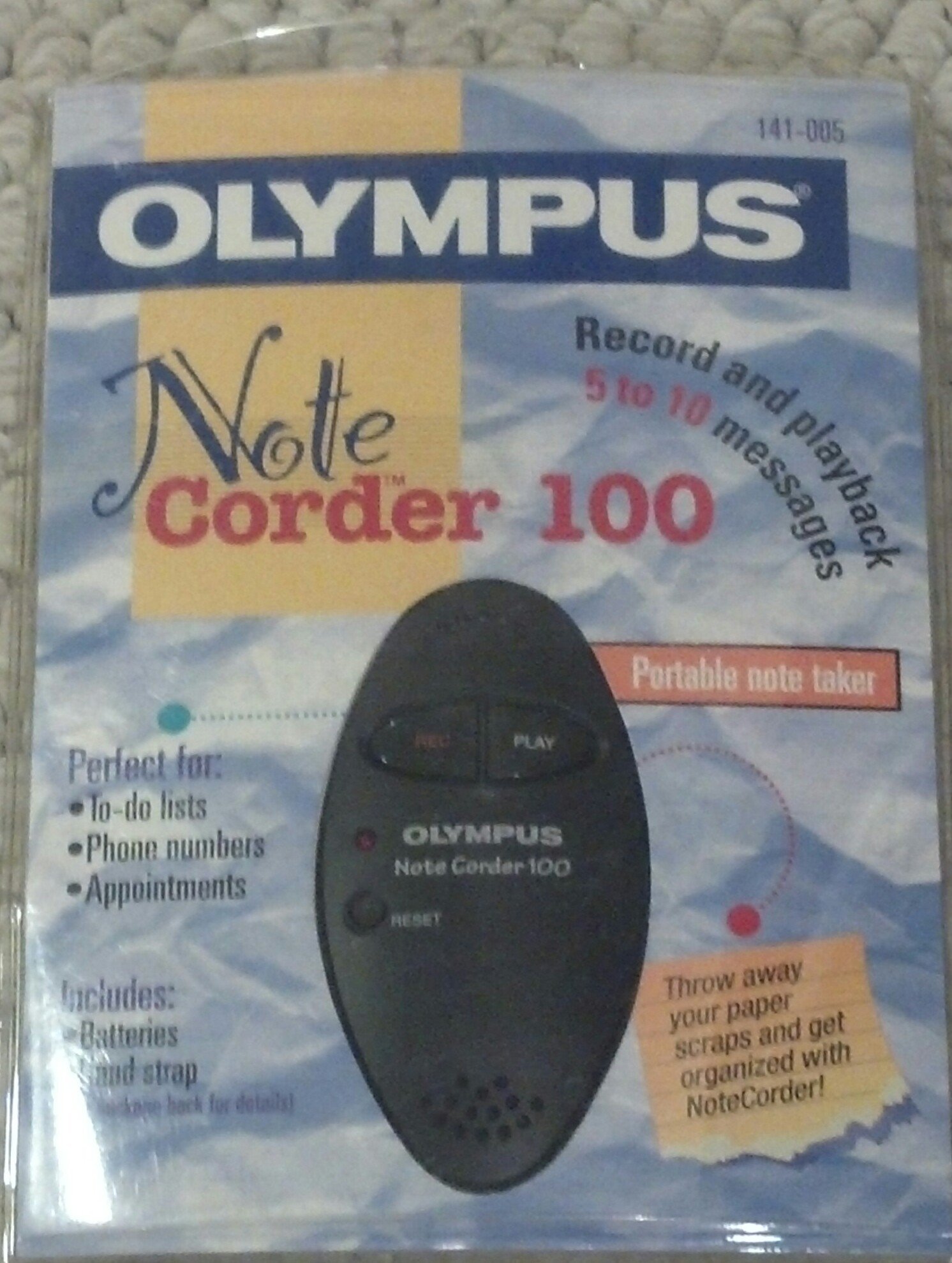
Image: The Olympus Note Corder 100 digital voice recorder, packaged. This image illustrates the product's compact design and highlights its primary features such as ergonomic design, 20-second recording time, and an LED indicator.
The Olympus Note Corder 100 is a compact, portable digital voice recorder designed for quick and convenient voice memos. Its ergonomic design ensures comfortable handling, making it ideal for recording short notes on the go.
Temel Özellikler:
- Ergonomik Tasarım: Fits comfortably in the palm of your hand.
- 20-Second Recording Time: Ideal for short, concise messages.
- LED Göstergesi: Cihazın durumu hakkında görsel geri bildirim sağlar.
- Dahili hafıza: Stores recordings internally.
- Portable Format: Taşıması ve her yerde kullanımı kolaydır.
Kurmak
1. Pil Kurulumu
The Note Corder 100 requires two (2) CR2032 1.5V batteries for operation. Ensure correct polarity when inserting the batteries.
- Cihazınızın üzerindeki pil bölmesi kapağını bulun.
- Kapağı işaretlere uygun şekilde kaydırarak veya kaldırarak açın.
- Insert two CR2032 batteries, observing the positive (+) and negative (-) terminals.
- Pil bölmesi kapağını sıkıca kapatın.
2. El Kayışının Takılması
Attach the included hand strap to prevent accidental drops and for convenient carrying.
- Locate the strap attachment point on the device.
- Thread the thin loop of the hand strap through the attachment point.
- Pass the main strap through the loop and pull firmly to secure it.
Kullanım Talimatları
1. Recording Messages
The Note Corder 100 allows for quick voice recordings up to 20 seconds in length.
- Basılı tutun Kayıt button. The LED indicator will illuminate.
- Lütfen dahili mikrofona net bir şekilde konuşun.
- Serbest bırak Kayıt button to stop recording. The LED indicator will turn off.
- If the recording exceeds 20 seconds, the device will automatically stop recording.
2. Playing Back Messages
To listen to your recorded messages:
- Basın Oynamak button. The device will play back the last recorded message.
- Çalmayı durdurmak için Oynamak Tekrar düğmeye basın.
3. LED Göstergesi
The LED indicator provides visual cues for the device's status:
- Illuminated during Record: Aktif kayıt işlemini gösterir.
- Kapalı: Indicates standby or stopped recording/playback.
Bakım
1. Pil Değişimi
Replace batteries when the device's performance degrades or the LED indicator suggests low power.
- Kurulum bölümünde belirtilen pil takma adımlarını izleyin.
- Always use two new CR2032 1.5V batteries.
- Eski pilleri yerel düzenlemelere uygun şekilde sorumlu bir şekilde atın.
2. Temizlik
Keep your Note Corder 100 clean to ensure optimal performance.
- Cihazın dışını yumuşak ve kuru bir bezle silin.
- Do not use liquid cleaners, solvents, or abrasive materials.
- Herhangi bir açıklıktan içeriye nem girmesini önleyin.
Sorun giderme
| Sorun | Olası Neden | Çözüm |
|---|---|---|
| Cihaz açılmıyor. | Piller bitmiş veya yanlış takılmış. | Replace batteries with new CR2032 cells, ensuring correct polarity. |
| Cannot record messages. | Record button not held down, or batteries are low. | Ensure the Record button is pressed and held during recording. Check and replace batteries if necessary. |
| Oynatma sırasında ses yok. | No message recorded, or low battery. | Verify a message has been recorded. Replace batteries. |
Özellikler
- Modeli: Olympus Note Corder 100 (Model No. 141-005)
- Kayıt Süresi: Up to 20 seconds per message
- Güç Kaynağı: 2 x CR2032 1.5V Lithium Batteries
- Hafıza: Built-in (non-expandable)
- Mikrofon: Entegre
- PC Bağlantısı: Desteklenmiyor
- Sesle Etkinleştirme: Desteklenmiyor
- Tanıtım Yılı: 1996
Garanti ve Destek
The Olympus Note Corder 100 comes with a 90 günlük sınırlı garanti Satın alma tarihinden itibaren geçerlidir. Bu garanti, normal kullanım koşullarındaki üretim hatalarını kapsar.
For warranty claims or technical support, please contact Olympus America Inc. at the address below. Please have your proof of purchase and product model number ready.
Olympus America Inc.Two Corporate Center Drive
Melville, NY 11747-3157 USA
Not: This product was manufactured in China.